




Description
Toshiba Portege X30W-J i5 11th Gen – A Featherlight 2-in-1 Laptop for Work, Study and Travel
Product Overview
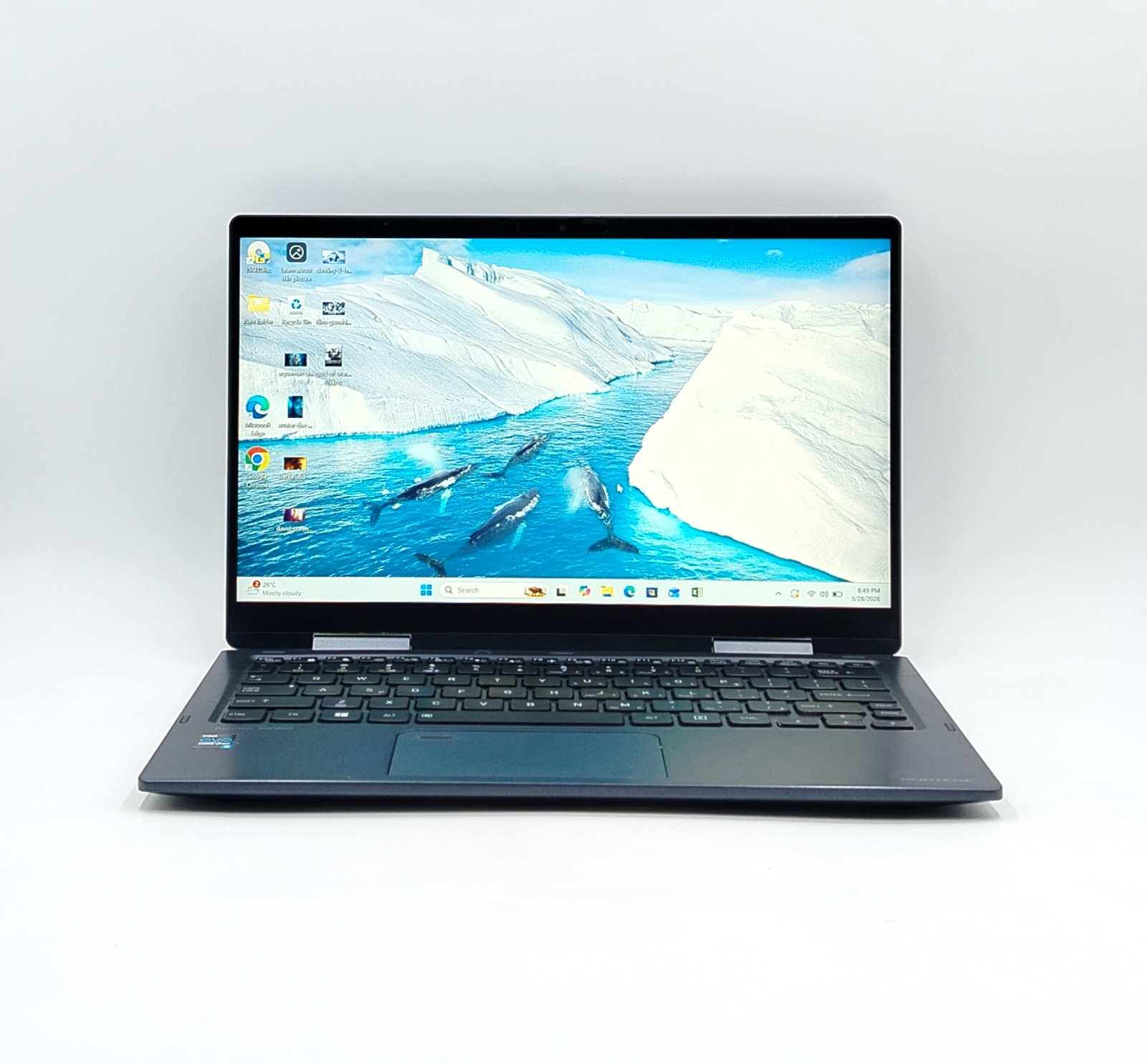
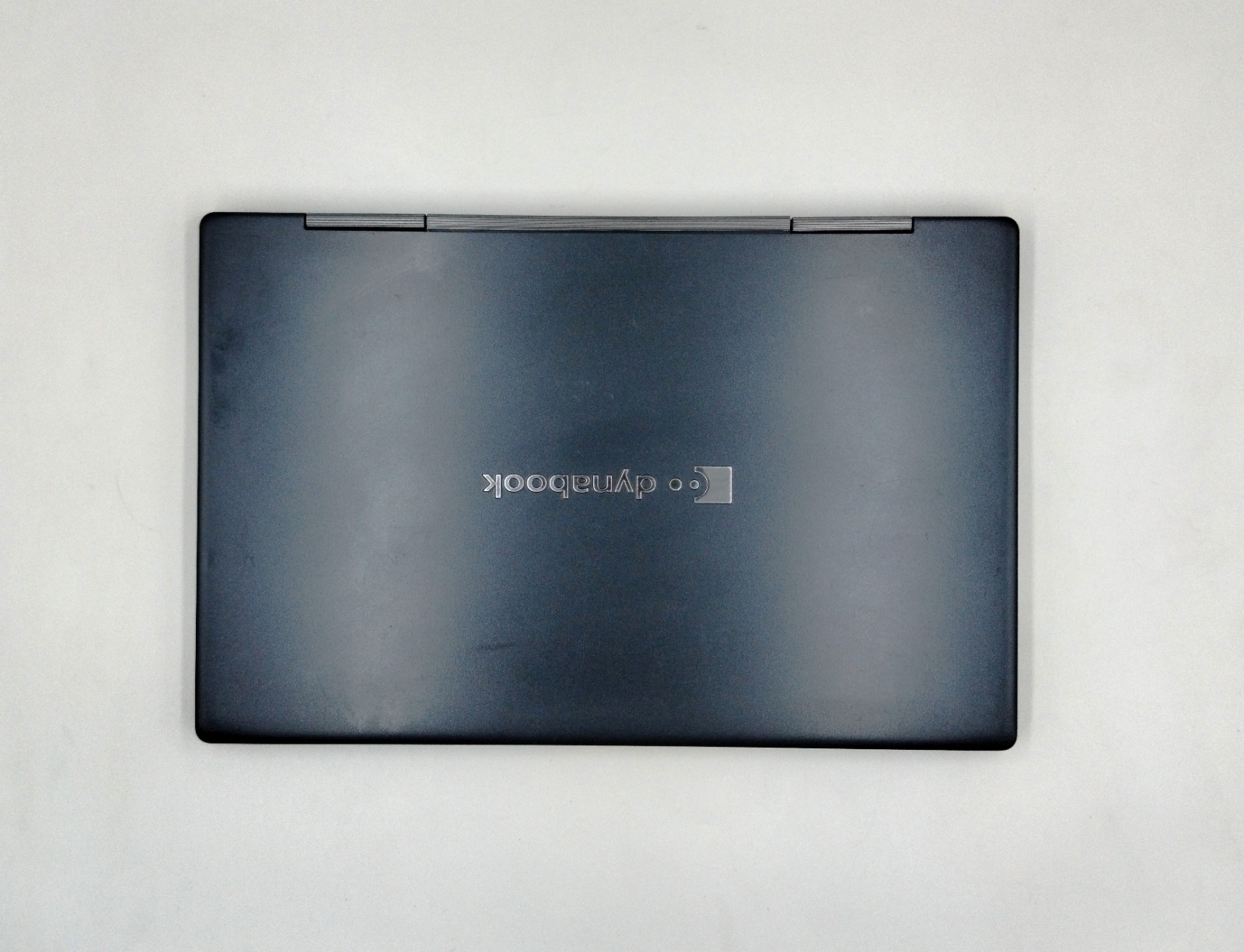
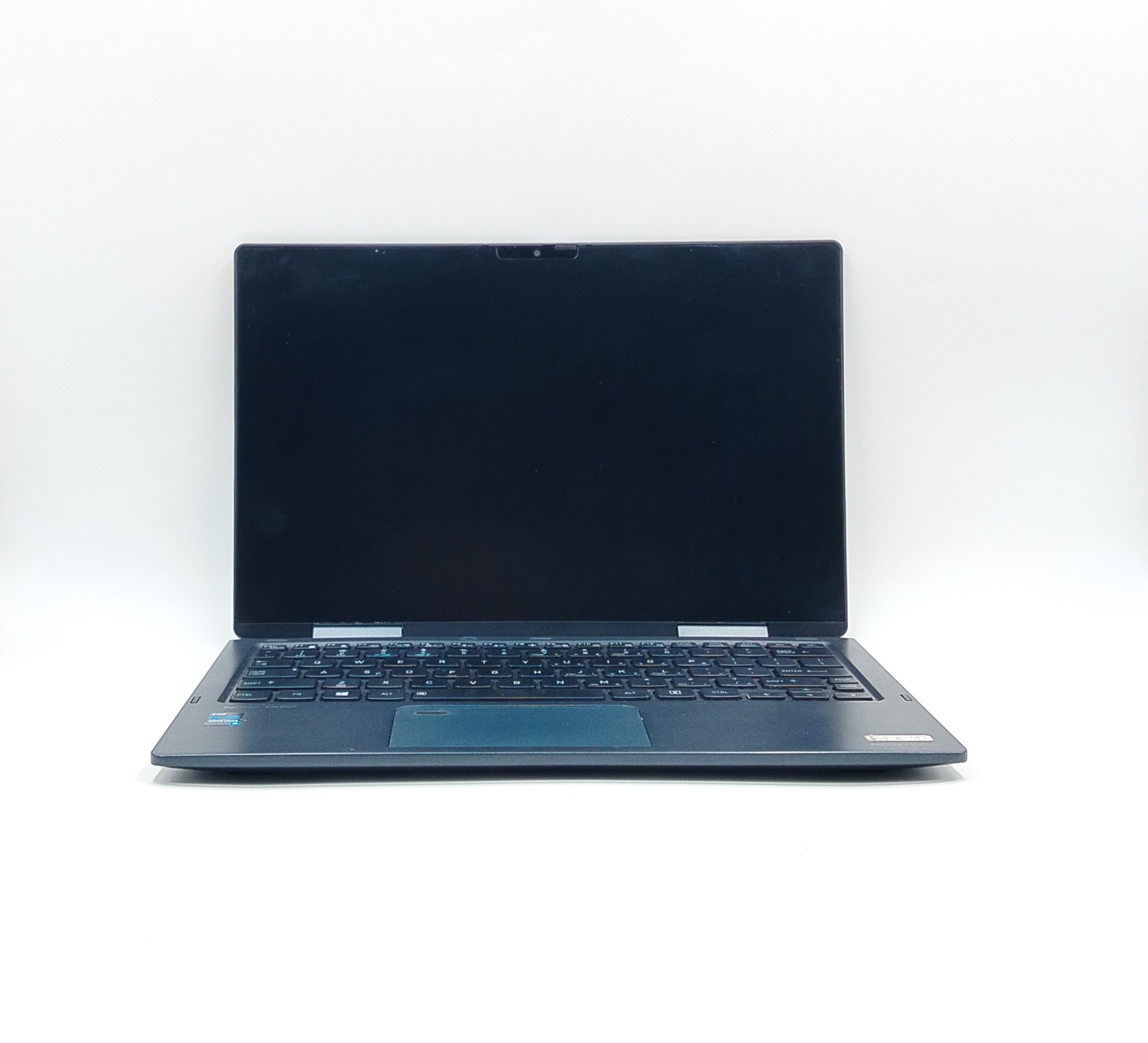
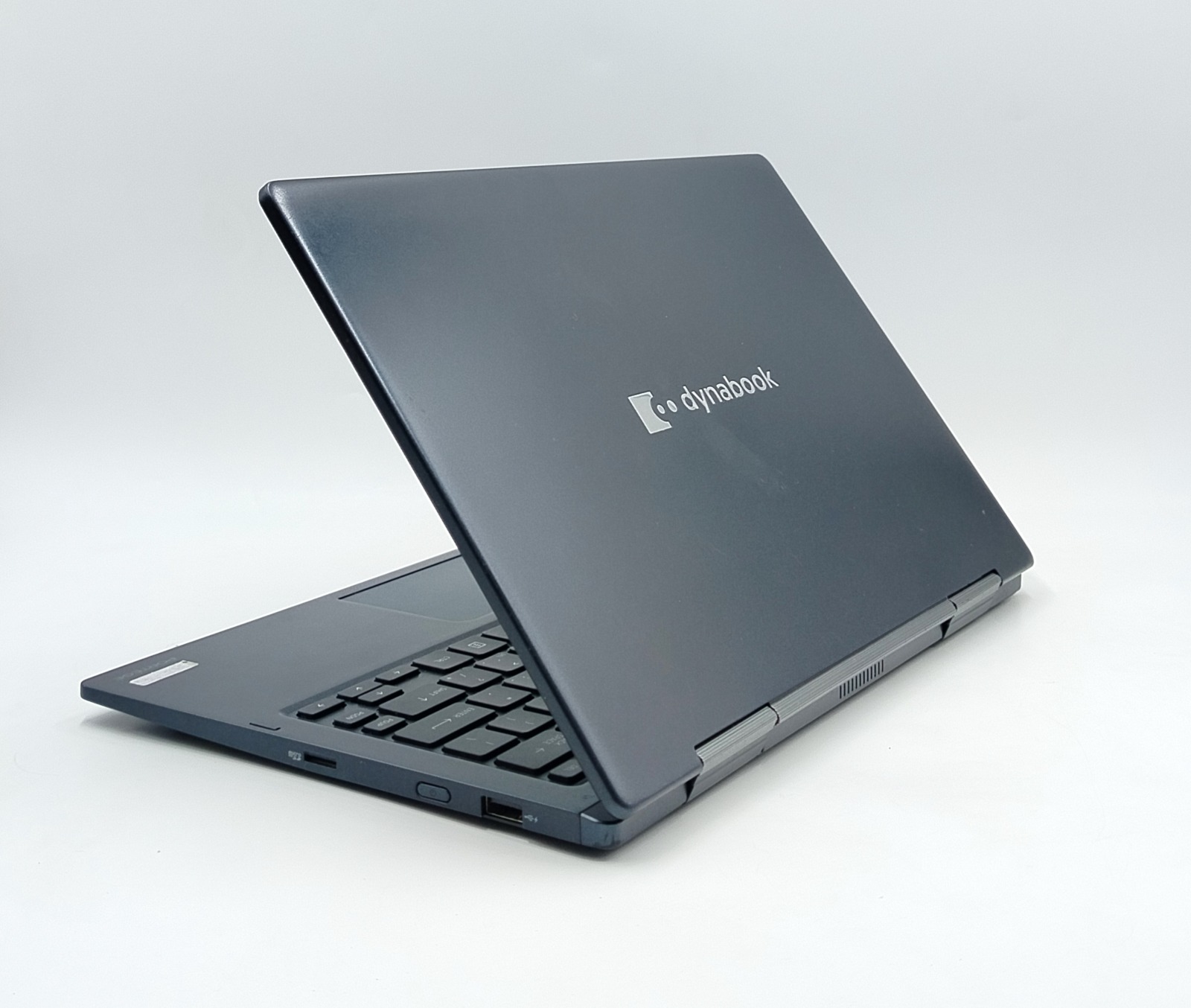
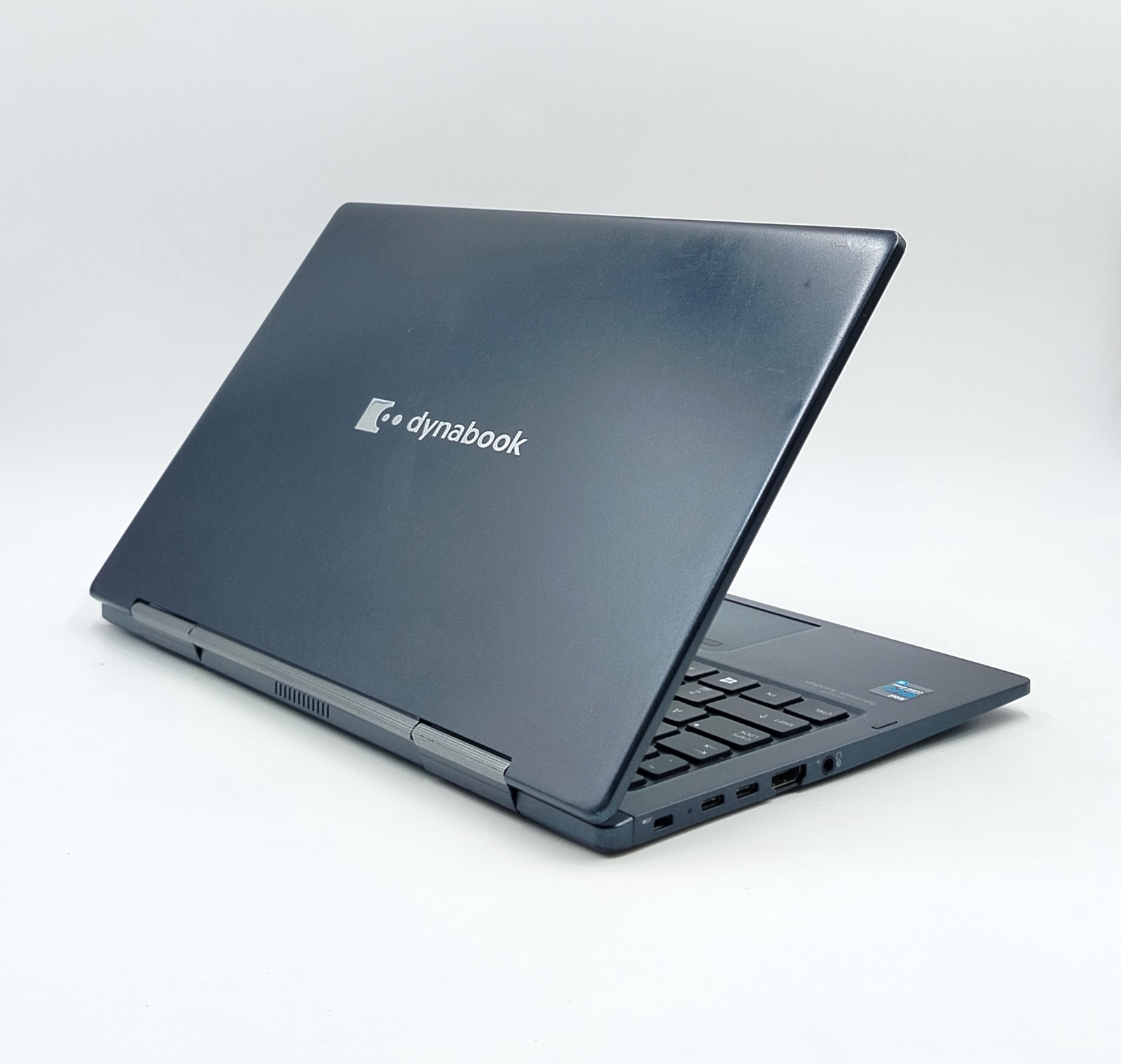
The Toshiba Portege X30W-J is a 13.3-inch 2-in-1 business laptop that weighs under 1 kg and still includes Thunderbolt 4 ports, a Full HD touchscreen, and an 11th Gen Intel Core i5 processor. The lid of this laptop carries the Dynabook logo, and the palm rest says Portégé, because Toshiba’s laptop business is now run by Dynabook. You will also see the same laptop listed as the Dynabook Portégé X30W-J. This lightly used unit comes with 16GB RAM, a 256GB SSD, and Windows 11 Pro preinstalled, so it is ready to use as soon as it arrives.
It launched in late 2020 as a premium business laptop (Windows Central reported US pricing from around $1,550), which is why it has features most budget laptops don’t: a magnesium body, a 360° hinge, and two Thunderbolt 4 ports. It is not a gaming laptop. It is a fast, light, well-connected machine for students, office staff, freelancers, and anyone who carries a laptop every day.
Specification Table
| Feature | Details |
|---|---|
| Condition | Slightly Used |
| Brand & Model | Toshiba Portege X30W-J (also sold as Dynabook Portégé X30W-J) |
| Series | Portégé |
| Processor | Intel Core i5-1135G7, 11th Generation |
| Processor Speed | 2.4GHz base, up to 4.2GHz with Intel Turbo Boost (4 cores, 8 threads) |
| Processor Cache | 8MB L3 |
| RAM | 16GB (built onto the motherboard, not upgradeable) |
| Storage | 256GB SSD |
| Graphics | Intel Iris Xe Graphics (integrated, shares system memory) |
| Display Size | 13.3″ |
| Screen Resolution | 1920 × 1080 Full HD IPS |
| Touchscreen | Yes, multi-touch, with 360° 2-in-1 hinge |
| Operating System | Windows 11 Pro |
| Wi-Fi | Yes (Wi-Fi 6) |
| Bluetooth | Yes (5.1) |
| USB 3.1 | 2 Ports |
| USB Type-C | 2 × Thunderbolt 4 |
| HDMI | Yes |
| LAN (Ethernet) | No |
| Webcam | Infrared (IR) HD camera for Windows Hello face sign-in |
| Backlit Keyboard | Yes |
| Fingerprint Reader | No |
| Charger Included | Yes |
| Warranty | 10-Day Checking Warranty |
Design & Build Quality
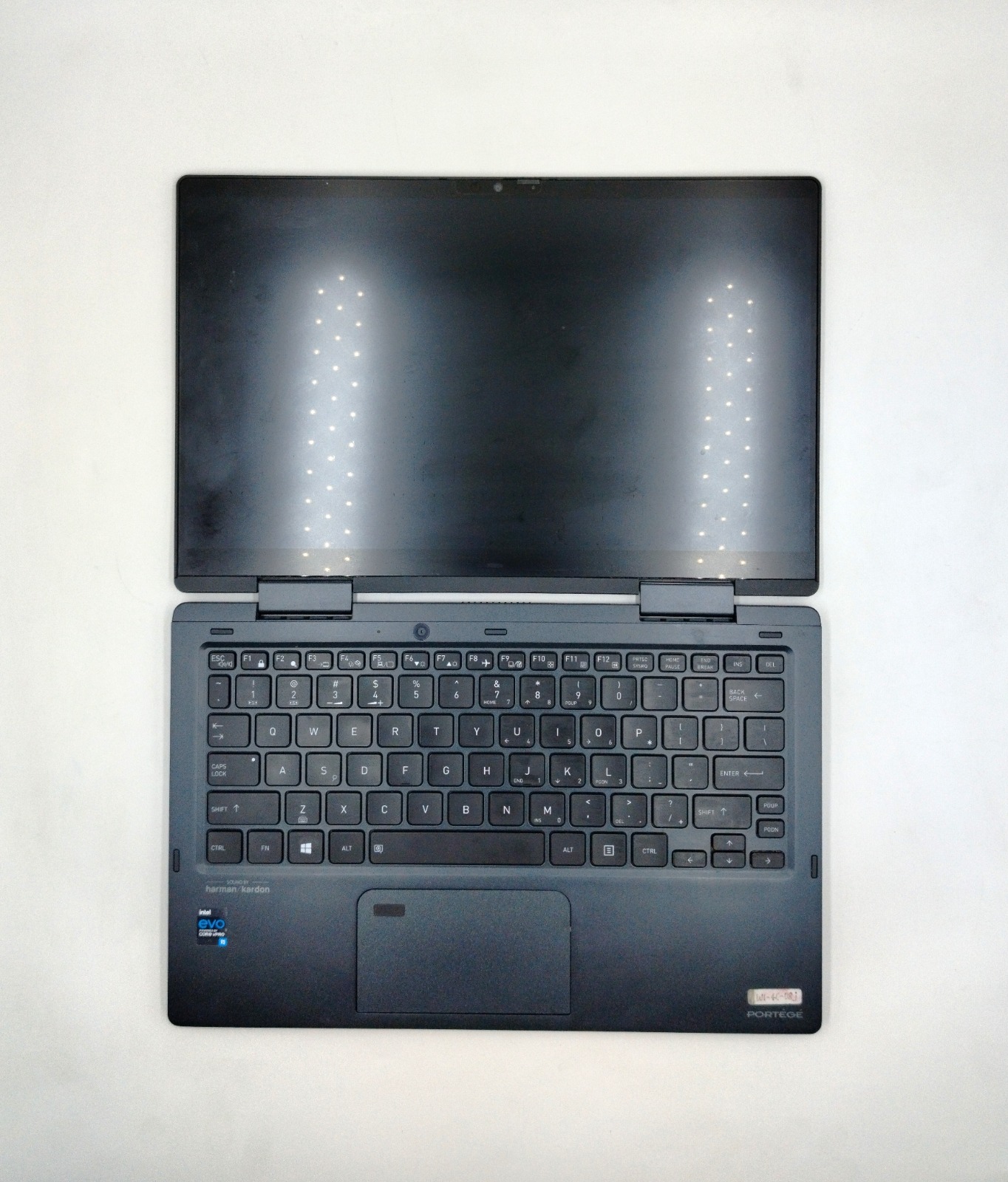
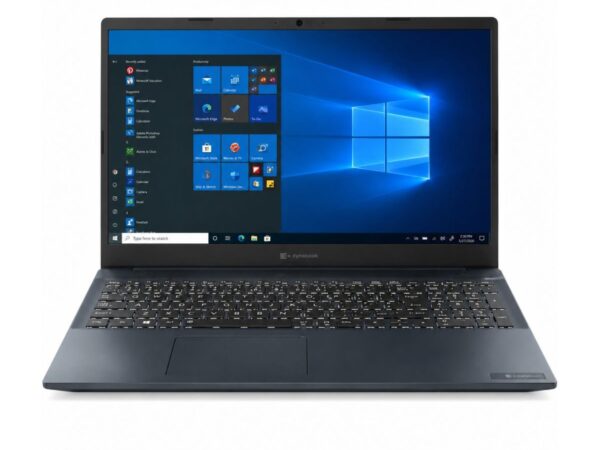
Toshiba built its reputation on laptops made for the office and the road, and the Portégé line keeps that spirit. The X30W-J has a magnesium-alloy body in a Mystic Blue finish, is only about 18 mm thin, and weighs under 1 kg (Dynabook rates it at 989 g, about 2.2 lbs). Dynabook launched it as the lightest 13-inch convertible with an 11th Gen Intel Core processor at the time, and in a bag you barely notice it is there.
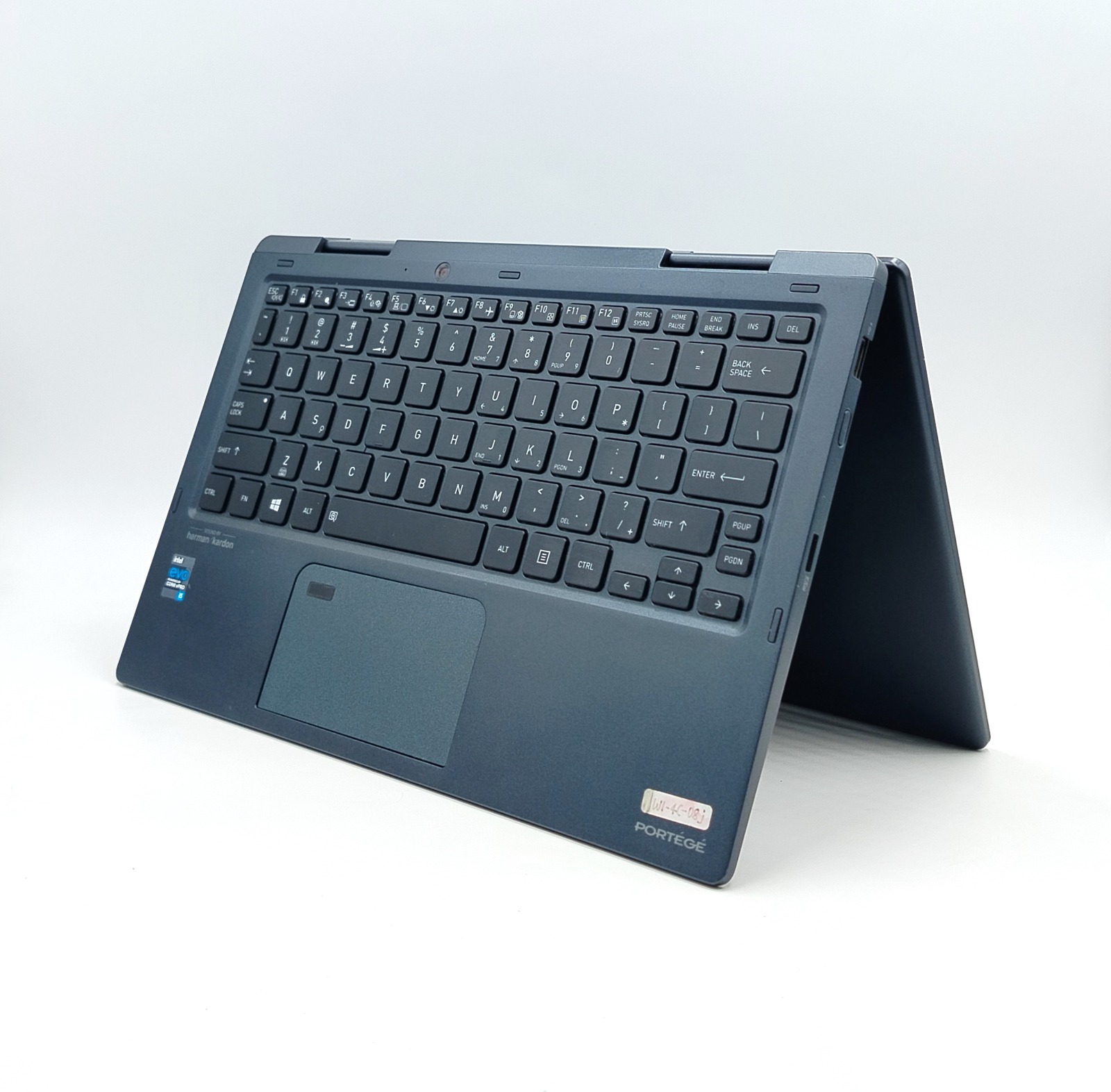
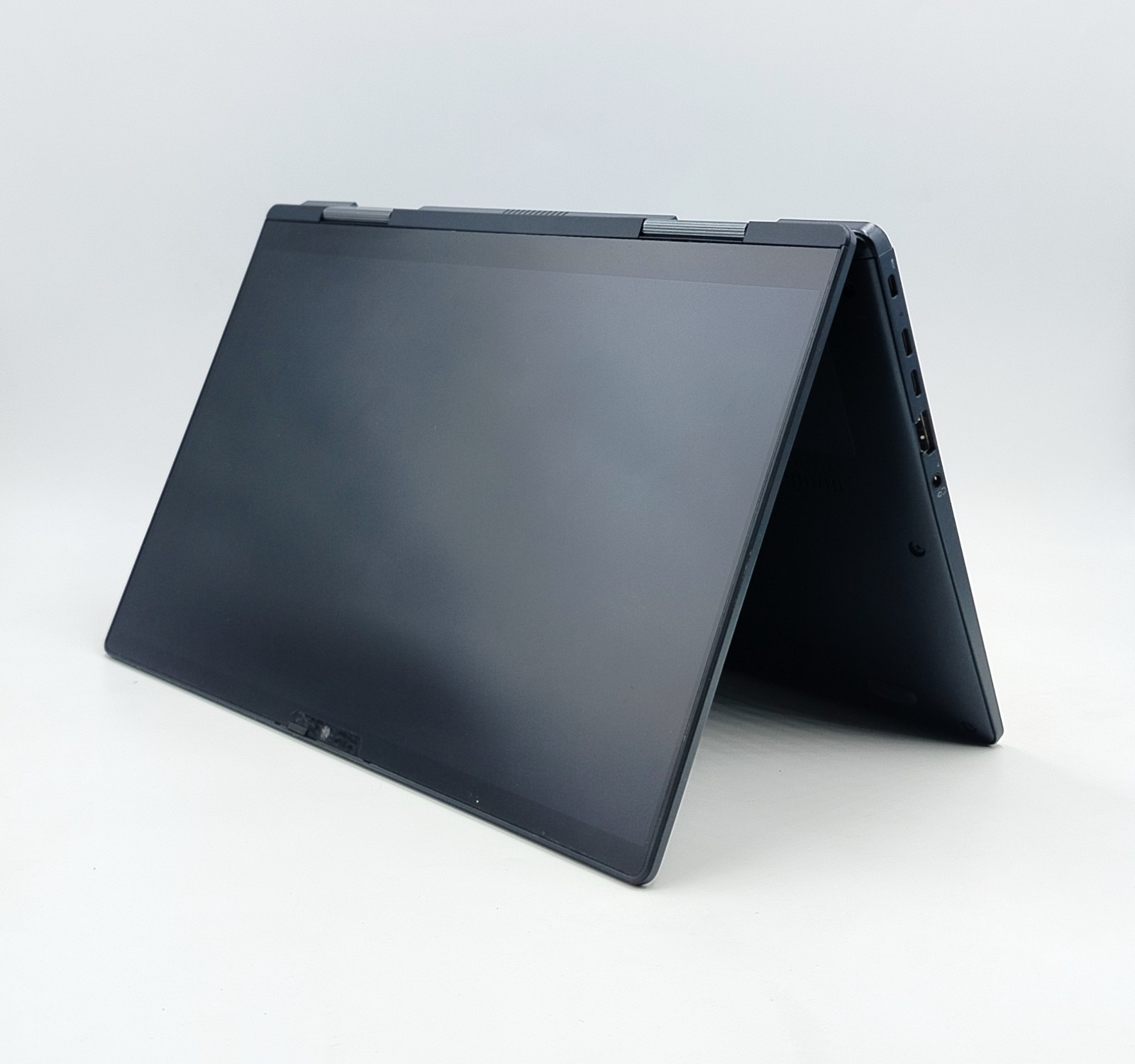
It is also tougher than it looks. The X30W-J is MIL-STD-810G tested, a US military test standard that covers things like shock, vibration, and temperature changes (Notebookcheck’s report on Dynabook’s announcement confirms it), and reviewers who tested it found the build very robust for its weight. The hinge turns a full 360°, so the screen works in laptop, tent, stand or tablet mode.
Toshiba Portege Build Highlights
- Magnesium-alloy chassis in Mystic Blue
- Under 1 kg and about 18 mm thin
- 360° hinge for laptop, tent, stand and tablet modes
- MIL-STD-810G tested for everyday knocks and travel
- Backlit keyboard for typing in low light
- Manual webcam shutter for privacy
Typing is comfortable for a laptop this thin, although key travel is shallow, as you would expect at 18 mm. Together with the light body and the solid hinge, it makes a laptop that feels premium in the hand and is easy to carry all day.
Also Known as the Dynabook Portégé X30W-J
You will see this laptop listed under a few names: Toshiba Portege X30W-J, Dynabook Portégé X30W-J, or sometimes “Dynabook Toshiba Portégé X30W-J”. Toshiba’s laptop business is now run by Dynabook, so the logo on the lid of this laptop says Dynabook, and the manufacturer’s website, drivers, and many international listings use the Dynabook name (and the accent on the é). It is the same machine with the same internals.
Do not confuse it with the X30L-J. That is a different model: a standard clamshell laptop that does not flip and has a built-in LAN port. The X30W-J is the 2-in-1 flip version.
Display Experience
The 13.3-inch Full HD (1920 × 1080) IPS touchscreen is sharp enough for reading, documents and video calls, and IPS means colours and contrast stay consistent even when you look at the screen from the side. Dynabook uses a Sharp IGZO panel protected by Corning Gorilla Glass, and the screen supports multi-touch, so tapping, swiping and pinch-to-zoom work the same way they do on a phone.
Because the hinge flips all the way around, you can fold the screen into tablet mode for reading and note-taking, tent mode for presenting or watching videos, or stand mode for sharing the screen across a desk. The X30W-J also supports active pen input. Dynabook included a stylus in the original package, but a pen is not included with this unit unless the listing says so.
Performance & Processor
The Intel Core i5-1135G7 is a 4-core, 8-thread processor from Intel’s 11th Gen (Tiger Lake) family (Intel’s official specifications list the same figures). It runs at 2.4GHz and boosts up to 4.2GHz when you need extra speed, with 8MB of cache. In plain terms, it handles a browser with many tabs, Microsoft Office, Zoom or Teams calls, and light photo editing at the same time without feeling slow. The laptop is also an Intel Evo certified design, which is Intel’s label for thin laptops that meet its standards for responsiveness, battery life, and fast start-up.
With 16GB RAM and an SSD, everyday work feels quick: apps open without waiting and switching between programs is smooth. The 16GB of memory is built onto the motherboard, so it can’t be upgraded later, but 16GB is plenty for everyday work and study. The 256GB SSD sits in a standard M.2 slot under the base panel, so it can be swapped for a larger NVMe drive if you ever need more space. Reviewers found the laptop quiet and cool during everyday tasks, while the fan can become noticeable under heavy loads, which is normal for a laptop this thin (Notebookcheck’s full review covers this in detail).
This unit runs Windows 11 Pro, and the Core i5-1135G7 is on Microsoft’s official list of Windows 11 supported processors. If you are coming from a 7th or 8th Gen laptop such as our Toshiba Portege X30-D or Toshiba Portege X30-E, expect noticeably faster performance and much better graphics. Not sure why the generation matters so much? Our Core i3 vs i5 vs i7 guide explains it, and you can check any laptop’s processor generation in about two minutes.
Graphics Performance
Graphics come from Intel Iris Xe (the 80-execution-unit version on this processor), which is built into the processor and shares system memory. It is a big step up from the older Intel HD and UHD graphics found in most 7th and 8th Gen laptops, and it is more than enough for smooth Full HD video, YouTube, Netflix, video calls, Canva, and light photo editing.
Casual gaming is possible too: older titles, browser games, and lightweight games run at low settings. What it is not built for is modern AAA games, heavy 3D rendering, or professional video editing, because those need a laptop with a dedicated graphics card. If you want a bigger workspace, you can connect an external monitor through the HDMI port or a Thunderbolt 4 port.
Battery Life
The X30W-J has a 53Wh battery and charges through its USB-C (Thunderbolt 4) port. When the laptop was new, Notebookcheck’s battery test on the Core i7 version, which uses the same 53Wh battery, measured almost 11 hours of Wi-Fi browsing at moderate screen brightness and almost 8 hours at full brightness, and a full recharge took just over an hour.
This is a used laptop, so real battery backup depends on how worn the battery is, and it will be lower than the new-laptop figures above. Message us if you would like the tested battery time of this exact unit, or run Windows’ built-in battery report after delivery. Our guide to checking laptop specifications shows how. A charger is included, so there is no need to hunt for a compatible one.
Connectivity & Ports
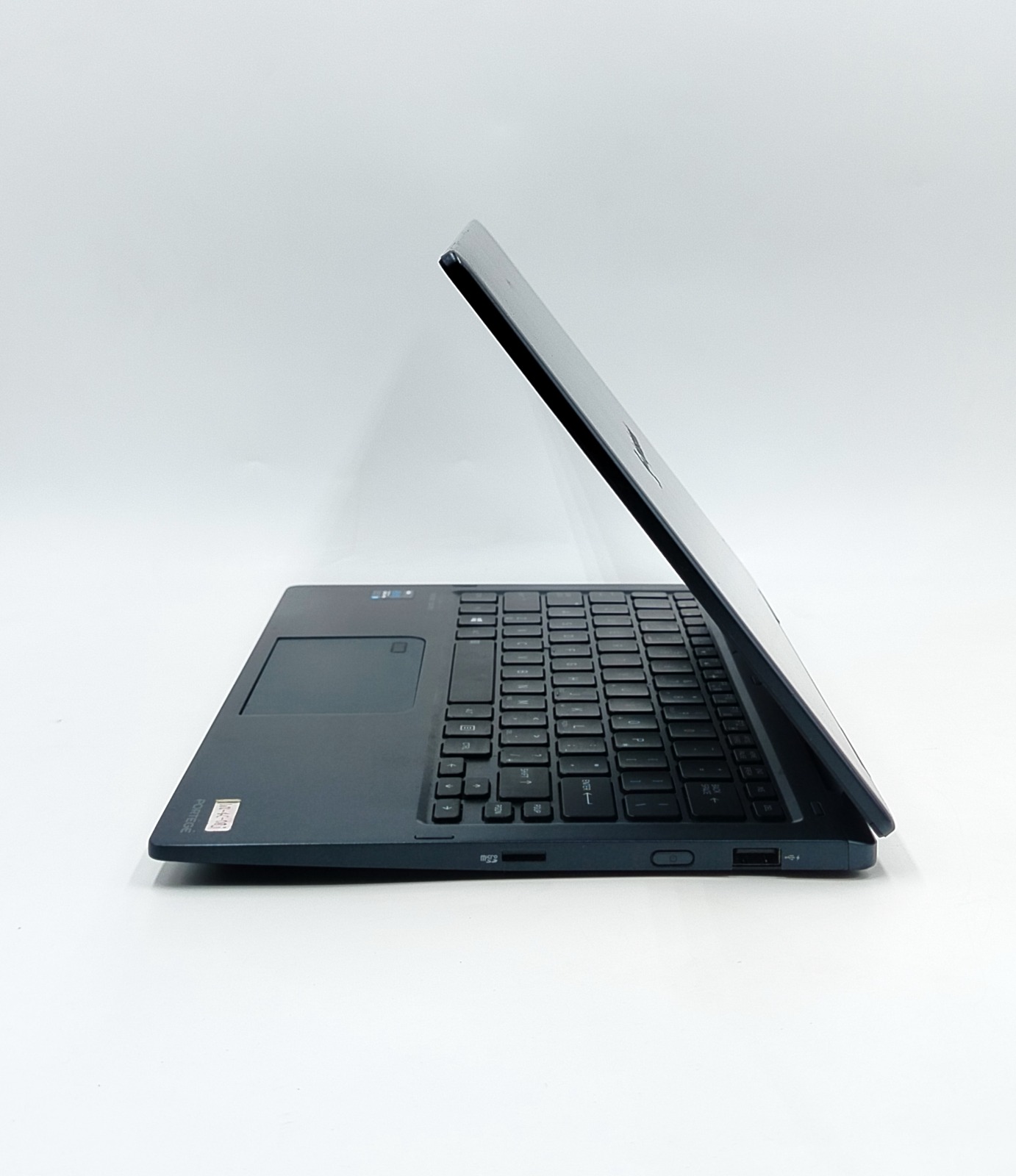
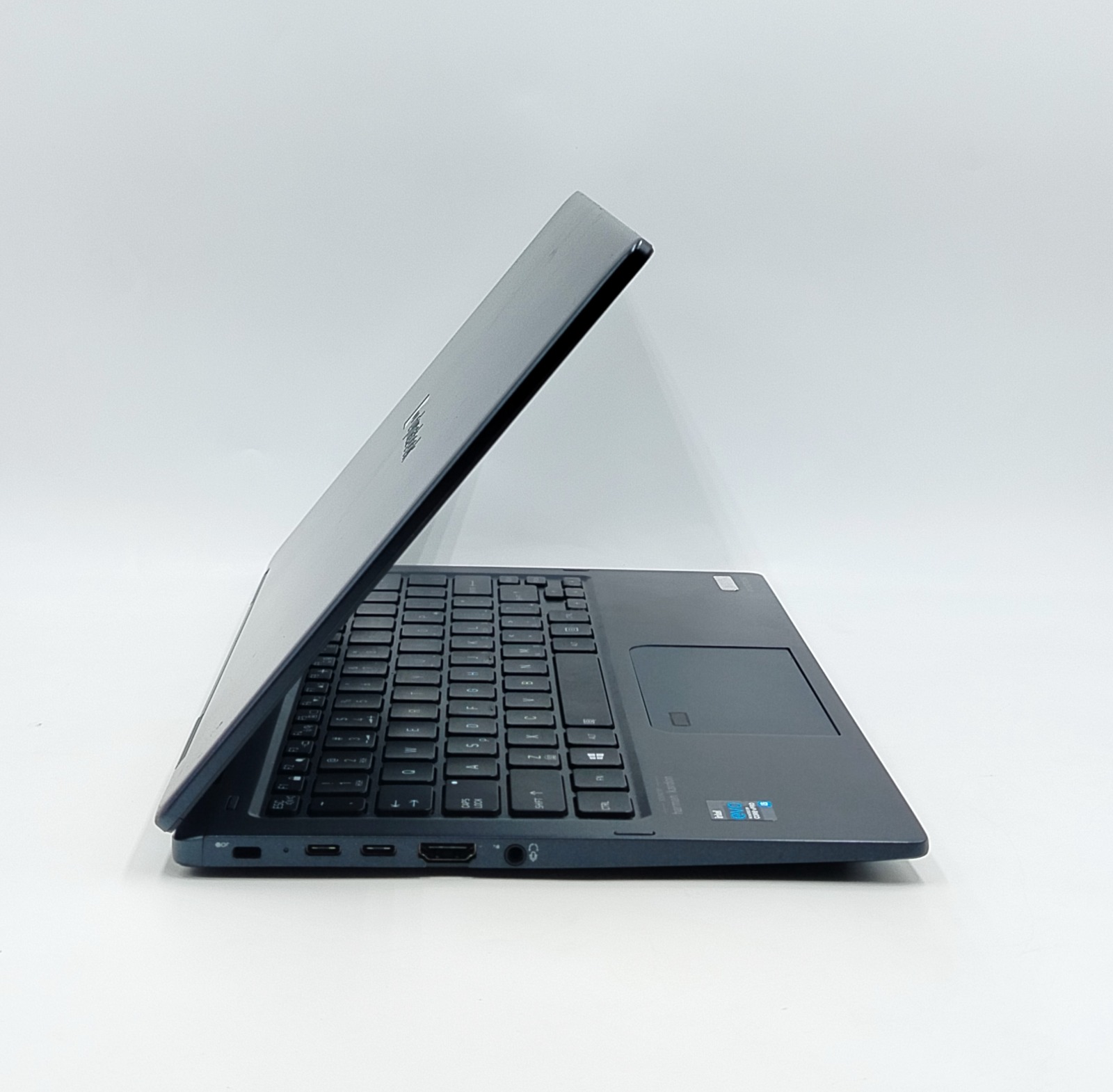
Despite being so thin, the X30W-J has a better port selection than most ultrabooks:
- 2 × Thunderbolt 4 (USB-C): charging, data transfer up to 40Gbps, external displays and docking stations
- USB 3.1: flash drives, a mouse, printers and other everyday accessories
- HDMI: a full-size port for monitors, projectors and TVs
- microSD card reader: for photos and files from cameras and phones
- 3.5mm headphone/microphone jack
- Wi-Fi 6 and Bluetooth 5.1: fast wireless internet and wireless headphones or accessories
- Security lock slot: for a Kensington cable lock in offices or libraries
There is no built-in LAN (Ethernet) port, so if you need wired internet, a USB-C to Ethernet adapter solves it. The camera is an infrared (IR) HD camera that works with Windows Hello, so you can sign in with your face. There is no fingerprint reader on this unit.
Who Should Buy This Laptop?
This laptop makes the most sense for buyers who value lightweight, good ports, and a flexible touchscreen more than raw power:
- Students who need something light for campus, a touchscreen for note-taking, and 16GB RAM for many apps at once
- Office users and managers handling Office apps, video calls, and email, with Windows Hello face login for quick, secure sign-in
- Freelancers and travellers who want a laptop under 1 kg with Thunderbolt 4 for docks and external monitors
- Teachers and trainers who present in tent mode or connect to a projector through HDMI
- Small business owners who want a premium-build 11th Gen business laptop at a used-laptop price
- Anyone upgrading from a 6th to 8th Gen laptop who wants a clear jump in speed and graphics
It is not the right pick if you need a dedicated graphics card for gaming or 4K video editing, a built-in Ethernet port, or a fingerprint reader.
If you prefer an older, usually lower-priced generation, see our Toshiba collection. You can also explore our Dell Latitude, HP EliteBook, and Lenovo ThinkPad collections for more business laptops.
Why Buy From SNSV Laptop?
Buying a slightly used laptop only makes sense when you can trust who you’re buying it from, and that’s exactly where SNSV Laptop stands out.
- Genuine Products – every laptop listed is authentic, with no knockoff parts or fake components
- Tested Devices – each unit goes through a proper checking process before it’s listed for sale
- Competitive Prices – fair pricing that reflects real market value, not inflated markups
- Secure Payment – safe and straightforward payment options for peace of mind
- Fast Delivery – quick turnaround so you’re not left waiting around
- Customer Support – real people ready to answer questions before and after the purchase (contact us any time)
- Warranty – backed by a 10-Day Checking Warranty, giving buyers time to confirm everything works as expected (see our Refund & Returns Policy)
For official drivers, BIOS updates, and support, visit Toshiba/Dynabook Support.
Frequently Asked Questions
Q1: What processor does the Toshiba Portege X30W-J have? This unit has an Intel Core i5-1135G7 (11th Gen) with 4 cores and 8 threads. It runs at 2.4GHz and boosts up to 4.2GHz, with 8MB of cache.
Q2: How much RAM and storage does it have? It has 16GB RAM and a 256GB SSD. The 16GB is built onto the motherboard (so it can’t be upgraded later), and the SSD can be replaced with a larger M.2 NVMe drive if you need more space.
Q3: Is this a 2-in-1 laptop with a touchscreen? Yes. The 13.3-inch Full HD IPS multi-touch screen rotates 360°, so it works as a laptop, in tent or stand mode, and as a tablet. It also weighs under 1 kg (Dynabook rates it at 989 g).
Q4: Is it the same as the Dynabook Portégé X30W-J, and how is it different from the X30L-J? Yes, it is the same machine. Toshiba’s laptop business is now run by Dynabook, so the logo on the laptop and international listings use the Dynabook name. The X30L-J is a different model: a standard clamshell laptop that does not flip and has a built-in LAN port.
Q5: Does it come with Windows 11? Yes, Windows 11 Pro is installed. The Core i5-1135G7 is on Microsoft’s official list of Windows 11 supported processors.
Q6: What ports does it have? Two Thunderbolt 4 (USB-C) ports, USB 3.1, a full-size HDMI port, a microSD card reader, and a 3.5mm headphone/microphone jack, plus Wi-Fi 6 and Bluetooth. There is no built-in LAN (Ethernet) port.
Q7: Does it have a fingerprint reader? No, this unit has no fingerprint reader. It has an infrared (IR) HD camera that works with Windows Hello, so you can sign in with your face instead.
Q8: What graphics does it use, and can I play games on it? It uses integrated Intel Iris Xe graphics. That is great for video, browsing, and light photo editing, and it can run older or lightweight games at low settings. It is not designed for modern AAA games or heavy 3D work.
Q9: How long does the battery last? When new, independent tests measured roughly 8 to 11 hours depending on screen brightness. On a used laptop, the real figure depends on the condition of the individual battery, so message us for this unit’s tested backup time.
Q10: What warranty comes with this laptop? It includes a 10-Day Checking Warranty, giving you time to confirm everything works properly after delivery. Full details are in our Refund & Returns Policy.
Q11: Who is this laptop best suited for? Students, office employees, freelancers, teachers, and small business owners who want a very light, well-connected laptop with a touchscreen and an 11th Gen processor.

Reviews
There are no reviews yet.