

Description
Lenovo ThinkPad T14s Core i5-10th Gen: A Complete Buyer’s Guide
Product Overview
For anyone hunting for a dependable, business-grade machine without paying brand-new prices, the Lenovo ThinkPad T14s Core i5-10th Gen is worth a serious look. This isn’t a flashy consumer laptop — it’s built on the same design philosophy that has made the Lenovo ThinkPad line a favorite in offices for years, and this slightly used unit brings that reputation to a much friendlier price point.
At the center of the machine sits an Intel Core i5-10310U, part of Intel’s 10th-gen Intel lineup. Being powered by a 10th-gen Intel Core i5-10310U means the chip offers a solid mix of everyday speed and efficiency, without the premium cost of newer generations. It’s a quad-core processor, so it comfortably keeps up with multiple browser tabs, office apps, and background tasks running at once.
This Lenovo ThinkPad T14s Core i5-10th gen model is best suited to students, remote employees, and small business owners who need a laptop that simply works — one that boots quickly, handles day-to-day computing without fuss, and doesn’t demand a learning curve. Overall performance is smooth for productivity-focused tasks, and the ThinkPad T14s laptop badge on the chassis is a quiet signal of the reliability this series is known for.
It’s worth noting that the wider Lenovo ThinkPad T14s family spans several configurations. Some variants pair an i7 chip with Intel vPro management features, Intel Optane memory for extra caching speed, or a sharper 3840×2160 display, and can run Windows 11 Pro (11 Pro) instead of the standard operating system. This particular unit keeps things simple and dependable with the well-rounded i5-10310u and Windows 10 Pro, which is exactly why it hits such a good spec-to-price balance.
Specification Table
| Feature | Details |
| Condition | Slightly Used |
| Brand & Model | Lenovo ThinkPad T14s Core i5-10th Gen |
| Processor | Intel Core i5-10th Generation (i5-10310u cpu) |
| RAM | 8 Gigabytes DDR4 |
| Storage | 256 Gigabytes SSD |
| Graphics | Intel UHD Graphics |
| Display Size | 14″ |
| Touchscreen | Yes |
| Operating System | Windows 10 Pro |
| Bluetooth | Yes |
| Wi-Fi | Yes |
| USB | Yes |
| Webcam | Yes |
| Charger Included | Yes |
| Battery Backup | Up to 2 hours |
| Warranty | 10-Day Checking Warranty |
Design & Build Quality
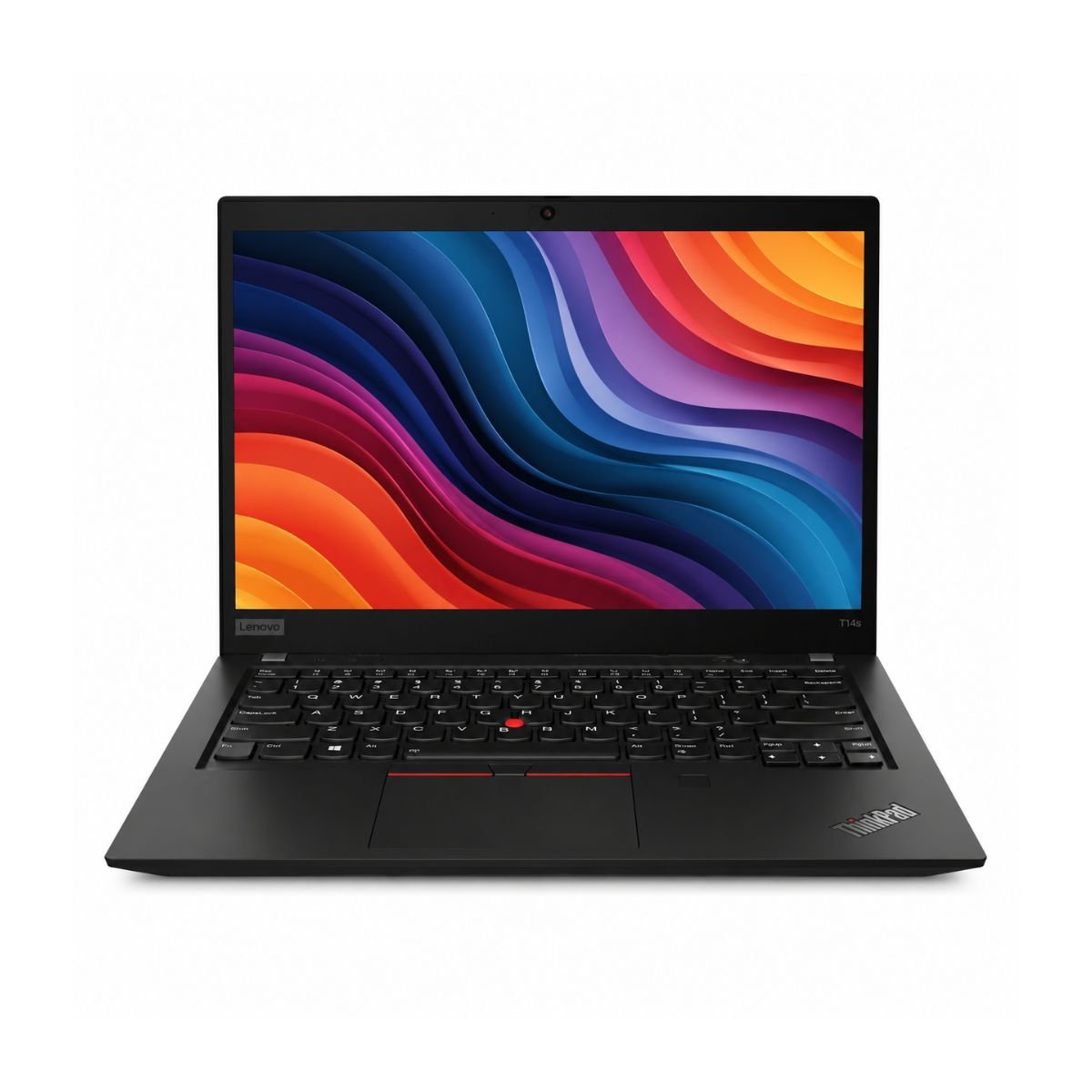
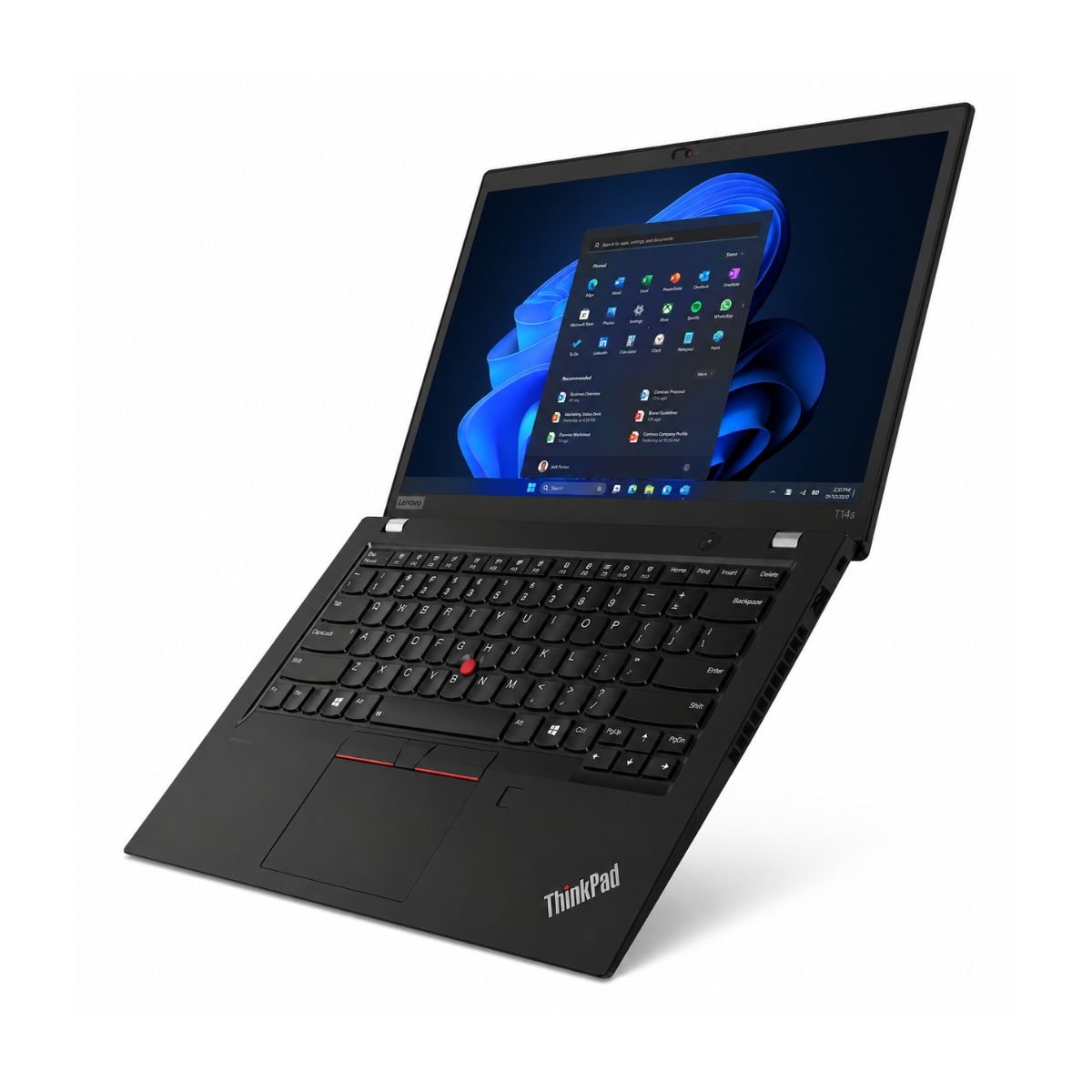
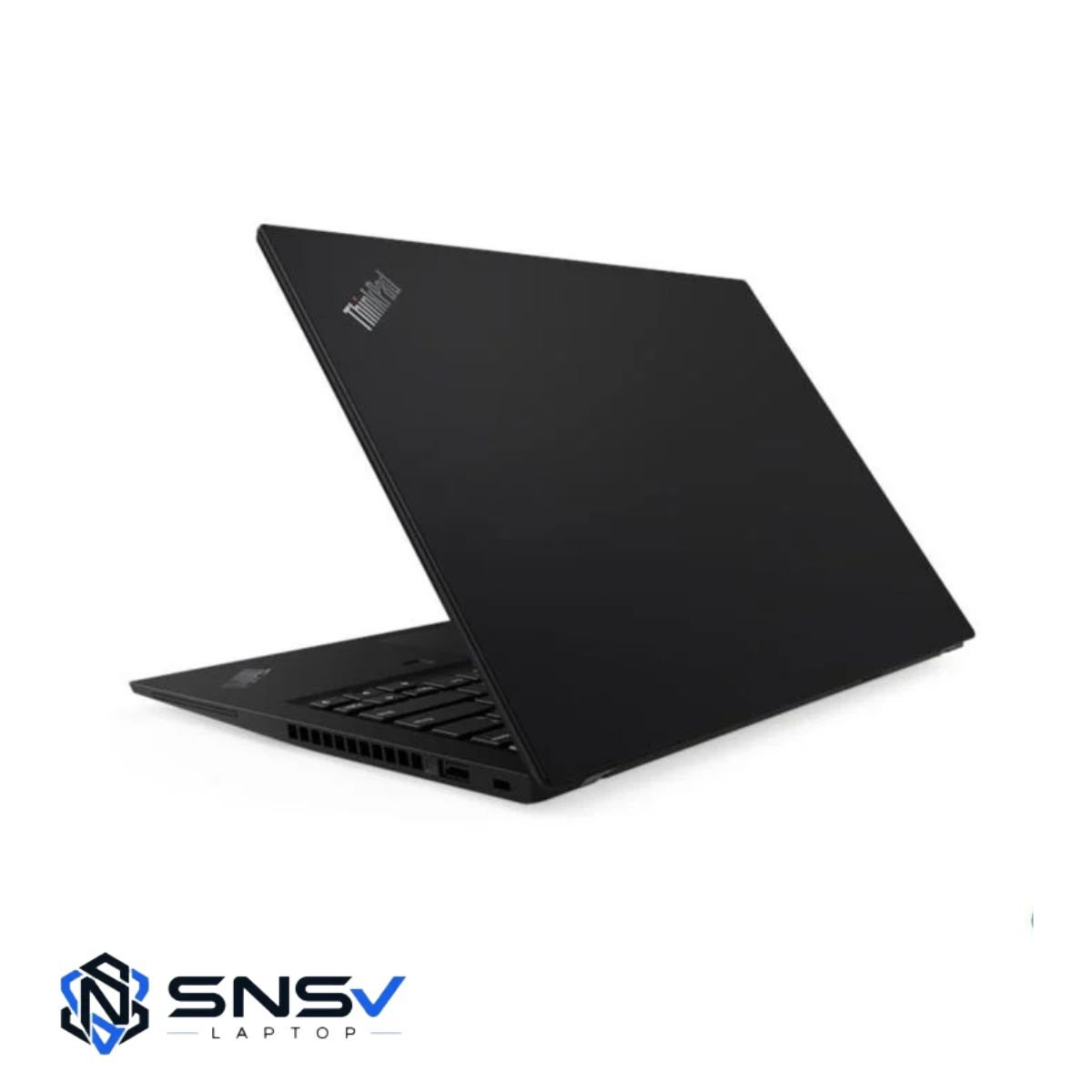
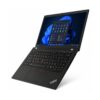
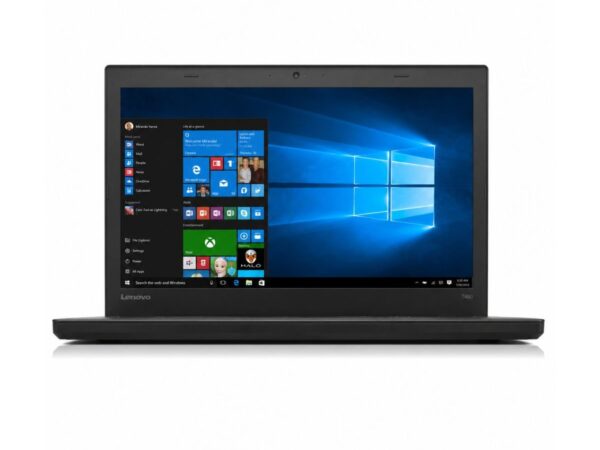
Lenovo has always leaned on a no-nonsense design language, and the t14s continues that tradition. The body is finished in a matte, understated black that hides fingerprints well and feels genuinely premium in hand rather than plasticky. Despite its slim profile, the build quality is reassuring — there’s very little flex in the keyboard deck or lid, a hallmark of ThinkPad reliability that long-time users have come to expect.
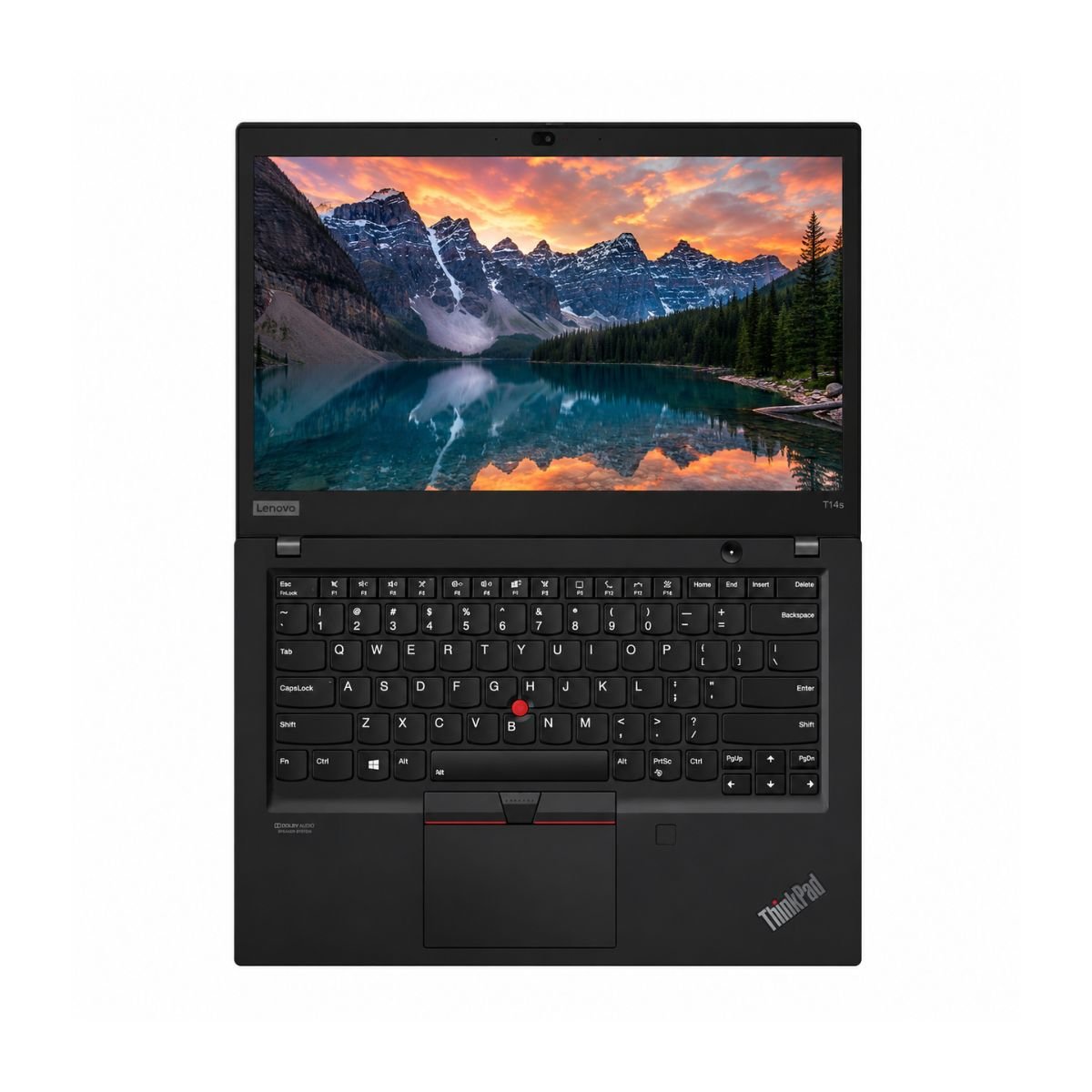
Weight is kept low enough for daily commuting, making it a genuinely portable companion for anyone moving between home, campus, or the office. The hinges deserve a special mention: they open smoothly to a wide viewing angle and hold position firmly, without any wobble even after repeated use. Combined with the soft-touch palm rest, the overall feel leans premium rather than budget, even though this unit is being offered as a pre-owned device. Underneath that hardware, the touchpad is generously sized and tracks smoothly, rounding out an experience where every piece of the chassis, from the trackpad to the keys, feels deliberately engineered rather than an afterthought.
Display Experience
The display on this device is a 14″ panel with a crisp 16:9 aspect ratio that suits both document work and casual video streaming equally well. Text stays sharp at typical reading distances, and the resolution is high enough that spreadsheets, PDFs, and web pages render cleanly without excessive scaling.
Brightness levels are respectable for indoor and office lighting, though like most business ultrabooks in this class, it’s not tuned for outdoor use in direct sunlight. Color quality is balanced and natural rather than oversaturated, which actually works in favor of anyone doing document editing, spreadsheet work, or general browsing where accuracy matters more than punchy colors.
One of the standout perks of this particular unit is the touchscreen — a feature not every ThinkPad in this line carries. Being able to tap, scroll, and swipe directly on the display adds a layer of convenience for reviewing PDFs, signing documents, or simply navigating Windows more naturally.
Performance & Processor
The heart of this machine is its 10th-gen Intel Core i5-10310U, a chip that strikes a good balance between speed and battery efficiency. As a generation quad-core design, it handles parallel tasks — like having a browser, an office suite, and a chat app open together — without breaking a sweat. Intel Turbo Boost technology also kicks in during demanding moments, briefly ramping up clock speeds so the system stays responsive under load.
Paired with the processor is 8GB of RAM, which is comfortably enough for standard office work, web browsing, and everyday multitasking. Storage comes via a 256GB SSD, and that alone makes a dramatic difference to boot speed — Windows loads in a matter of seconds rather than the long waits associated with older hard-disk drives.
For day-to-day use, this translates into a laptop that opens applications quickly, switches between windows without lag, and handles typical office work — spreadsheets, presentations, email, video calls — with ease. Browsing stays smooth even with a healthy number of tabs open, and daily usage tasks like note-taking, cloud syncing, and document editing all feel snappy rather than sluggish. On the storage side, the SSD connects over PCIe 3.0, and PCIe NVMe drives like this consistently outpace older SATA-based hardware when it comes to file transfers and application load times. Learn more about Intel 10th Gen Core processors.
Graphics Performance
Graphics duties are handled by the onboard Intel UHD graphics chipset, which is integrated directly into the processor rather than a separate dedicated card. For a business laptop like this, that’s exactly the right choice — it keeps power draw low and heat output minimal, while still being more than capable for the tasks this machine is meant for.
Video playback, including high-definition streaming and local media files, runs smoothly without stutter. Light photo editing, basic video trimming, and similar creative tasks are handled comfortably too, as long as expectations stay realistic for an integrated GPU.
Casual gaming is possible — older titles, browser-based games, and less demanding indie games run fine — but this isn’t a laptop built for modern AAA gaming. The GPU limitations here are typical of any ultrabook in this category: it’s designed for productivity first, entertainment second.
Battery Life
Battery backup on this unit is rated at up to 2 hours, which is worth factoring into how you plan your day with it. It’s best suited to shorter office stretches, focused work sessions, or use alongside a charger rather than being relied on for an entire day unplugged.
Charging is straightforward with the included adapter, and a full charge is quick enough to fit into a lunch break or a short meeting. For office use, where a power outlet is almost always nearby, this isn’t a major concern. For travel, it simply means packing the charger along — a small trade-off for the savings that come with a pre-owned business laptop.
Connectivity & Ports
Connectivity is where the t14s genuinely shines. The port selection includes USB 3.2 Gen 1 for fast data transfer, alongside Thunderbolt 3 support that opens the door to high-speed docking stations, external displays, and rapid file transfers — all running on the superspeed USB standard. Wireless connectivity covers both wlan for everyday Wi-Fi networks and Bluetooth for pairing headphones, mice, and other accessories.
An HDMI output makes it simple to connect an external monitor or projector for presentations. The built-in webcam is ready for video meetings straight out of the box, and a backlit keyboard means typing comfortably continues even in dim lighting, whether that’s a late office night or an early flight. Every port on this device connects through a proper physical adapter or jack rather than relying on dongles for the basics, which is a small but genuinely convenient touch for a business machine.
Who Should Buy This Laptop?
This machine fits neatly into several everyday scenarios:
- Students who need something reliable for research, assignments, and note-taking throughout the semester.
- Office users running spreadsheets, email, and internal software all day.
- Freelancers who bounce between client calls, document editing, and browsing.
- Teachers preparing lesson plans, presentations, and joining virtual classes.
- Anyone hosting or attending frequent online meetings, thanks to the webcam and stable Wi-Fi and Bluetooth support.
- Small business owners who want a dependable everyday device without investing in a brand-new premium laptop.
If your daily routine revolves around documents, browsers, and communication tools rather than heavy creative software or gaming, this laptop is a strong practical fit.
Why Buy From SNSV Laptop?
Buying a pre-owned laptop only makes sense when you can trust where it’s coming from, and that’s exactly what SNSV Laptop focuses on. Beyond the key features of the laptop itself, here’s what sets the buying experience apart:
- Genuine Products — every unit sold is authentic, with no counterfeit parts or misrepresented specifications.
- Tested Devices — each laptop goes through a thorough check before listing, covering the keyboard, ports, display, and battery health.
- Competitive Prices — pre-owned pricing that reflects real market value, not inflated markups.
- Secure Payment — checkout options designed to keep your transaction safe from start to finish.
- Fast Delivery — orders are processed and shipped promptly so you’re not left waiting.
- Customer Support — a responsive team ready to help before and after your purchase.
- Warranty — every purchase is backed by a 10-day checking warranty, which goes well beyond typical laptop warranties offered on refurbished devices elsewhere, giving you time to confirm everything works as expected before committing.
Browse our complete collection of Refurbished Laptops including Dell, HP, Lenovo and Toshiba business laptops.
Frequently Asked Questions
Q1. What generation processor does this ThinkPad use? It runs on an Intel Core i5, 10th generation, specifically the i5-10310U.
Q2. Does this laptop have a touchscreen? Yes, this particular unit includes a touchscreen display.
Q3. How much RAM and storage does it come with? It ships with 8GB of RAM and a 256GB SSD.
Q4. Is this laptop good for students and office work? Yes, it’s well suited for browsing, office applications, note-taking, and everyday multitasking.
Q5. What is the battery backup like? Battery backup is rated at up to 2 hours, so keeping the charger nearby is recommended for longer sessions.
Q6. Does it support fast charging accessories or Thunderbolt devices? Yes, it includes Thunderbolt 3 and USB 3.2 Gen 1 ports for high-speed peripherals and docking.
Q7. What warranty is offered on this laptop? It comes with a 10-day checking warranty from SNSV Laptop.
Q8. Is this laptop good for gaming? It handles light and casual gaming fine, but it’s not designed for demanding, graphics-heavy titles.
Q9. Which operating system does it run? It comes preinstalled with Windows 10 Pro.
Q10. Is the laptop suitable for video calls and online meetings? Yes, it has a built-in webcam along with stable Wi-Fi and Bluetooth connectivity for smooth video meetings.

Reviews
There are no reviews yet.