


Description
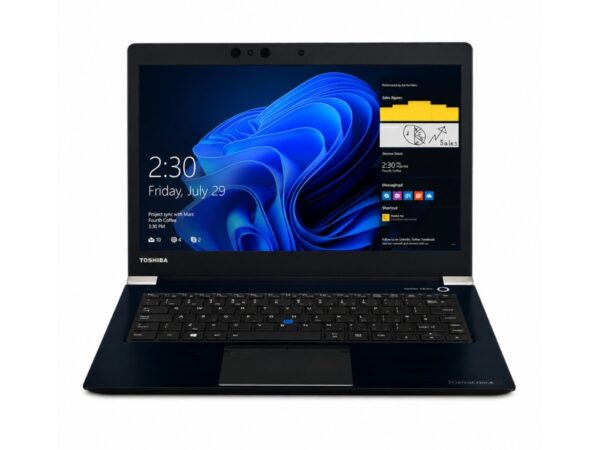
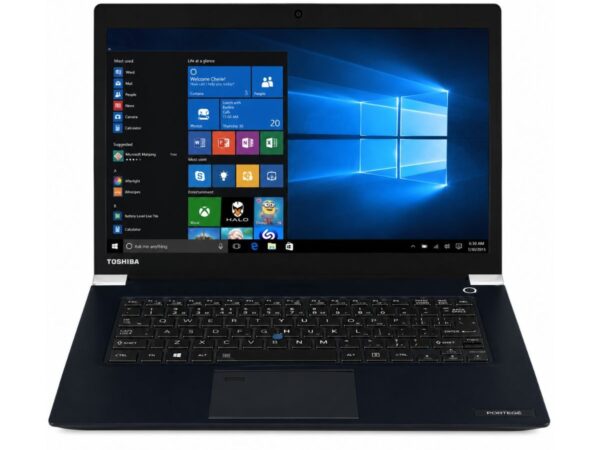
Toshiba Portege Z30-C Core i5 6th Gen Laptop | 8GB RAM | 128GB SSD | 13.3″ Display | Windows 10 Pro
If you’re hunting for a lightweight machine that can keep up with office tasks, browsing, and daily multitasking without weighing down your bag, this ultrabook deserves a closer look.
Toshiba Portege Z30-C: Product Overview
This ultrabook was designed for people who spend most of their day typing, emailing, and jumping between apps rather than gaming or editing 4K video. It runs on a 6th generation Core i5 processor, paired with 8GB of RAM and a fast 128GB SSD, so it boots quickly and handles everyday workloads without much hesitation. As part of the new Portege range of business-focused ultrabooks, it was built with professionals, students, and remote workers in mind. Overall performance sits comfortably in the “reliable daily driver” category — not a powerhouse, but more than capable for productivity-first users who value portability over raw horsepower.
Specifications Table
| Feature | Details |
| Brand & Model | Toshiba Portege |
| Processor | Core i5, 6th Generation |
| RAM | 8 GB |
| Storage | 128GB SSD |
| Graphics | Intel HD 520 |
| Display Size | 13.3″ |
| Touchscreen | No |
| Operating System | Windows 10 Pro |
| Bluetooth | Yes |
| Wi-Fi | Yes |
| USB | Yes |
| Webcam | Yes |
| Charger Included | Yes |
| Battery Backup | 2 hours |
| Warranty | 10-Day Checking Warranty |
Toshiba Portege Z30-C Design & Build Quality
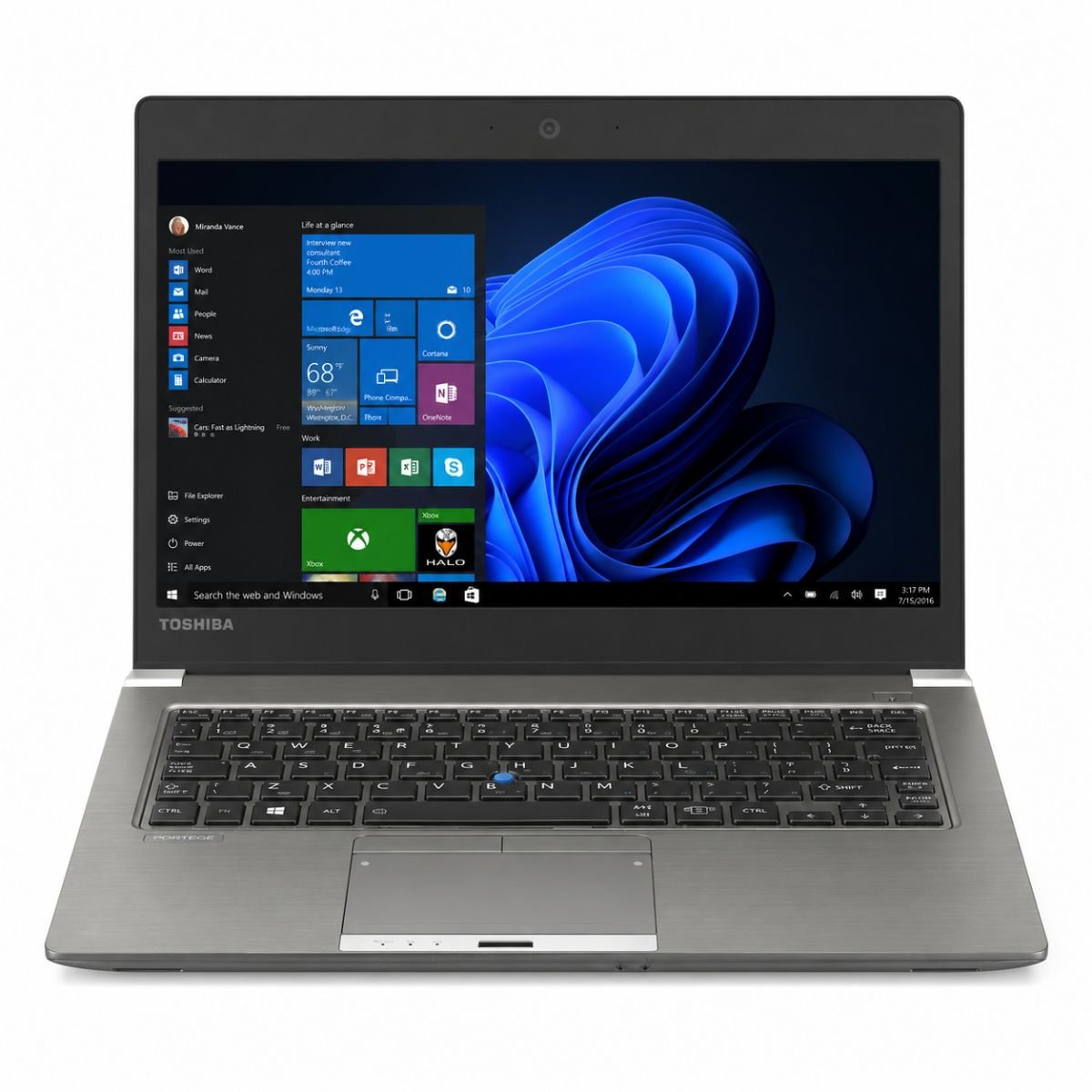
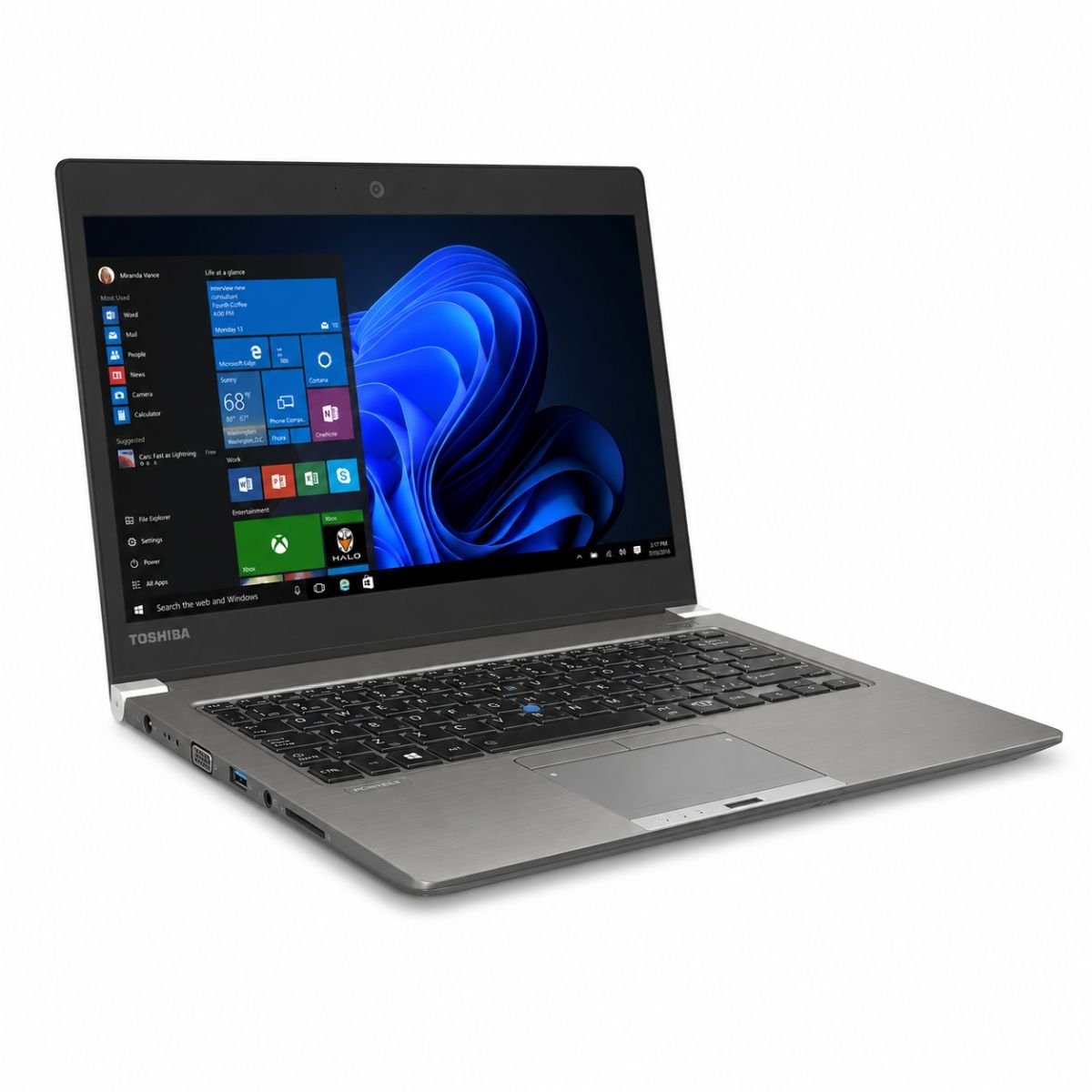
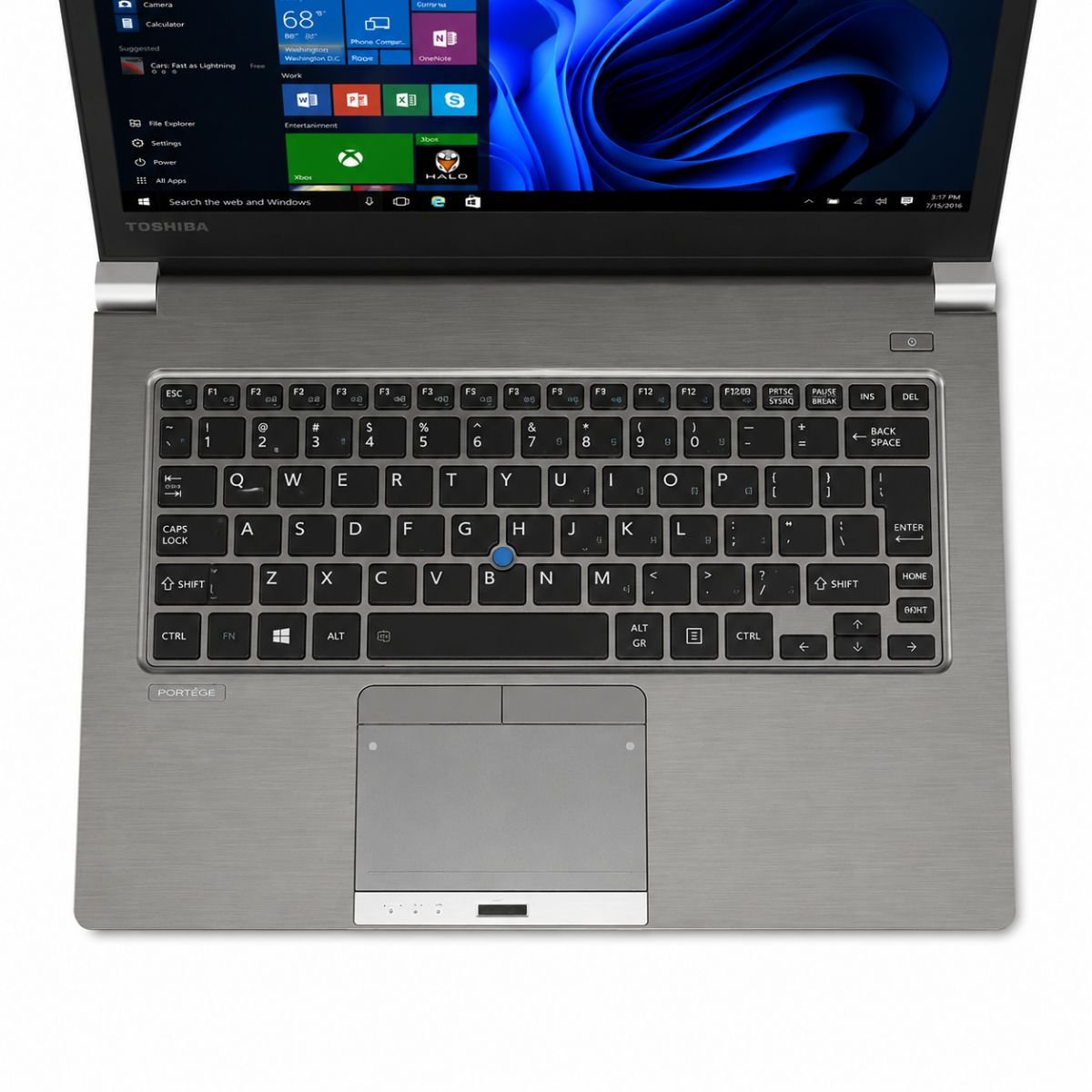
The chassis is finished in a sleek Cosmo Silver tone that still looks smart even after years of daily use. Weighing in at a genuinely travel-friendly amount, the body is easy to slide into a backpack or carry from meeting to meeting without noticing the extra load. Build quality follows the usual Toshiba approach to durability, with a magnesium-alloy shell that resists flex and a keyboard deck that stays firm even under heavier typing sessions. There’s a hint of Toshiba EasyGuard-style reinforcement in how solid the hinges feel, opening smoothly and holding the display at any angle without wobble. Portability is really where this model shines, and the overall fit and finish give it a premium feel that punches above what you’d expect at this price point.
Display Experience
The 13.3-inch panel is sized just right for working on trains, in cafés, or at a tight desk, without feeling bulky. Resolution is tuned for crisp text, so long documents and spreadsheets remain easy on the eyes during extended sessions. Brightness levels are decent for indoor use, and color quality is balanced enough for everyday browsing, photo viewing, and video calls, even if it isn’t aimed at color-critical creative work. This particular unit skips touchscreen input, sticking instead to a traditional trackpad-and-keyboard setup, and there’s no 360-degree hinge here — it’s a standard clamshell built for typing rather than folding into tablet mode.
Toshiba Portege Z30-C Performance & Processor
Under the hood, the Core i5 chip from the 6th generation lineup pairs with 8GB of RAM to keep things moving during normal multitasking. Learn more about Intel Core i5 processors and their performance on Intel’s official website. Clock speeds reaching up to 3.0GHz under boost help the system stay responsive when several browser tabs, a word processor, and a video call are all open at once. The 128GB SSD is really what makes this machine feel modern day-to-day — boot speed is quick, apps launch without long waits, and file transfers move along briskly. If you need more performance for multitasking, check out our Dell Latitude 7410 featuring a 10th Gen Intel Core i5 processor. For office work, spreadsheets, email, and general browsing, the combination handles daily usage smoothly, and it rarely feels like a bottleneck unless you’re pushing it toward heavier creative software.
Graphics Performance
This integrated graphics chip — an Intel HD 520 — handles visuals instead of a dedicated GPU. That’s the right call for this kind of machine, since it keeps power draw low and heat manageable. Video playback, including HD streaming, looks smooth, and light editing tasks like resizing images or trimming short clips are manageable without much fuss. Casual gaming is possible too — older titles and simpler indie games run fine — but GPU limitations mean modern, graphically demanding games aren’t really in its wheelhouse. Think of this media setup as built for productivity and everyday viewing, not for competitive gaming.
Battery Life
Battery backup on this unit comes in at around 2 hours, so it’s best paired with the included charger nearby rather than relied on for a full day untethered. For office use where a power outlet is usually within reach, this isn’t much of an issue. For travel, it’s worth packing the charger in your bag, especially on longer trips or during back-to-back meetings, since the battery is better suited to shorter bursts away from a plug than an all-day marathon.
Toshiba Portege Z30-C Connectivity & Ports
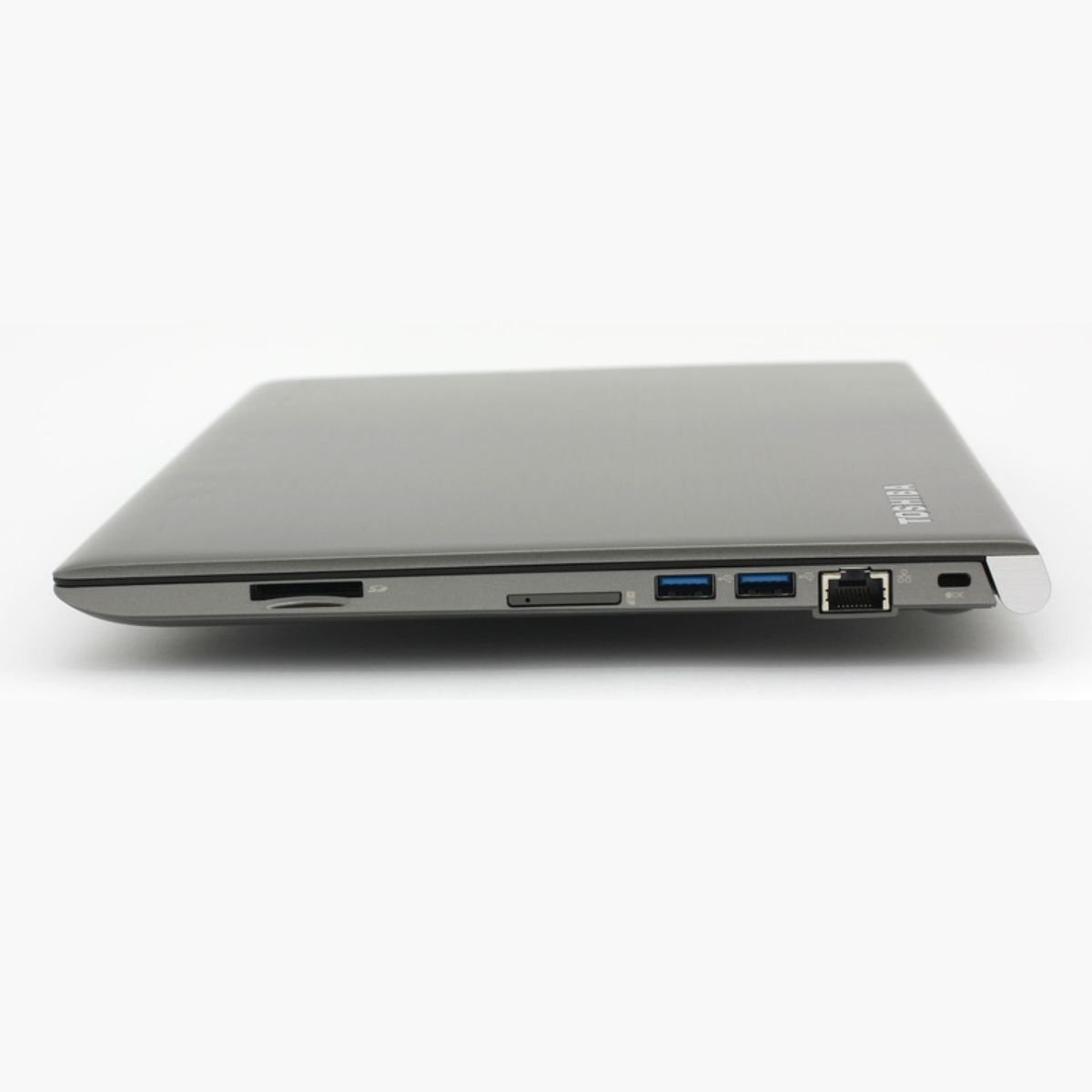
Connectivity is well covered for a machine of this size. USB ports handle peripherals like a mouse, external drive, or keyboard without needing extra dongles for the basics. Wi-Fi keeps things connected at home or in the office, while Bluetooth pairs easily with headphones, speakers, and other accessories. A built-in webcam makes video calls simple to jump into, and there’s an audio jack on hand for headphones or a headset during calls or music breaks. It’s a well-rounded set of ports for a laptop built around everyday productivity rather than niche use cases.
Who Should Buy This Laptop?
- Students who need something light for lecture halls and library sessions
- Office users who mostly work in documents, spreadsheets, and email
- Freelancers who move between coffee shops, co-working spaces, and home
- Teachers prepping lessons or hopping onto online meetings between classes
- Small business owners who want a dependable machine without enterprise pricing
If your day revolves around typing, browsing, and video calls rather than heavy creative or gaming workloads, this is a sensible fit.
Why Buy From SNSV Laptop?
- Genuine Products — every unit sold is authentic, sourced responsibly, never counterfeit
- Tested Devices — each machine goes through a hands-on check before it reaches you
- Competitive Prices — fair pricing without hidden add-ons
- Secure Payment — checkout options that keep your details protected
- Fast Delivery — orders processed and shipped promptly
- Customer Support — real people ready to help before and after your purchase
- Warranty — backed by a 10-day checking warranty for peace of mind
Frequently Asked Questions
Is this laptop good for students? Yes. It’s light, boots quickly thanks to the SSD, and handles note-taking, research, and browsing comfortably.
Does it have a touchscreen? No, this model uses a standard non-touch display paired with a traditional keyboard and trackpad.
How long does the battery last? Battery backup is around 2 hours, so keeping the charger handy is recommended for longer sessions away from a power outlet.
Can it handle gaming? Casual and older titles run fine, but the integrated chip isn’t built for demanding modern games.
What operating system does it run? It comes with Windows 10 Pro pre-installed.
Is there a warranty included? Yes, it’s backed by a 10-day checking warranty so you can confirm everything works as expected after purchase.

Reviews
There are no reviews yet.