





Description
Toshiba Tecra X40-E Review: Is This Slightly Used Business Laptop Worth Buying?
Product Overview
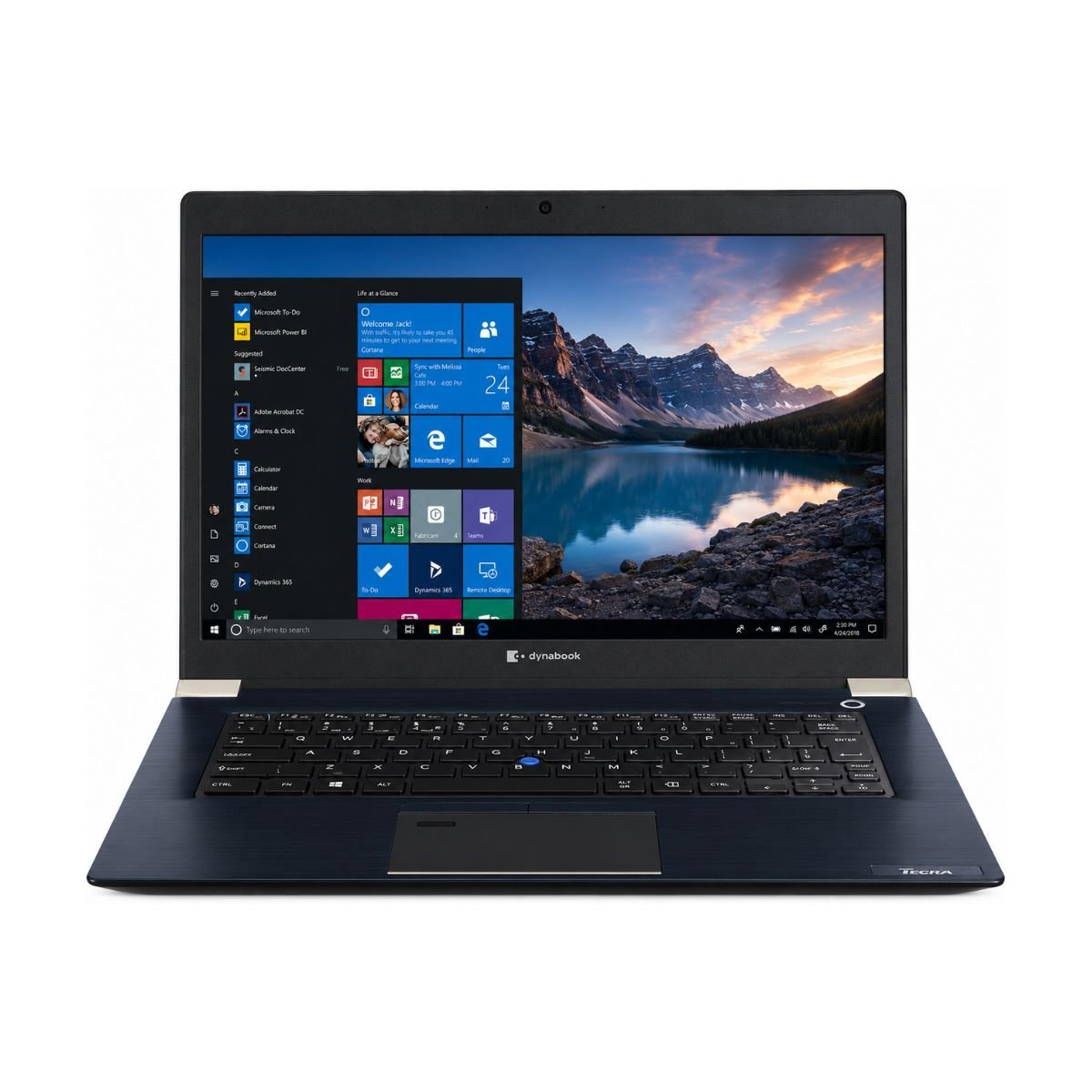
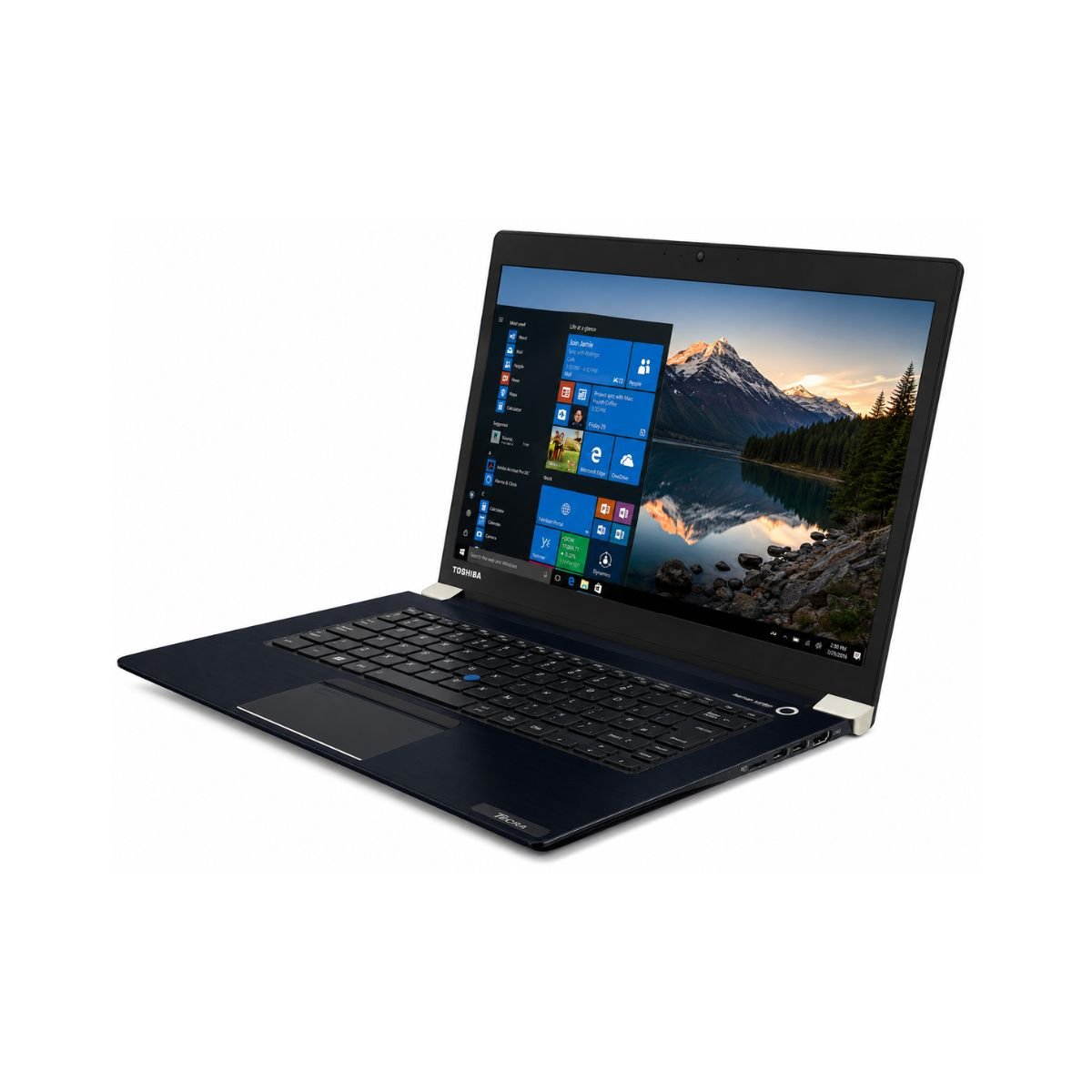
The Toshiba Tecra X40-E is a slightly used business ultrabook built for people who want dependable performance without paying full price for a brand-new device. Toshiba has long been known for producing sturdy, no-nonsense laptops for offices and professionals, and the Toshiba Tecra X40-E continues that tradition. An Intel Core i7 8th-generation processor powers this unit, which still handles everyday computing with ease in 2026.
In terms of overall performance, the Tecra X40-E strikes a nice balance between speed and reliability. It boots quickly, runs Windows smoothly, and handles common office tasks without any noticeable lag. This laptop is best suited for students, office employees, freelancers, and small business owners who mainly need a device for browsing, documentation, online classes, and video calls rather than heavy creative or gaming workloads.
So, why is this laptop worth buying? Because it delivers business-grade build quality, a fast SSD, and a proven Intel Core processor at a fraction of the price of a new device. If you need something solid for daily use without breaking your budget, the Toshiba Tecra X40-E is a smart pick.
Looking for more Toshiba business laptops? Browse our complete Toshiba Laptop Collection.
Quick Buying Summary:
- Brand: Toshiba
- Model: Tecra X40-E
- Processor: Intel Core i7, 8th Generation
- RAM: 8GB DDR4
- Storage: 256GB SSD
- Display: 14-inch Display
- Best for: Office work, study, and daily browsing
Specifications
| Feature | Details |
| Brand & Model | Toshiba Tecra X40-E |
| Processor | Intel Core i7 – 8th Generation |
| RAM | 8GB DDR4 |
| Storage | 256GB SSD |
| Graphics | Intel UHD Graphics 620 |
| Display Size | 14″ |
| Touchscreen | No |
| Operating System | Windows 10 Pro |
| Bluetooth | Yes |
| Wi-Fi | Yes |
| USB | Yes |
| Webcam | Yes |
| Charger Included | Yes |
| Battery Backup | Up to 2 hours |
| Condition | Slightly Used |
| Warranty | 10-Day Checking Warranty |
Design & Build Quality
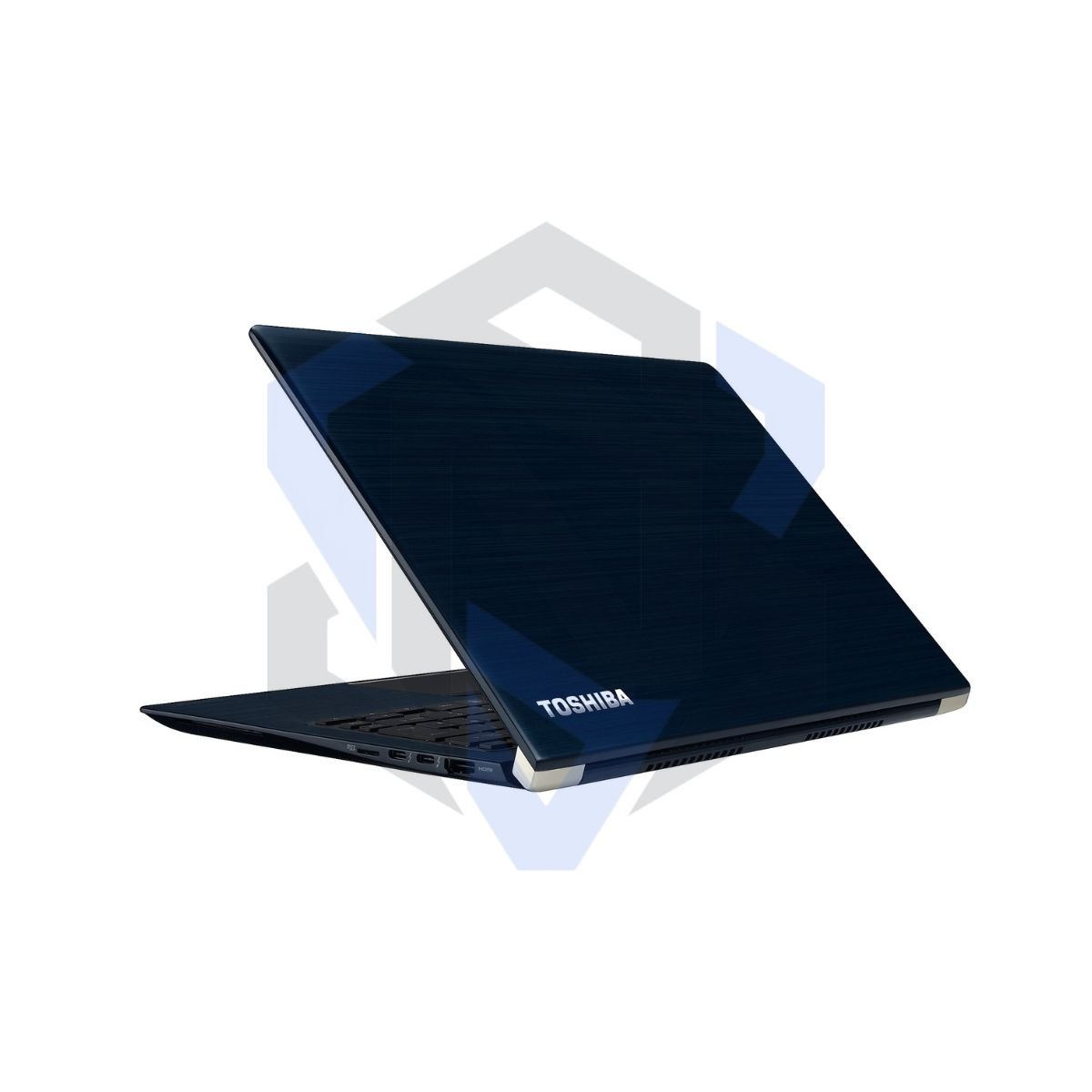
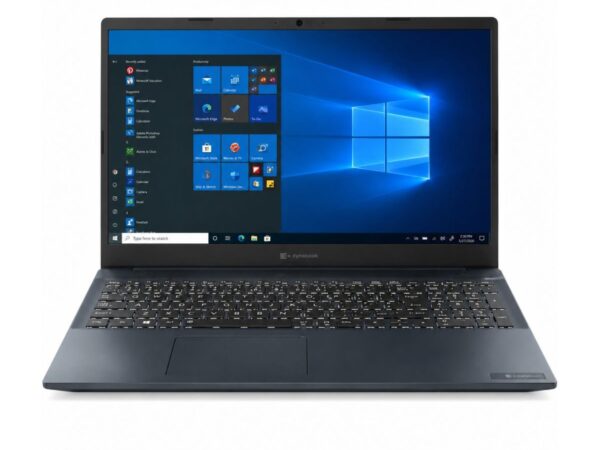
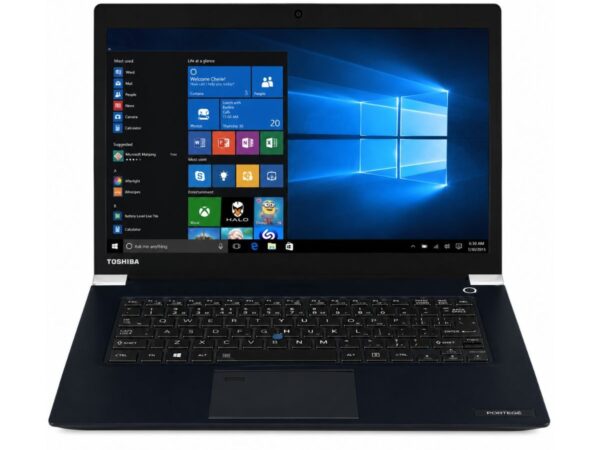
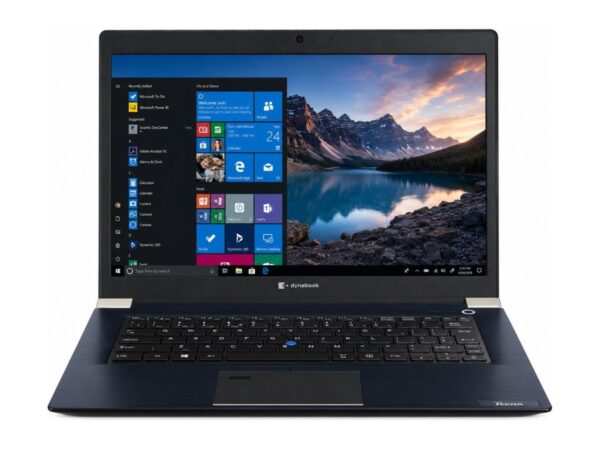
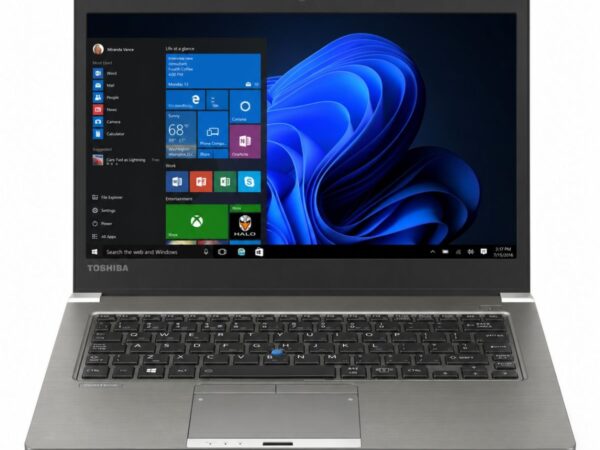
The design of the Toshiba Tecra X40-E reflects its business roots, with a clean, understated look that suits any office environment. The build material feels solid in hand, and the overall chassis of this piece of hardware is put together with the kind of durability Toshiba is known for.
Weighing in at a manageable size, this device offers good portability, so carrying it between home, office, or classroom is never a hassle. Despite being a value-focused unit, the Tecra X40-E still gives off a fairly premium feel, especially compared to other laptops in the same price bracket.
The keyboard on this device is comfortable and well-spaced, making long typing sessions less tiring. The trackpad is responsive and accurate for everyday navigation. The hinges feel sturdy, opening and closing smoothly without wobble, which adds to the laptop’s long-term durability. The overall build quality is solid and designed to handle everyday office, study, and travel use with confidence.
Display Experience
The Toshiba Tecra X40-E comes with a 14-inch HD display, a size that hits a sweet spot between portability and screen real estate. The resolution is sharp enough for reading documents, browsing, and watching videos without strain.
The 14-inch display offers good viewing angles, decent brightness, and clear visuals for everyday work, web browsing, and media consumption.
The screen has an anti-glare coating, which helps a lot when working near windows or under office lighting. Keep in mind this particular model is not a touchscreen and does not feature a 360° hinge, so it’s built more for traditional laptop use rather than a 2-in-1 experience. Outdoor visibility is acceptable in shaded areas, though direct sunlight can reduce clarity like most non-touch laptop panels.
Performance & Processor
At the heart of this Toshiba Tecra X40-E is an Intel Core i7, 8th-generation Intel Core processor built for handling everyday computing without breaking a sweat. This is a quad-core chip, meaning it can comfortably juggle multiple browser tabs, background apps, and office programs at once without choking. The quad-core processor delivers smooth multitasking and responsive performance for everyday computing tasks.
Paired with 8GB of RAM and a 256GB SSD, boot speed on this device is impressively quick, and Windows performance feels smooth for routine tasks. Browser performance is solid too — multiple tabs open at once won’t bring things to a crawl, which is exactly what you want for office work, research, or online classes.
For daily usage like document editing, spreadsheets, email, and accounting software, this processor handles things without complaint. Multitasking between apps is smooth, and it’s more than enough for programming tasks involving lightweight IDEs, script testing, or web development work. It also performs reliably for Zoom or Google Meet calls, keeping video and audio steady during virtual meetings.
Is this laptop fast enough? For office work, studying, freelancing, and everyday multitasking — yes, absolutely. It’s not designed for heavy rendering or AAA gaming, but for the tasks most people actually use a laptop for, this device performs admirably.
Need a newer processor? Compare this model with the Dell Latitude 7320 Core i5 11th Gen for newer hardware and improved performance.
Graphics Performance
The Toshiba Tecra X40-E relies on an integrated GPU — Intel UHD Graphics 620 — rather than a dedicated GPU. This is completely normal for a business-class device and keeps things efficient for everyday tasks.
Video playback is smooth, whether you’re watching a downloaded movie or streaming from YouTube. Light editing work in tools like Canva or basic touch-ups in Photoshop is manageable, though heavier photo editing with large files may show some slowdown. Casual gaming, like browser games or older lightweight titles, runs fine, but this isn’t the laptop for demanding, graphics-heavy games.
The main GPU limitation here is exactly what you’d expect from integrated graphics: it’s not built for 3D rendering, heavy video editing, or modern AAA titles. For everything else — streaming, presentations, and light creative work — it does the job well.
Learn more about Intel UHD Graphics for everyday productivity on Intel’s Official Site.
Battery Life
Battery backup on this unit is around 2 hours, which is something to plan around if you’re using it away from a power outlet for extended periods. Charging time is reasonably quick, so a short top-up between meetings or classes can get you through the next stretch of work.
For office usage where you’re near a charger most of the day, this isn’t a major concern. For travel, though, it’s worth packing the charger along, since the battery health on this slightly used device reflects its age and prior usage. If all-day unplugged battery life is a must-have for you, keep this limitation in mind before buying.
Connectivity & Ports
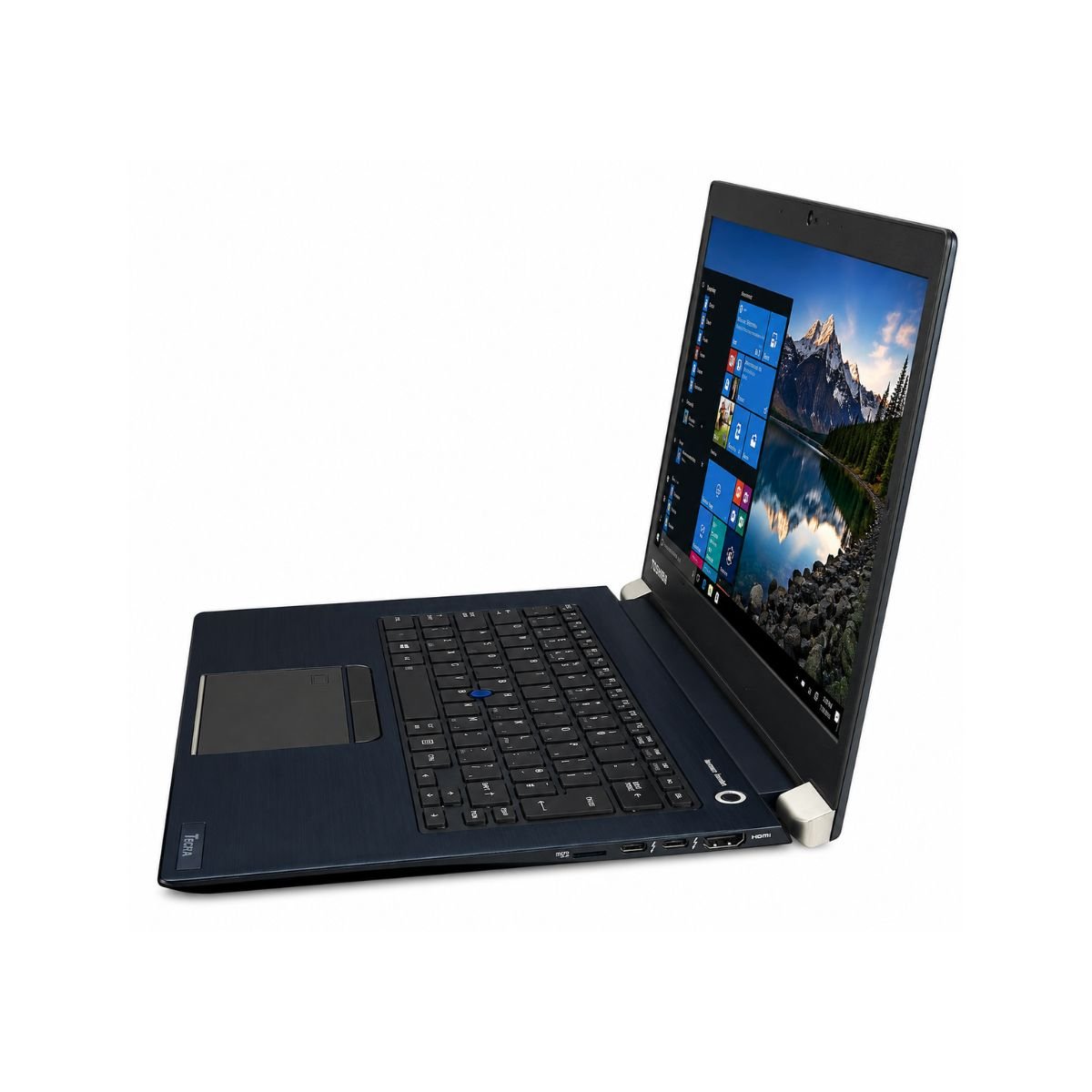
Connectivity on the Toshiba Tecra X40-E covers all the essentials. It includes USB ports for peripherals, along with HDMI output for connecting to an external monitor or projector — handy for presentations or a dual-screen setup at home.
Wireless connectivity is well covered too, with both Wi-Fi and Bluetooth built in, so pairing headphones, mice, or connecting to a network is simple. The built-in webcam makes video calls easy without needing an external camera, and there’s an audio jack for headsets or speakers.
The Toshiba Tecra X40-E includes commonly used connectivity options such as USB ports, HDMI, Wi-Fi, Bluetooth, an audio jack, and a built-in webcam, making it suitable for office work, online meetings, and everyday productivity.
User Experience
The keyboard experience on this laptop stands out as one of its strong points — typing comfort is genuinely good, with keys that offer solid tactile feedback for long writing or coding sessions. The touchpad complements this well, offering smooth and precise cursor control.
Speakers are functional for calls, videos, and casual media, though like most business laptops, they’re built more for clarity than deep bass. Webcam quality is suitable for everyday video meetings, and the microphone picks up voice clearly enough for Zoom or Google Meet without needing an external mic.
Cooling on this device is handled efficiently, and fan noise stays fairly low during normal use, only becoming noticeable under heavier multitasking. Overall, the day-to-day experience of using this laptop feels smooth, quiet, and comfortable — exactly what you want from a dependable work device.
Prefer an HP business laptop? Explore the HP EliteBook 840 G5 Core i5 8th Gen for another reliable productivity option.
Who Should Buy This Laptop?
This Toshiba Tecra X40-E is a great fit for a wide range of users, including:
- Students who need a reliable device for assignments, research, and online classes
- Office users handling documents, spreadsheets, and email daily
- Freelancers who need a portable laptop for client work and communication
- Teachers managing lesson planning and virtual classrooms
- Business owners looking for a budget-friendly device for admin work
- Developers doing lightweight coding, scripting, or testing
- Anyone relying heavily on online meetings and video calls
- People working from home who need dependable daily performance
- Users who need a laptop for basic editing in tools like Canva
- Home users who want a solid all-rounder for browsing and streaming
Pros & Cons
Pros
- ✔ Fast SSD storage
- ✔ Good, sturdy build quality
- ✔ Lightweight and portable
- ✔ Reliable everyday performance
- ✔ Comfortable keyboard for typing
Cons
- ✘ Battery backup is only around 2 hours
- ✘ Not built for AAA gaming
- ✘ No dedicated GPU
Why Buy From SNSV Laptop?
When purchasing a slightly used device like the Toshiba Tecra X40-E, buying from a trusted source matters. Here’s why SNSV Laptop is a reliable choice:
- Genuine Products — every device is authentic and verified
- Tested Devices — each unit goes through thorough testing before listing
- Competitive Prices — fair pricing on quality used laptops
- Secure Payment — safe and protected checkout options
- Fast Delivery — quick shipping so you’re not left waiting
- Customer Support — responsive help whenever you need it
- Warranty — backed by a 10-day checking warranty for peace of mind
- Easy Ordering — a simple, hassle-free buying process from start to finish
Explore our complete collection of Used Laptops in Pakistan, including Dell, HP, Lenovo, Toshiba, Dynabook, Microsoft Surface, and Apple MacBooks.
Frequently Asked Questions
- Is the Toshiba Tecra X40-E worth buying? Yes, for everyday office work, studying, and browsing, the Toshiba Tecra X40-E offers solid value, especially considering its price as a slightly used device.
- Is the Toshiba Tecra X40-E good for students? Absolutely. Its Intel Core i7 processor, fast SSD, and comfortable keyboard make it well-suited for assignments, research, and online classes.
- Can this laptop run Windows 11? This unit comes preloaded with Windows 10 Pro. Whether it can be upgraded to Windows 11 depends on system requirements, so it’s best to check compatibility before upgrading.
- Can it run Photoshop? It can handle light photo editing in Photoshop, though heavy, layer-intensive editing may feel slower due to the integrated graphics.
- Is this laptop good for programming? Yes, the Intel Core i7 processor and 8GB RAM are enough for lightweight coding, scripting, and running most development tools smoothly.
- Can it handle Zoom meetings? Yes, the webcam, microphone, and processor together handle Zoom and Google Meet calls without noticeable lag.
- Can it play games? It can run casual and lightweight games fine, but it’s not built for demanding, graphics-heavy titles due to the lack of a dedicated GPU.
- Does it have an SSD? Yes, it comes with a 256GB SSD, which contributes to fast boot times and quick file access.
- Does it support an external monitor? Yes, thanks to the HDMI port, you can easily connect it to an external monitor or projector.
- How long does the battery last? Battery backup on this unit is around 2 hours, so it’s best suited for use near a power source for extended sessions.
- What generation processor does it use? It features an Intel Core i7 8th Generation quad-core processor, offering reliable performance for multitasking, office applications, and everyday productivity.
- Does it support Wi-Fi and Bluetooth? Yes, this device includes both Wi-Fi and Bluetooth for wireless connectivity.
Final Verdict
If you’re looking for a reliable, budget-friendly business laptop, the Toshiba Tecra X40-E is an excellent choice. It offers steady everyday performance, fast SSD storage, sturdy build quality, and dependable usability, making it ideal for students, office professionals, freelancers, teachers, and small business owners alike. While the battery life and lack of a dedicated GPU are worth keeping in mind, this laptop remains a smart, practical pick for anyone who mainly needs a device for office work, studying, and daily browsing.
Why Choose This Model Instead of Others?
Compared to similarly aged business laptops and ultrabooks from the same era, the Toshiba Tecra X40-E holds its own well against options like:
- Dell Latitude 5480
- Lenovo ThinkPad T480
- HP EliteBook 840 G5
- Toshiba Tecra A40
Compared to similar business laptops, the Toshiba Tecra X40-E stands out with its lightweight design, durable business-grade build, responsive keyboard, and dependable Intel Core i7 performance, making it an excellent value for everyday productivity.
Buying Guide
Choose the Toshiba Tecra X40-E if you need it for:
- ✔ Office Work
- ✔ Online Classes
- ✔ Microsoft Office
- ✔ Zoom / Google Meet
- ✔ Web Browsing
- ✔ Accounting Software
- ✔ Study
- ✔ Freelancing
Don’t choose it if you need it for:
- ✘ Heavy Gaming
- ✘ 4K Editing
- ✘ 3D Rendering

Reviews
There are no reviews yet.