




Description
Toshiba Tecra Z50-E (Intel Core i5, 8th Generation) — Full Review & Buying Guide
Product Overview
Looking for the Toshiba Tecra Z50-E price in Pakistan? This Toshiba Tecra Z50-E Core i5 8th Generation laptop offers excellent value with 8GB RAM, 256GB SSD, and Intel UHD Graphics 620 for office work, study, and freelancing.
Looking for more Toshiba business laptops? Explore our complete Toshiba Laptop Collection for more reliable business models.
The Toshiba Tecra Z50-E is a business-grade laptop built for people who want dependable everyday performance without paying a premium price. Toshiba has long been known for making sturdy, no-nonsense machines for offices and professionals, and the Tecra Z50-E carries that same reputation forward. It runs on an Intel Core i5 8th generation processor, paired with 8GB of RAM and a fast 256GB SSD, giving it enough muscle for typing, browsing, spreadsheets, video calls, and light multitasking throughout the day.
In terms of overall performance, this laptop sits comfortably in the “reliable daily driver” category — it isn’t built for gaming or heavy creative work, but it handles routine business and study tasks smoothly. It’s best suited for students, office employees, freelancers, and small business owners who need a laptop that boots quickly, stays cool, and doesn’t slow down halfway through the workday.
So why is this laptop worth buying? Simply put, it offers a strong balance of build quality, SSD speed, and portability at a fraction of the cost of a brand-new machine. For anyone hunting for a budget-friendly laptop that still feels professional, the Tecra Z50-E checks most of the important boxes.
Quick buying summary: Intel Core i5 8th generation CPU, 8GB DDR4 RAM, 256GB SSD, 15.6″ display, Windows 10 Pro, lightweight chassis, and a 10-day checking warranty — a solid pick for everyday office and study use.
Specifications
| Feature | Details |
| Condition | Slightly Used |
| Brand & Model | Toshiba Tecra Z50-E |
| Processor | Intel Core i5 8th Generation |
| RAM | 8GB DDR4 |
| Storage | 256GB SSD |
| Graphics | Intel UHD Graphics 620 |
| Display Size | 15.6″ |
| Touchscreen | No |
| Operating System | Windows 10 Pro |
| Bluetooth | Yes |
| Wi-Fi | Yes |
| USB | Yes |
| Webcam | Yes |
| Charger Included | Yes |
| Battery Backup | Up to 2 hours |
| Warranty | 10-Day Checking Warranty |
Design & Build Quality
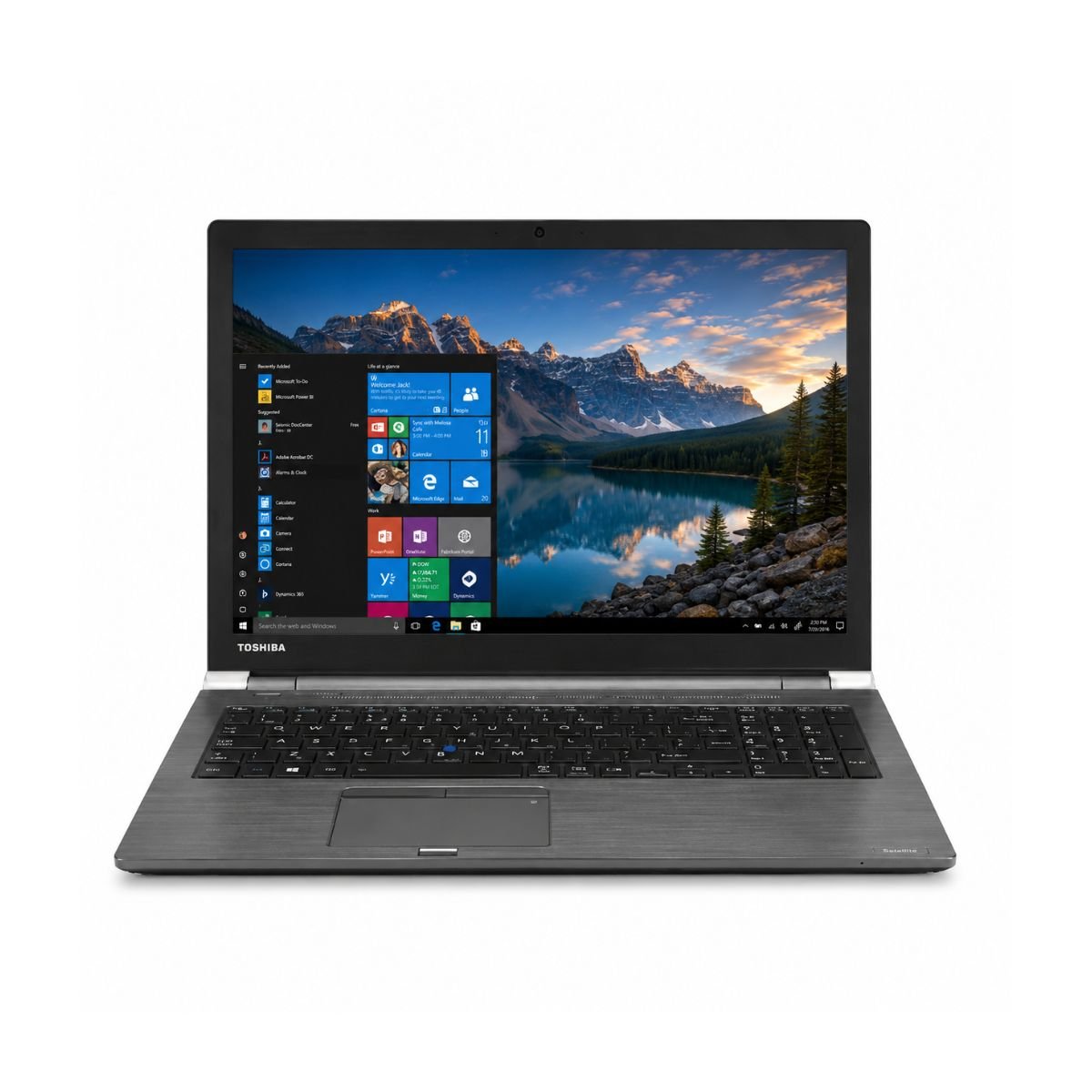
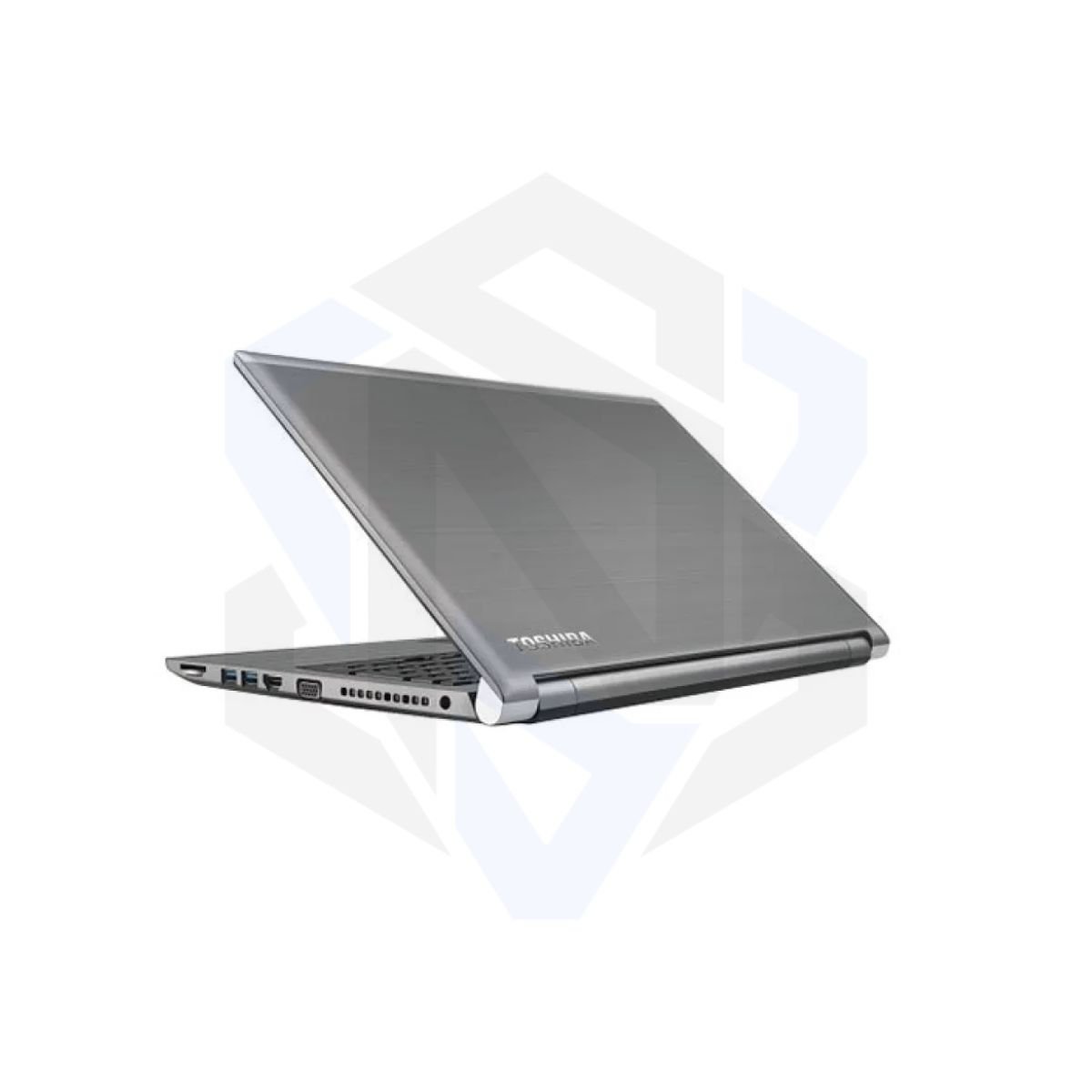
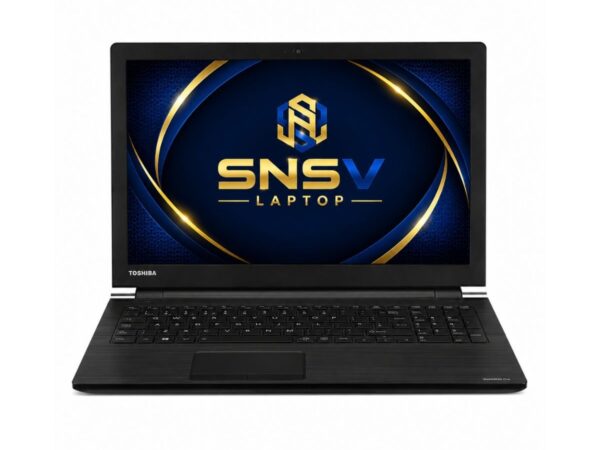
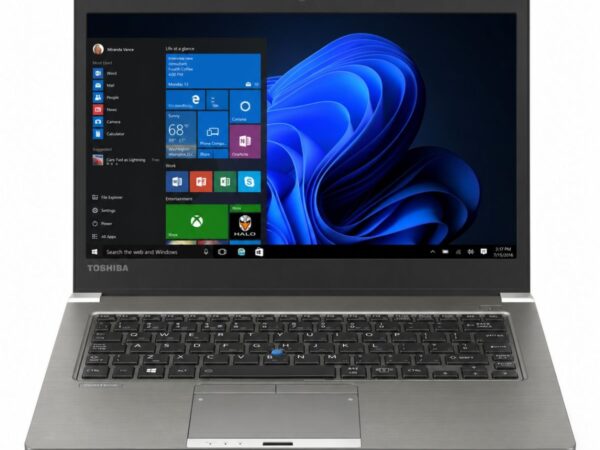
Toshiba built the Tecra series with the corporate world in mind, and that shows the moment you pick this machine up. The design is understated and professional — a matte, dark chassis without flashy branding, made to blend into a boardroom or a home office just as easily. The build material feels solid rather than flimsy, and the overall durability reflects Toshiba’s history of making laptops meant to survive years of daily commuting and desk use.
Weight-wise, the laptop stays reasonably light for a 15.6″ machine, which helps with portability if you’re moving between meetings, classes, or coworking spaces. It doesn’t have the ultra-thin premium feel of a flagship ultrabook, but it doesn’t feel cheap either — the hinges are firm, the keyboard deck resists flex, and everything about the chassis says “built to last, not just built to look good.”
The keyboard offers a comfortable amount of key travel for a business laptop, and the trackpad is responsive enough for everyday navigation, scrolling, and basic gestures. As for extras like spill resistance or MIL-STD certification, Toshiba doesn’t officially list these for the Z50-E, so we can’t confirm either feature is present on this specific unit.
Display Experience
The Tecra Z50-E comes with a 15.6″ screen, which is the sweet spot for people who want a larger canvas for spreadsheets, documents, and web browsing without the bulk of an 17-inch machine. It uses a standard non-touch panel, so if you’re looking for a touchscreen or a 360° hinge for tablet-style use, this isn’t the model for that.
Brightness and color accuracy are tuned for indoor office and classroom conditions rather than outdoor use or creative color grading. Viewing angles are decent for a single person working directly in front of the screen, though they narrow a bit off-axis, which is typical for panels in this laptop’s price range. The anti-glare coating helps reduce reflections under fluorescent office lighting, making it easier on the eyes during long work sessions. Like many business laptops in this category, the display is best suited for indoor use.
Performance & Processor
This is where the Tecra Z50-E earns its keep. The Intel Core i5 8th generation processor — part of Intel’s well-established Core i5 lineup — was designed to handle real-world productivity tasks efficiently, and it still holds up well for everyday computing in 2026. Combined with 8GB of RAM and a 256GB SSD, boot speed is noticeably quick, and the laptop wakes from sleep almost instantly.
Is this laptop fast enough? For most non-gaming, non-editing tasks, yes. Windows performance feels smooth, browser performance is snappy even with several tabs open, and office work — think Word, Excel, PowerPoint, and PDFs — runs without any lag. Multitasking between a browser, a spreadsheet, and a chat app is handled comfortably, though pushing it much further than that will start to test the RAM ceiling.
For programming, it’s suitable for lightweight coding, scripting, and web development work, though resource-heavy IDEs or large local builds may feel slower than on a newer chip. Daily usage tasks like checking email, writing reports, and online classes run smoothly, and it’s more than capable of handling accounting software for small business bookkeeping. Video calls on Zoom or Google Meet work reliably too, with the integrated webcam and mic covering the basics without hiccups.
Want a newer business laptop? Compare this model with the Toshiba Tecra X40-E Core i7 8th Gen for a lighter design and stronger multitasking performance.
Graphics Performance
The Tecra Z50-E relies on Intel UHD Graphics 620, an integrated GPU built into the Intel Core i5 chip rather than a separate, dedicated graphics card. This is standard for business laptops in this category and keeps the machine efficient and cool rather than power-hungry.
Looking for a laptop with newer integrated graphics? Check out the Dell Latitude 7420 Core i7 11th Gen featuring Intel Iris Xe Graphics.
For video playback and YouTube streaming, it handles Full HD video streaming smoothly and supports hardware-accelerated playback for high-resolution media. — resizing images, cropping photos, or making quick adjustments in Photoshop or Canva — is manageable, though larger files or heavier filters will slow things down. Casual gaming, like browser games or older, low-demand titles, is possible, but this isn’t a machine built for modern AAA titles or graphically intensive games.
The main GPU limitation here is exactly what you’d expect from integrated graphics: no dedicated GPU means no serious gaming, no 3D rendering, and no heavy video editing. For everything else — documents, browsing, streaming, and light creative touch-ups — it performs just fine.
Battery Life
Battery backup on this unit is rated at up to 2 hours, which reflects its “slightly used” condition — a realistic expectation for a laptop that’s already seen some use. Charging time is fairly standard for this class of machine, and the included charger makes it easy to top up between sessions.
For office usage where the laptop stays plugged in at a desk most of the day, this isn’t a major concern. For travel, though, the shorter battery life means it’s worth carrying the charger along rather than relying on all-day unplugged use. As with most used laptops, battery health naturally declines over time compared to a factory-fresh unit, so this is one area buyers should factor into their expectations going in.
Connectivity & Ports
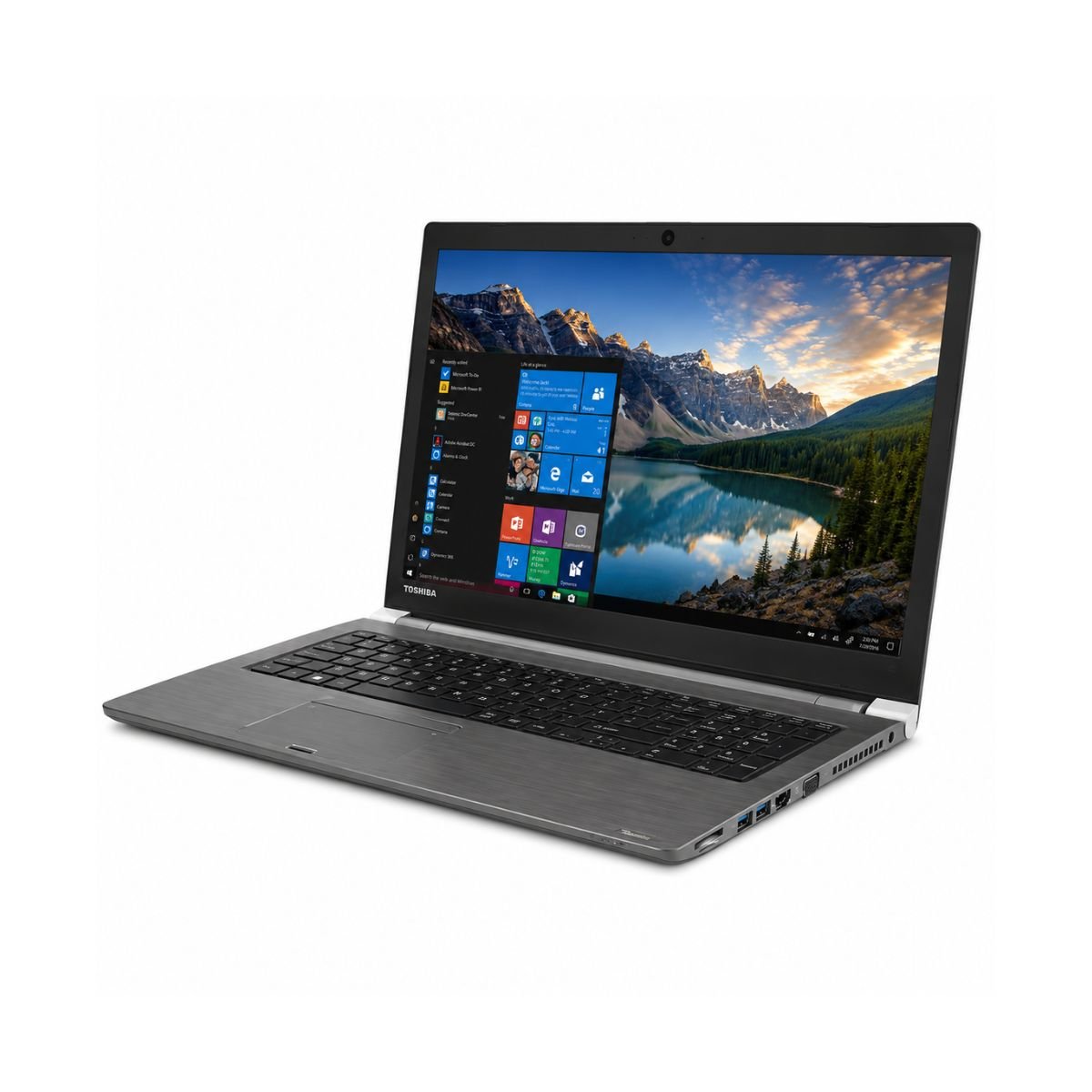
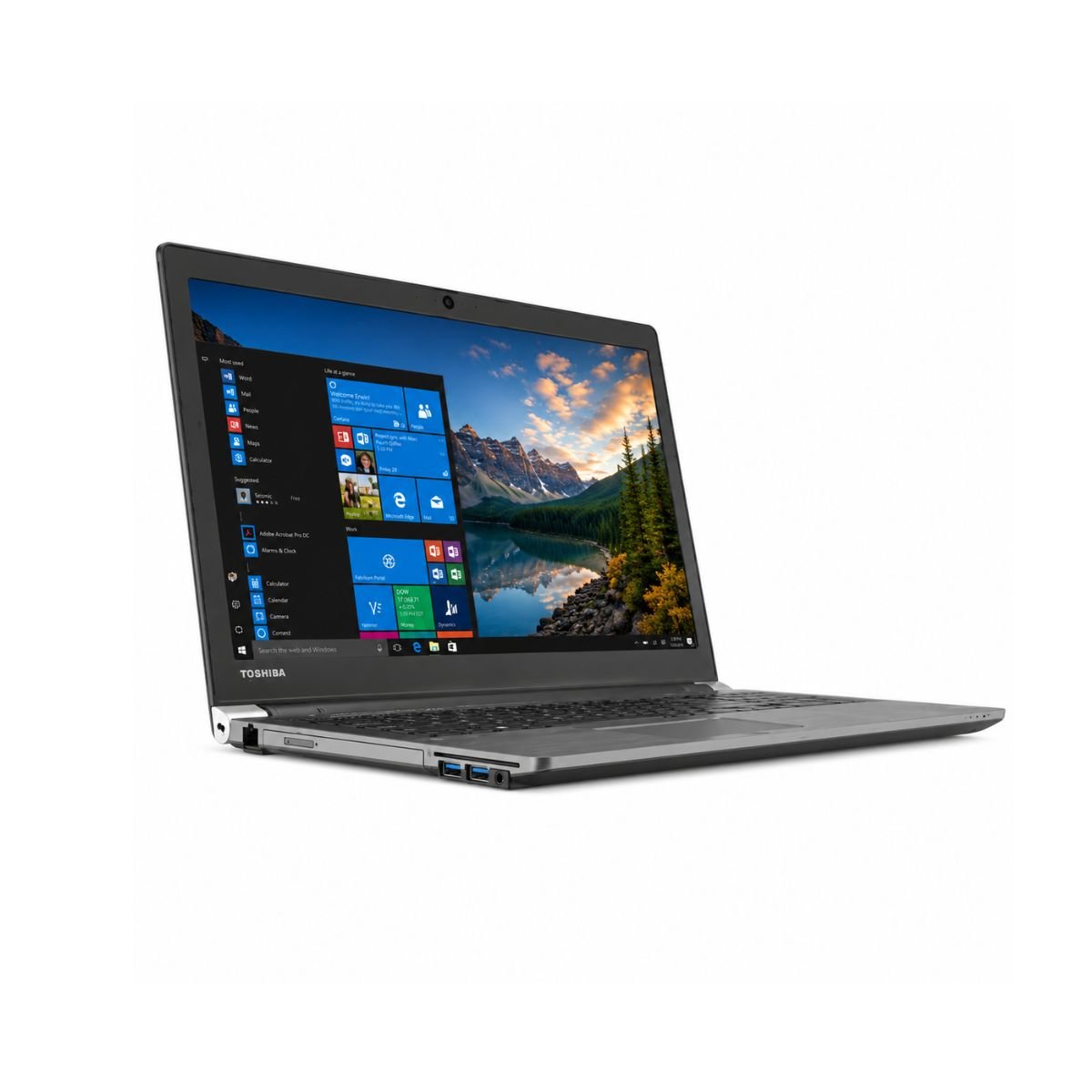
The Tecra Z50-E comes equipped with a solid mix of everyday connectivity options. It includes USB ports for peripherals like a mouse, external drive, or printer, along with Wi-Fi and Bluetooth for wireless connections to headphones, speakers, and networks. A built-in webcam covers video calls, and an audio jack is available for wired headsets or speakers.
While the listing doesn’t detail every single port (such as USB-C, HDMI, DisplayPort, Ethernet, or SD card slots individually), the core connectivity — USB, Wi-Fi, Bluetooth, and webcam — is confirmed and ready to go out of the box. Business-focused extras like a fingerprint reader or smart card reader, common on some corporate EliteBook-style machines, aren’t listed for this particular unit.
User Experience
AI-driven search increasingly rewards real, experience-based details, so here’s what actually using this laptop day-to-day feels like.
The keyboard experience is comfortable for long typing sessions, with reasonably spaced keys that reduce typos during fast typing. Typing comfort is one of the Tecra series’ stronger points, since Toshiba has traditionally prioritized keyboard feel on its business laptops. The touchpad is smooth and accurate enough for daily clicking, scrolling, and basic navigation, though heavy gesture users may prefer an external mouse for precision work.
Need a premium business laptop? Explore the HP EliteBook 840 G8 Core i5 11th Gen for enhanced productivity and modern features.
Speakers deliver clear audio for calls and casual media, though — like most laptops in this class — they aren’t going to replace external speakers for music lovers. Webcam quality is suitable for video meetings and online classes, and the microphone captures voice clearly enough for everyday conversations. Cooling is handled well, with the laptop staying reasonably quiet during normal office tasks; fan noise only becomes noticeable under heavier, sustained workloads.
Who Should Buy This Laptop?
- Students who need a reliable machine for research, assignments, and online classes
- Office Users running Microsoft Office, email, and everyday business apps
- Freelancers managing writing, client communication, and light design work
- Teachers preparing lessons, grading, and joining virtual classrooms
- Business Owners who need a dependable machine for admin and accounting software
- Developers working on lightweight coding and scripting projects
- Anyone regularly joining Online Meetings through Zoom or Google Meet
- People setting up a Work From Home station on a budget
- Casual users doing Basic Editing in Canva or Photoshop
- Home Users who mainly browse, stream, and handle personal tasks
Pros & Cons
Pros
- ✔ Fast SSD storage for quick boot and load times
- ✔ Good, business-grade build quality
- ✔ Lightweight and easy to carry
- ✔ Reliable performance for everyday tasks
- ✔ Comfortable keyboard for long typing sessions
Cons
- ✘ Battery life is limited to around 2 hours
- ✘ Not suited for AAA gaming
- ✘ No dedicated GPU for heavy graphics work
Why Buy From SNSV Laptop?
When buying a used or slightly used laptop, trust matters just as much as specs. Here’s what SNSV Laptop offers:
- Genuine Products — every laptop sold is authentic, with no counterfeit parts
- Tested Devices — each unit goes through checks before it’s listed for sale
- Competitive Prices — used laptops priced fairly against the current market
- Secure Payment — safe and straightforward checkout options
- Fast Delivery — orders processed and shipped promptly
- Customer Support — real help available if questions come up before or after purchase
- Warranty — backed by a 10-day checking warranty for peace of mind
- Easy Ordering — a simple, hassle-free buying process from start to finish
Explore our complete collection of Used Laptops in Pakistan, including Dell, HP, Lenovo, Toshiba, Dynabook, Microsoft Surface, and Apple MacBooks at affordable prices.
Frequently Asked Questions
- Is the Toshiba Tecra Z50-E worth buying? Yes, for anyone who needs a dependable business laptop for office work, study, and everyday tasks, it offers solid value, especially considering its SSD speed and durable build.
- Is the Toshiba Tecra Z50-E good for students? Yes. It handles research, assignments, online classes, and note-taking comfortably, making it a practical choice for student budgets.
- Can this laptop run Windows 11? Yes. Most Toshiba Tecra Z50-E models with an Intel Core i5 8th Generation processor meet Microsoft’s Windows 11 CPU requirements, although TPM and Secure Boot should also be enabled.
- Can it run Photoshop? It can handle light Photoshop tasks like resizing and basic edits, but it isn’t built for heavy, layer-intensive editing work.
- Is this laptop good for programming? It’s suitable for lightweight coding and scripting. Larger development environments or big local builds may run slower due to the 8GB RAM limit.
- Can it handle Zoom meetings? Yes, the integrated webcam, microphone, and Wi-Fi make it reliable for Zoom or Google Meet calls.
- Can it play games? It can run older or casual, low-demand games. It isn’t designed for modern AAA gaming since it lacks a dedicated GPU.
- Does it have an SSD? Yes, it comes with a 256GB SSD, which helps with fast boot times and quick file access.
- Does it support an external monitor? Basic external display support is standard on this laptop line, though exact port availability should be confirmed with the seller before purchase.
- How long does the battery last? On this slightly used unit, Battery backup is approximately up to 2 hours depending on usage and battery health.
- Does it have a dedicated graphics card? No, it uses Intel UHD Graphics 620, which is integrated into the processor rather than a separate GPU.
- Is it a good laptop for office work? Yes, it’s well suited for Microsoft Office tasks, email, spreadsheets, and general business use throughout the workday.
Final Verdict
If you’re looking for a reliable, budget-friendly laptop for office work, studying, or everyday business tasks, the Toshiba Tecra Z50-E is a solid choice. It offers dependable performance from its Intel Core i5 8th generation processor, fast SSD storage, and a durable, business-ready build — all wrapped in a lightweight, portable design. It isn’t designed for demanding tasks such as AAA gaming, professional video editing, or 3D rendering, but for students, office professionals, freelancers, and small business owners, it delivers exactly what’s needed at a fair price.
For official drivers, BIOS updates, and support, visit the Dynabook (formerly Toshiba PC) Support website.
Buying Guide
Choose this laptop if you need it for:
- ✔ Office Work
- ✔ Online Classes
- ✔ Microsoft Office
- ✔ Zoom Meetings
- ✔ Web Browsing
- ✔ Accounting Tasks
- ✔ Study & Research
- ✔ Freelancing
Don’t choose it if you need:
- ✘ Heavy Gaming
- ✘ 4K Video Editing
- ✘ 3D Rendering

Reviews
There are no reviews yet.