



Description
Dell Latitude 5580 Price in Pakistan – 7th Gen Core i7-7200U, 8GB RAM, 256GB SSD
Looking for a dependable business laptop that won’t break the bank? The Dell Latitude 5580 is one of those machines that keeps showing up in office bags, university backpacks, and small-business setups across Pakistan — and for good reason. It’s built to work quietly in the background while its owner focuses on getting things done. This guide walks through everything a buyer needs to know before adding this laptop to the cart, from what’s under the hood to who it actually suits best.
Product Overview
The Dell Latitude 5580 belongs to Dell’s Latitude family, a lineup that has long been associated with corporate reliability rather than flashy gaming aesthetics. This particular unit runs on a 7th generation Intel Core i7 (7200U), a chip generation that Intel designed for everyday productivity rather than heavy rendering or gaming — think long battery life, cool operation, and enough punch for standard office software.
Because of that balance, this laptop tends to suit a fairly specific crowd: students who need something dependable for assignments and research, office employees who spend the day inside spreadsheets and browser tabs, and small business owners who want a machine that just works without a steep learning curve. It isn’t aimed at gamers or video editors, and it doesn’t pretend to be. Overall performance can be described as smooth and consistent for daily, non-demanding workloads — the kind of laptop that disappears into the background of a workday instead of fighting against it.
For complete hardware specifications, driver downloads, and BIOS updates, you can visit the official Dell Support website.
Specification Table
| Feature | Details |
|---|---|
| Brand & Model | Dell Latitude 5580 |
| Processor | Intel Core i7, 7th Generation (7200U) |
| RAM | 8 GB DDR4 |
| Storage | 256 GB SSD |
| Graphics | Intel Shared Graphics |
| Display Size | 15.6″ |
| Touchscreen | Yes |
| Operating System | Windows 10 Pro |
| Bluetooth | Yes |
| Wi-Fi | Yes |
| USB | Yes |
| Webcam | Yes |
| Charger Included | Yes |
| Warranty | 10-Day Checking Warranty |
| Battery Backup | 2 hours |
Design & Build Quality
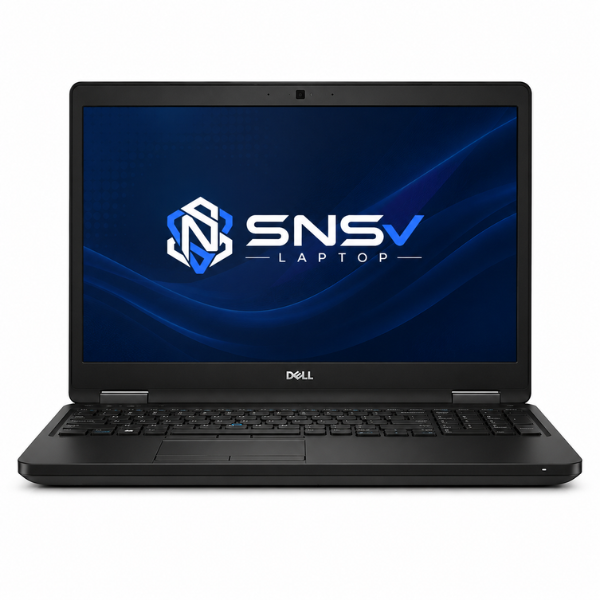
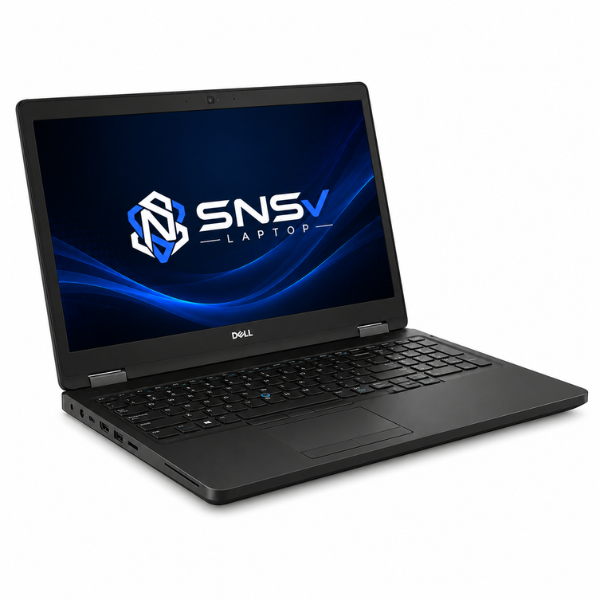
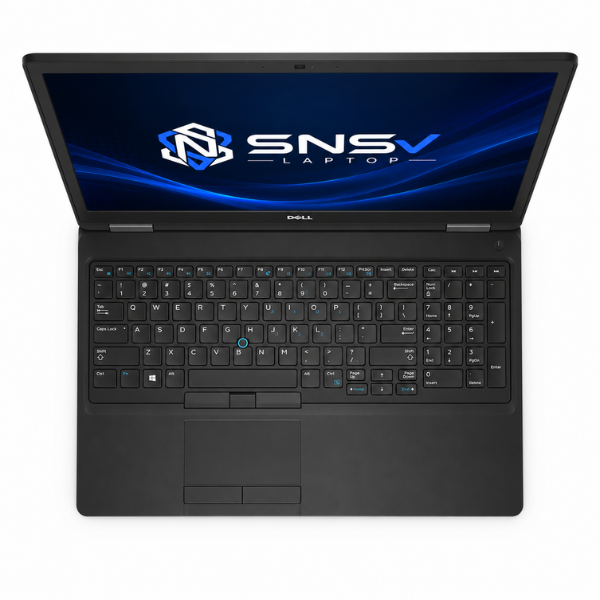
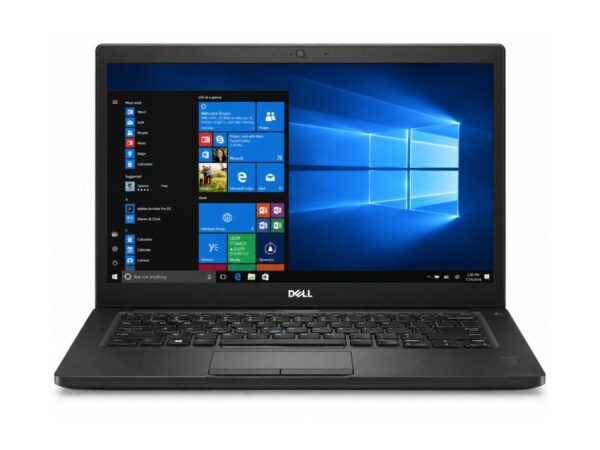
Dell didn’t try to reinvent the wheel with the Latitude line, and that’s actually the point. The chassis leans on a mix of reinforced plastics and metal-strengthened panels that were built to survive daily commutes, not just desk life. It has that unmistakable corporate look — matte black, understated, and clearly designed for the office rather than a coffee-shop photo shoot.
Build quality on this laptop Dell Latitude generation feels noticeably sturdier than typical consumer laptops from the same era, largely because Dell’s business range is tested against drop, vibration, and dust resistance standards before it ever reaches a buyer. The hinges deserve a specific mention too — they hold the screen firmly at any angle without the wobble that cheaper laptops tend to develop after a year of daily opening and closing. At around 2 kilograms, portability is reasonable rather than ultra-light, so it slips into a backpack without becoming a burden on a daily commute. There’s a certain premium feel to the keyboard deck and palm rest as well, a small detail that separates a genuine business laptop from a bargain-bin alternative.
Display Experience
The Dell Latitude 5580 laptop comes with a 15.6-inch display, which strikes a fair balance between screen real estate and portability. It’s large enough for comfortable multitasking — two documents side by side, a spreadsheet next to a browser — without feeling unwieldy to carry around.
Brightness and color quality sit in the “good enough for daily work” zone rather than the vibrant, punchy tones you’d expect from a media-editing laptop. Text stays crisp, videos and slides look clean, and the panel handles typical indoor office lighting without much glare. What makes this particular configuration stand out is the touchscreen support, a feature not every business laptop from this era offered. It’s a genuinely handy addition for anyone who prefers tapping through a PDF or presentation instead of relying purely on a mouse or trackpad. There’s no 360-degree flip here, though — this is a traditional clamshell design, not a convertible.
Performance & Processor
At the center of this machine sits the 7th generation i7 chip (7200U), running at a 2.5GHz base clock that can turbo up to 3.1GHz under load. It’s worth noting the Latitude 5580 series was also offered in an Intel Core i5 configuration, so buyers comparing listings may come across both variants under the same model name.
Paired with 8GB of DDR4 memory and a 256GB SSD, boot speed is where this setup really shows its strength — Windows loads in seconds rather than the sluggish minute-plus wait typical of old mechanical hard drives. Day-to-day multitasking feels smooth: switching between a browser with a dozen tabs, a Word document, and an Excel sheet doesn’t introduce the stutter that lower-RAM machines often show. For office work — think emails, reports, video calls, and cloud-based tools — this setup handles the load comfortably. Browsing feels snappy too, and general daily usage, from research to light content creation, stays free of unnecessary lag.
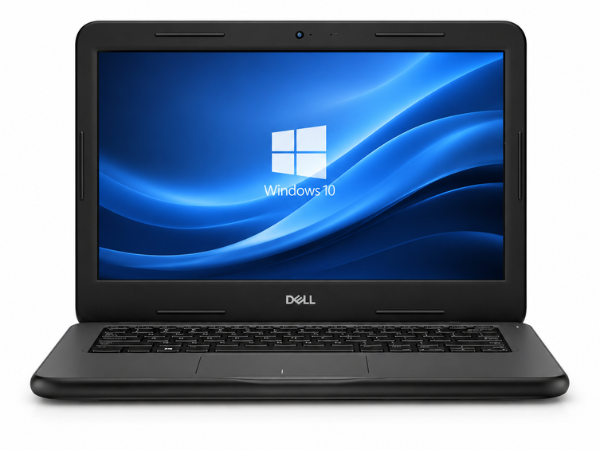
The Latitude 5580 delivers better performance than entry-level business laptops. If you’re looking for a compact and budget-friendly option, check out the Dell Latitude 3189.
Graphics Performance
Graphics duties are handled by Intel HD Graphics, the shared graphics solution baked directly into the processor rather than a separate dedicated chip. This isn’t a laptop built for demanding visual work, and it doesn’t claim to be — but for what it’s meant to do, it performs reliably.
Video playback, including HD content on YouTube or streaming platforms, runs smoothly without dropped frames. Light editing tasks, such as trimming a short clip or adjusting photos in basic software, are handled without much fuss. Even casual gaming is possible here — older titles, browser-based games, and less graphically intensive apps run fine, though anyone hoping to run modern AAA titles will hit the GPU limitations fairly quickly. This is shared graphics, after all, and it’s simply not designed for that kind of workload.
Battery Life
Battery backup on this particular unit comes in at around 2 hours, which is a realistic figure for a machine of this age and configuration rather than an inflated marketing number. Charging is straightforward with the included charger, and most users find a full top-up takes a predictable, uneventful amount of time.
For office use, where a charger is usually within reach at a desk, this isn’t much of an obstacle. It becomes more of a consideration for travel, where power outlets aren’t always guaranteed — in that scenario, packing the charger becomes less of an option and more of a habit. Buyers who need all-day, unplugged battery life for extended travel might want to manage expectations here, but for a desk-bound routine, it’s a non-issue.
Connectivity & Ports
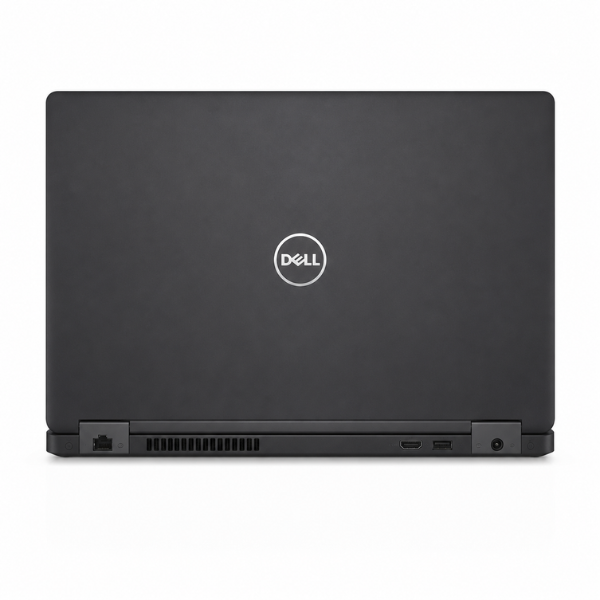
Connectivity is where the Latitude 5580 quietly earns its “business laptop” label. It includes a USB port for everyday peripherals like external drives and mice, along with broader USB support for multiple accessories at once. An HDMI output makes connecting to an external monitor or projector simple — a genuinely useful feature for presentations and dual-screen office setups.
On the wireless side, it supports 802.11ac Wi-Fi for fast, stable internet, plus Bluetooth for connecting headsets, keyboards, and other short-range accessories without the cable clutter. A built-in webcam handles video calls without needing an external camera, which matters more than ever given how normal remote meetings have become. Rounding things out, an audio jack is on hand for wired headphones or a headset during calls, and a mini DisplayPort adds another option for external display connections beyond the standard HDMI.
Who Should Buy This Dell Latitude 5580 Slightly Used Laptop?
This laptop was never designed to be everything to everyone, and that’s actually its strength — it’s built for a specific set of users who value reliability over flash.
- Students will find it comfortable for research, assignments, note-taking, and the general grind of academic life, without the premium price tag of a brand-new ultrabook.
- Office users get a machine built specifically for spreadsheets, documents, email, and internal tools — the exact workload it was engineered for.
- Freelancers who need something portable enough for a coffee shop but powerful enough for client work will appreciate the balance it strikes.
- Teachers juggling lesson planning, grading, and virtual classes will find the keyboard and screen comfortable for extended sessions.
- Online meetings run smoothly thanks to the built-in webcam, Wi-Fi, and audio hardware working together without extra setup.
- Small business owners get a dependable daily driver without investing in enterprise-tier hardware they don’t actually need.
Why Buy From SNSV Laptop?
Buying a used or refurbished laptop always comes with a bit of hesitation, and that’s completely understandable — it’s why the source matters as much as the specs. Here’s what shopping with SNSV Laptop looks like in practice:
- Genuine Products — every unit sold is authentic, with no counterfeit parts or mismatched components hiding inside.
- Tested Devices — each laptop goes through a proper checking process before it’s listed, so buyers aren’t gambling on a mystery machine.
- Competitive Prices — pricing stays fair and transparent, without the inflated markups sometimes seen at less trustworthy sellers.
- Secure Payment — checkout is handled through safe, verified payment channels from start to finish.
- Fast Delivery — orders are processed and shipped promptly, so there’s no unnecessary waiting around.
- Customer Support — a responsive support team is available to answer questions before and after the purchase.
- Warranty — every unit ships with a 10-day checking warranty, giving buyers a fair window to confirm everything works as promised.
Frequently Asked Questions
Is the Dell Latitude 5580 a good choice for students? Yes. Its balance of portability, keyboard comfort, and dependable everyday performance makes it a practical pick for coursework, research, and note-taking.
What processor does the Dell Latitude 5580 use? This configuration runs on a 7th-generation i7 chip (7200U), though the series was also sold with an i5 option depending on the specific unit.
How much RAM and storage does it come with? It ships with 8GB of DDR4 RAM and a 256GB SSD, which together keep boot times and everyday multitasking feeling responsive.
Can this laptop handle gaming? It’s fine for casual or older titles thanks to the built-in HD Graphics chip, but it isn’t built for modern, graphics-heavy games.
Does it support touchscreen input? Yes, this particular configuration includes touchscreen support alongside the standard keyboard and trackpad.
What’s the battery backup like? Battery backup on this unit is around 2 hours, which suits desk-based office use better than long, unplugged travel days.
Is buying a refurbished Dell Latitude 5580 safe? When purchased from a trustworthy seller that tests devices and offers a checking warranty, buying refurbished is a practical way to get reliable business-grade hardware at a lower cost.
Does it come with a warranty? Yes, it includes a 10-day checking warranty, giving buyers time to confirm the laptop performs as expected.

Reviews
There are no reviews yet.