




Description
Dell Latitude 3490 Review: Is This Business Laptop Still Worth Buying?
Product Overview
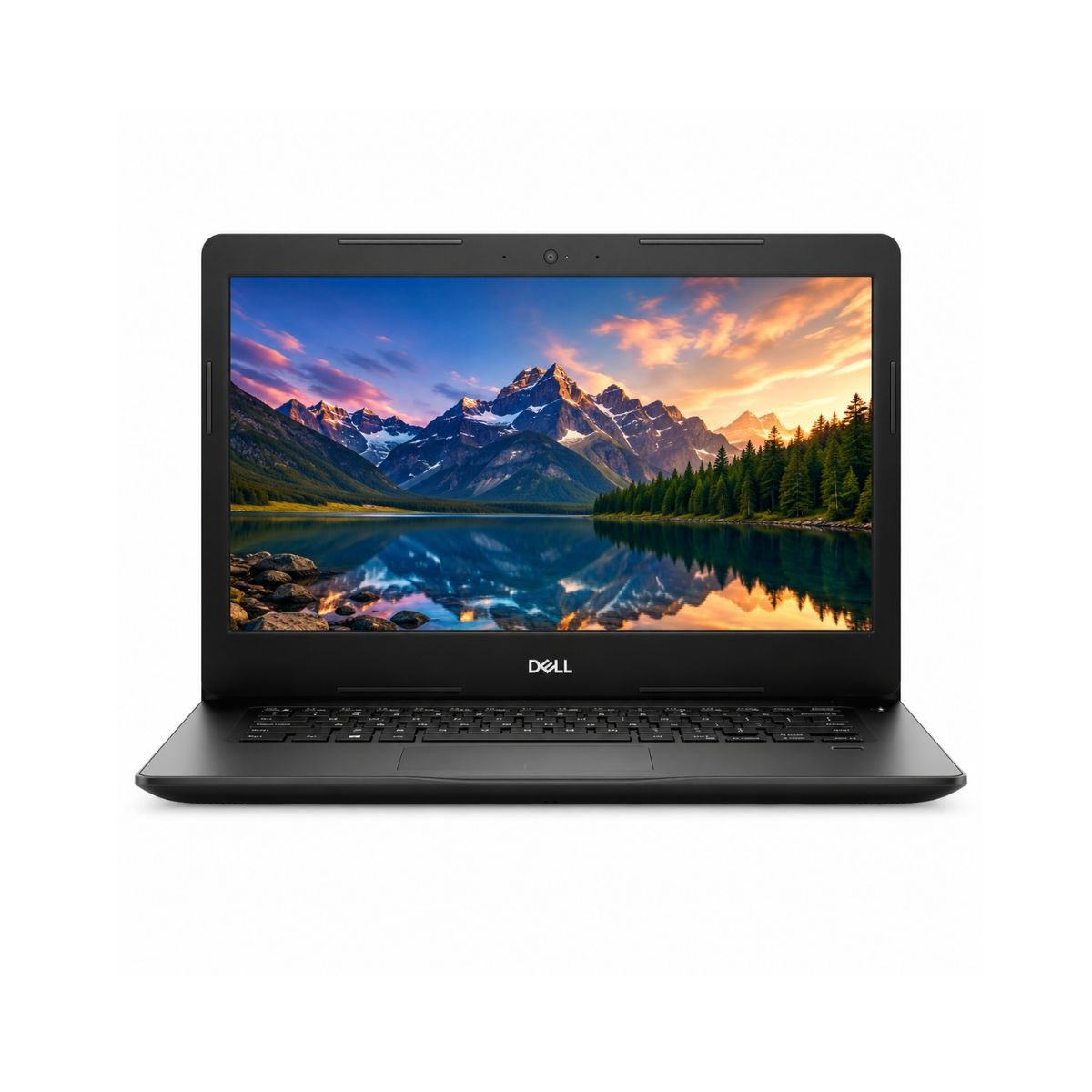
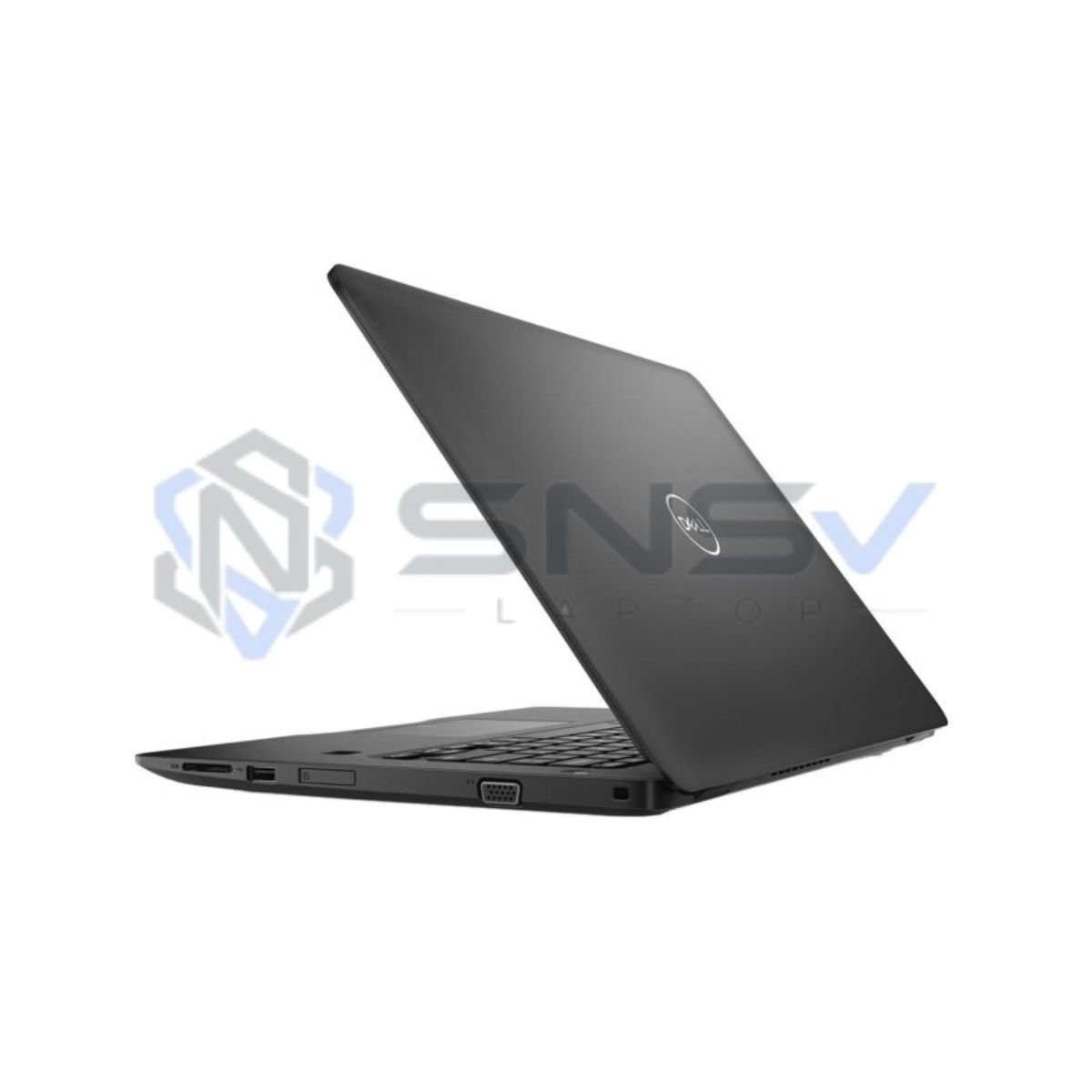
The Dell Latitude 3490 is a business-grade laptop built by Dell, one of the most trusted names in the laptop industry. This particular unit is a slightly used Dell Latitude 14 3490, meaning it comes with the standard 14-inch footprint that made the Latitude lineup so popular in offices and schools.
Under the hood, it runs on a 7th Generation Intel Core i5 processor, paired with 8GB of DDR4 RAM and a 256GB SSD. That combination is more than enough to keep everyday tasks running smoothly, whether it’s browsing, typing up reports, or hopping between a dozen open tabs.
So, who is this laptop best suited for? In short: students, office employees, freelancers, and anyone who needs a reliable machine for day-to-day computing rather than heavy creative work or gaming. It’s not trying to be a gaming rig or a video-editing workstation — it’s trying to be dependable, and it succeeds at that.
Why this laptop is worth buying: it offers business-class build quality, a fast SSD, and a well-known Dell Latitude pedigree, all at a price point well below buying new. For anyone on a budget who still wants a machine that won’t let them down, that’s a genuinely appealing mix.
Quick buying summary: A slightly used 14-inch business laptop with an Intel Core i5 processor, 8GB RAM, 256GB SSD, and all the core connectivity features (Wi-Fi, Bluetooth, USB, webcam) — sold with a 10-day checking warranty and charger included.
Looking for more Dell business laptops? Browse our complete Dell Laptop Collection.
Specifications
| Feature | Details |
| Condition | Slightly Used |
| Brand & Model | Dell Latitude 3490 |
| Processor | Intel Core i5, 7th Generation |
| RAM | 8 GB DDR4 |
| Storage | 256 GB SSD |
| Graphics | Intel HD Graphics 620 |
| Display Size | 14″ |
| Touchscreen | No |
| Operating System | Windows 10 |
| Bluetooth | Yes |
| Wi-Fi | Yes |
| USB | Yes |
| Webcam | Yes |
| Charger Included | Yes |
| Battery Backup | Up to 2 hours |
| Warranty | 10-Day Checking Warranty |
Design & Build Quality
Dell designed the Latitude series with businesses in mind, and the 3490 shows it. The chassis has a clean, understated look rather than anything flashy, which suits the office environment it was built for.
The chassis is primarily made from durable, high-quality plastic designed for everyday business use. giving it a good balance between durability and everyday practicality. It isn’t a featherweight ultrabook, but it isn’t a boat anchor either — the weight sits in a comfortable middle ground that makes it reasonable for daily portability between home, office, or classroom.
While it doesn’t scream “premium feel” the way high-end ultrabooks do, it also doesn’t feel cheap. The keyboard offers decent key travel with a stable typing surface, and the trackpad is responsive enough for standard navigation. The hinges hold the screen firmly in place without excessive wobble, which matters a lot once a laptop has seen some daily use.
There’s no official word on spill resistance or MIL-STD certification for this specific unit, so we won’t claim features that aren’t confirmed — but the overall build gives off that familiar “built to survive an office” feeling Dell is known for.
Display Experience
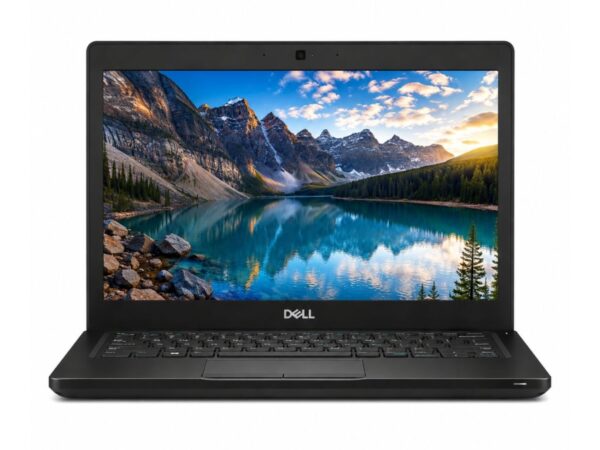
The Dell Latitude 3490 comes with a 14-inch screen, a sweet spot size that’s large enough for comfortable multitasking but still portable enough to carry around all day.
It uses a standard resolution suited for everyday productivity work — sharp enough for documents, spreadsheets, and browsing without feeling cramped. The panel type leans toward practicality over cinema-grade visuals, so color accuracy and viewing angles are adequate for office use rather than photo or video editing.
Most configurations come with a matte display that helps reduce reflections during everyday use.
This model does not include a touchscreen or a 360° hinge, so it functions strictly as a traditional clamshell laptop. For outdoor visibility, results will vary depending on direct sunlight, as is the case with most non-touch business displays.
Performance & Processor
This is where the Dell Latitude 3490 earns its keep. It’s powered by an Intel Core i5 processor from the 7th Generation lineup, running on multiple cores to handle multitasking without breaking a sweat. Combined with 8GB of DDR4 RAM and a 256GB SSD, this laptop moves quickly through daily tasks.
Boot speed is noticeably fast thanks to the SSD — expect the machine to be ready to use in a matter of seconds rather than minutes. Windows performance feels smooth for a machine in this class, and browser performance holds up well even with several tabs open at once.
For office work, this laptop handles Word, Excel, and PowerPoint without any hiccups. Multitasking between apps is smooth, and even light programming work — code editors, terminals, local servers — runs comfortably.
For everyday daily usage, this is a dependable workhorse. It’s well suited for online classes, running accounting software, and jumping on Zoom or Google Meet calls without lag.
Is this laptop fast enough? For general productivity, studying, and remote work, yes — comfortably so. It’s not built for demanding creative software or gaming, but for the tasks most people actually do every day, it performs reliably.
Need newer hardware? Compare this model with the Dell Latitude 5580 Core i7 7th Gen for better performance.\
Learn more about Intel Core processors on Intel’s Official Website.
Graphics Performance
The Dell Latitude 3490 relies on Intel HD Graphics 620, an integrated GPU rather than a dedicated graphics card. This is standard for a business laptop in this class, and it’s a fair trade-off given the machine’s focus on productivity over visuals.
For video playback and YouTube streaming, the integrated graphics handle things smoothly, even in HD. Light creative work like basic Photoshop touch-ups or working in Canva is manageable, especially for light editing tasks such as resizing, cropping, or simple design mock-ups.
Casual gaming — older titles, browser games, or less demanding indie games — is possible, but this isn’t a machine built for anything graphically intensive. The GPU limitations here mean modern AAA titles, 3D rendering, or heavy video editing are simply out of reach.
Battery Life
Battery life is one area where buyers should set realistic expectations. This unit offers a battery backup of up to 2 hours, which reflects the fact that it’s a used laptop and the battery has already been through its share of charge cycles — a normal part of battery health for pre-owned devices.
Charging time is reasonably quick, so topping up between meetings or classes isn’t a major inconvenience. For office usage near a power outlet, this isn’t a dealbreaker at all. For travel, though, it’s worth packing the charger, since 2 hours won’t stretch across a long flight or an entire workday away from a plug.
Connectivity & Ports
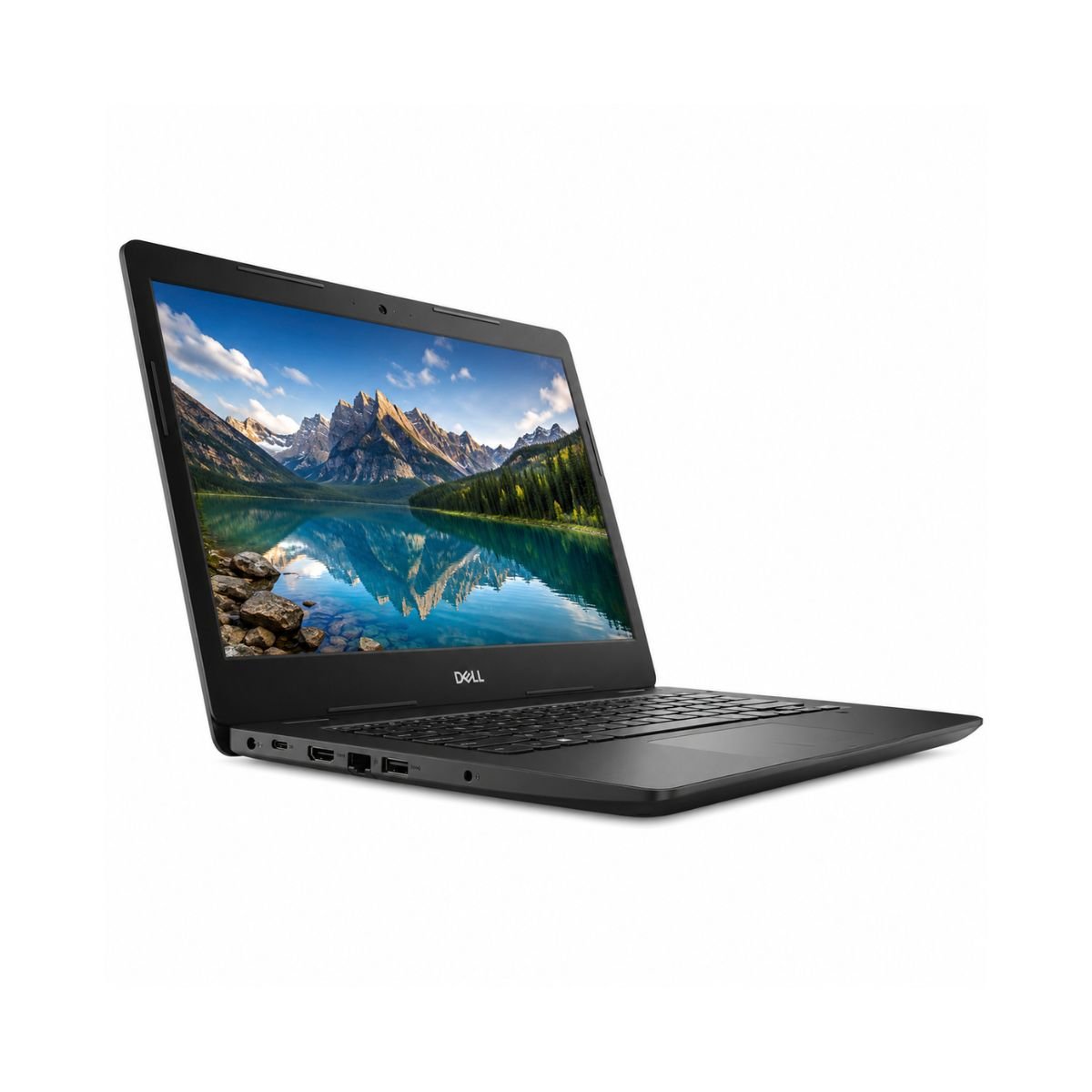
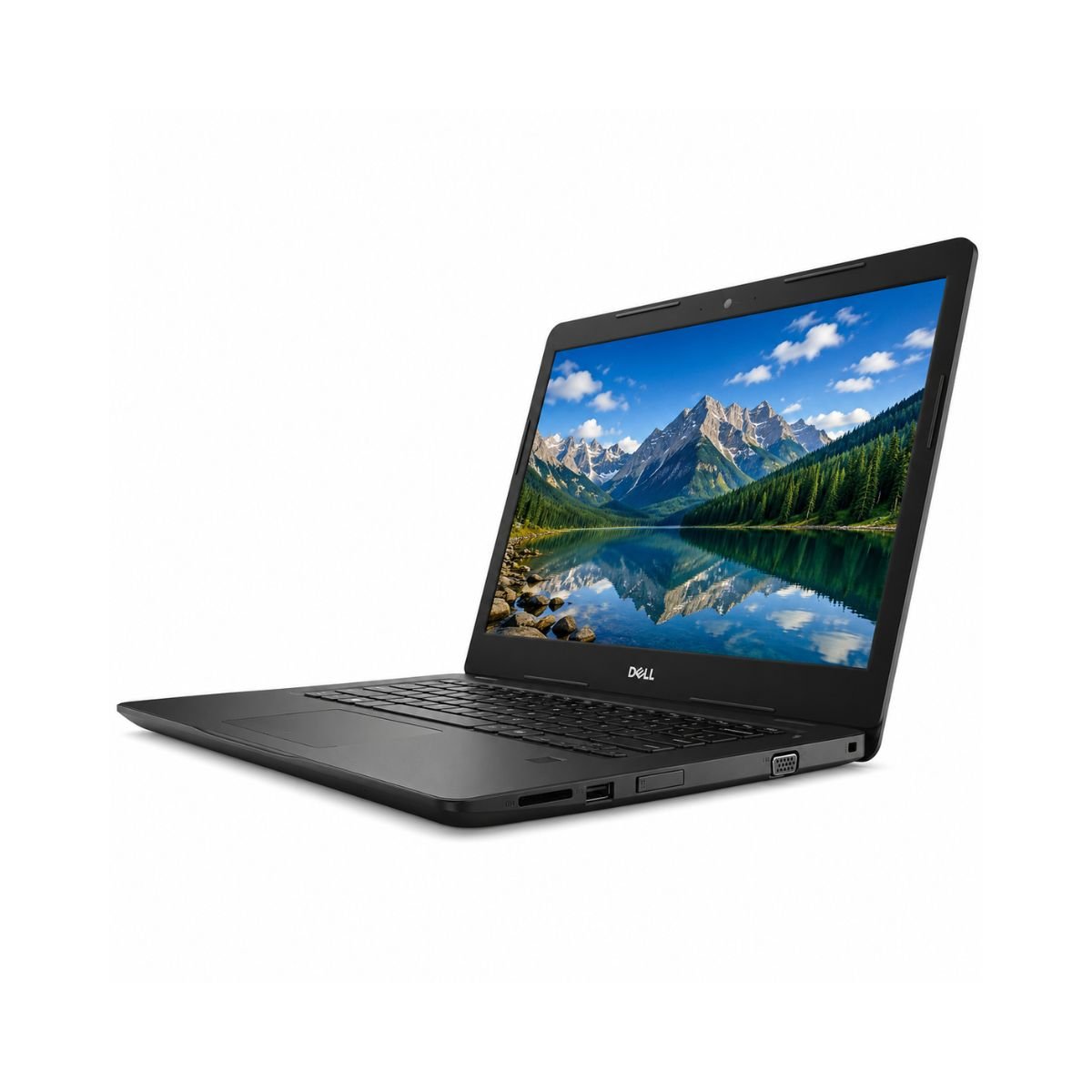
The Dell Latitude 3490 comes equipped with the essentials needed for daily connectivity. It includes standard USB ports for peripherals, along with support for external displays and accessories.
Built-in Wi-Fi provides reliable wireless connectivity for browsing, streaming, and online meetings.
A built-in webcam makes video calls simple without needing an external camera, and the audio jack allows for wired headsets when needed. While this specific configuration doesn’t list details on a fingerprint reader or smart card reader (features found on higher-end EliteBook-style business machines), the core connectivity suite covers what most everyday users actually need.
User Experience
Beyond the spec sheet, day-to-day usability is what really matters, and the Dell Latitude 3490 holds up well here.
The keyboard experience is comfortable, with keys that offer enough travel and feedback for extended typing sessions — a genuine plus for anyone writing reports, essays, or emails for hours at a time. Typing comfort overall feels natural rather than cramped, even for larger hands.
The touchpad tracks accurately and supports basic gestures, making it usable without always reaching for a mouse. Speakers are functional for calls, YouTube, or casual listening, though as with most business laptops, they won’t replace a proper speaker setup for music lovers.
Webcam quality is serviceable for video calls, and the microphone picks up voice clearly enough for meetings and online classes. On the cooling front, the internal fan does its job keeping temperatures in check during normal use, and fan noise stays fairly unobtrusive during typical office-style workloads.
Who Should Buy This Laptop?
This machine fits a wide range of everyday users:
- Students who need something reliable for assignments, research, and online classes
- Office users handling documents, spreadsheets, and email
- Freelancers who work primarily in browsers, docs, and communication tools
- Teachers preparing lessons or conducting virtual classes
- Business owners who need a dependable secondary or budget-friendly machine
- Developers doing lightweight coding, scripting, or web development
- Anyone focused on online meetings and work-from-home setups
- Users who only need basic editing for images or documents
- Home users who want a laptop for browsing, streaming, and general use
Pros & Cons
Pros
- ✔ Fast SSD for quick boot and load times
- ✔ Good build quality typical of Dell’s business line
- ✔ Lightweight enough for daily portability
- ✔ Reliable performance for everyday tasks
- ✔ Comfortable keyboard for long typing sessions
Cons
- ✘ Battery only lasts around 2 hours
- ✘ Not built for AAA gaming
- ✘ No dedicated GPU for heavy graphics work
Why Buy From SNSV Laptop?
Choosing where you buy a used laptop matters just as much as choosing the laptop itself. Here’s what buyers can expect when purchasing through SNSV Laptop:
- Genuine products — no counterfeit or mismatched components
- Tested devices — every unit is checked before it’s listed for sale
- Competitive prices compared to buying new
- Secure payment options for peace of mind
- Fast delivery so you’re not left waiting
- Customer support available if questions come up
- Warranty coverage included with every purchase
- Easy ordering process from browsing to checkout
Frequently Asked Questions
Is the Dell Latitude 3490 worth buying? Yes, especially for buyers who want a dependable business laptop for everyday productivity at a fraction of the cost of a new machine.
Is the Dell Latitude 3490 good for students? Yes. It handles assignments, research, online classes, and note-taking comfortably.
Can this laptop run Windows 11? It ships with Windows 10, and eligibility for a Windows 11 upgrade depends on meeting Microsoft’s minimum system requirements, which can vary by exact hardware configuration.
Can it run Photoshop? It can handle light Photoshop tasks like cropping, resizing, and basic touch-ups, but it isn’t built for heavy, layer-intensive editing.
Is this laptop good for programming? Yes, for lightweight coding, scripting, and using code editors or terminals, it performs reliably.
Can it handle Zoom or Google Meet calls? Yes, video calls run smoothly thanks to the built-in webcam, microphone, and stable Wi-Fi connectivity.
Can it play games? It can handle casual and older games, but it’s not designed for modern, graphics-intensive titles.
Does it have an SSD? Yes, it comes with a 256GB SSD, which speeds up boot times and everyday performance.
Does it support an external monitor? Yes, standard connectivity options allow it to connect to an external display.
How long does the battery last? This unit offers around 2 hours of battery backup, which is typical for a used laptop of this age.
Is it good for office work? Yes, it comfortably handles Word, Excel, PowerPoint, and general multitasking.
What condition is this laptop in? It’s listed as slightly used and comes with a 10-day checking warranty.
Final Verdict
If you’re looking for a dependable business laptop without spending a fortune, the Dell Latitude 3490 is a solid pick. It delivers smooth everyday performance thanks to its Core i5 processor and fast SSD, backed by the kind of sturdy build quality Dell’s Latitude line is known for. It won’t handle gaming or heavy creative work, but for students, office professionals, freelancers, and home users who need something reliable for daily tasks, it checks all the right boxes.
Why Choose the Dell Latitude 3490?
If you’re looking for a dependable business laptop at an affordable price, the Dell Latitude 3490 offers an excellent balance of performance, durability, and value. It is ideal for office work, online classes, web browsing, and everyday productivity without the higher cost of newer-generation business laptops.
Buying Guide
Choose this laptop if you need it for:
- ✔ Office work
- ✔ Online classes
- ✔ Microsoft Office
- ✔ Zoom or Google Meet
- ✔ Web browsing
- ✔ Accounting software
- ✔ Study and research
- ✔ Freelancing
Don’t choose it if you need:
- ✘ Heavy gaming
- ✘ 4K video editing
- ✘ 3D rendering

Reviews
There are no reviews yet.