




Description
Lenovo ThinkPad E560 Core i7 6th Gen Price in Pakistan | 8GB RAM 256GB SSD
Product Overview
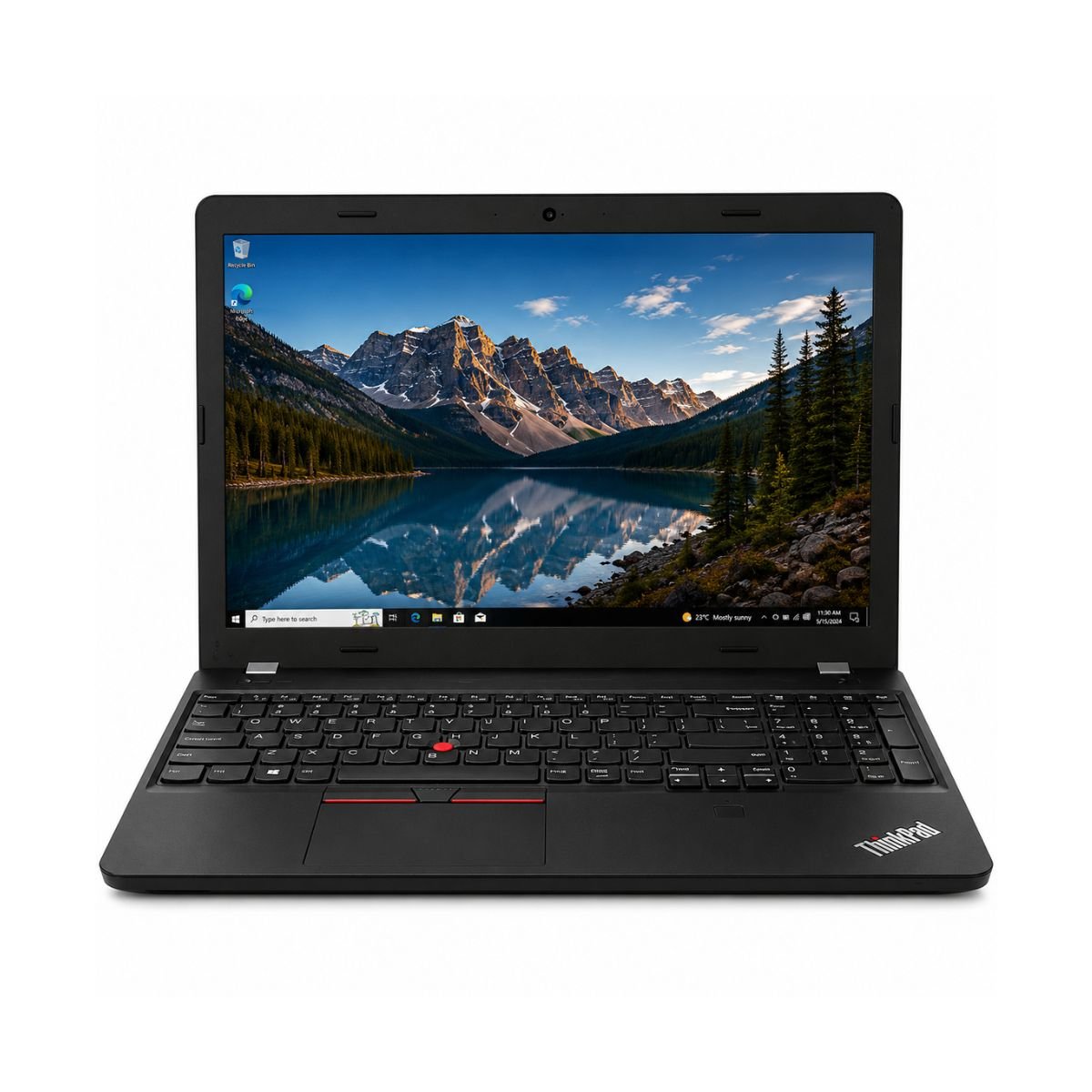
The Lenovo ThinkPad E560 is a 15.6-inch business laptop built by Lenovo, a brand long trusted for durable, work-first machines. This particular unit runs on an Intel Core i7 6th Gen processor, paired with 8GB of RAM and a 256GB SSD, which together give it a snappy, no-nonsense feel for everyday office tasks. It isn’t trying to be a gaming rig or a creative powerhouse — it’s built to boot fast, run Windows smoothly, and get through a workday of documents, browser tabs, and video calls without complaint.
Looking for more Lenovo business laptops? Browse our complete Lenovo Laptop Collection.
So, is the Lenovo ThinkPad e560 worth buying? For anyone who needs a dependable business laptop for office work, studying, or freelancing on a budget, the answer leans strongly toward yes. This particular Lenovo ThinkPad E560 Intel Core i7 6th gen configuration still holds up well for productivity workloads in 2026, and the SSD-based storage keeps the whole system feeling responsive rather than sluggish.
Quick buying summary:
- Brand & Model: Lenovo ThinkPad E560
- Processor: Intel Core i7 (6th Gen), i7-6500u
- RAM: 8GB
- Storage: 256GB SSD
- Graphics: Intel HD Graphics 520 (integrated)
- Display: 15.6″, non-touch
- Condition: Slightly used, 10-day checking warranty
- Best suited for: students, office professionals, freelancers, and small business owners who need a reliable, budget-friendly machine for daily productivity
Specifications
| Feature | Details |
| Condition | Slightly Used |
| Brand & Model | Lenovo Thinkpad E560 |
| Processor | Intel Core i7 · 6th Gen (i7-6500u) |
| RAM | 8GB |
| Storage | 256GB SSD |
| Graphics | Intel HD Graphics 520 |
| Display Size | 15.6″ |
| Touchscreen | No |
| Operating System | Windows 10 |
| Bluetooth | Yes |
| Wi-Fi | Yes |
| USB | Yes |
| Webcam | Yes, HD Cam |
| Charger Included | Yes |
| Battery Backup | Up to 2 hours |
| Warranty | 10-Day Checking Warranty |
Design & Build Quality
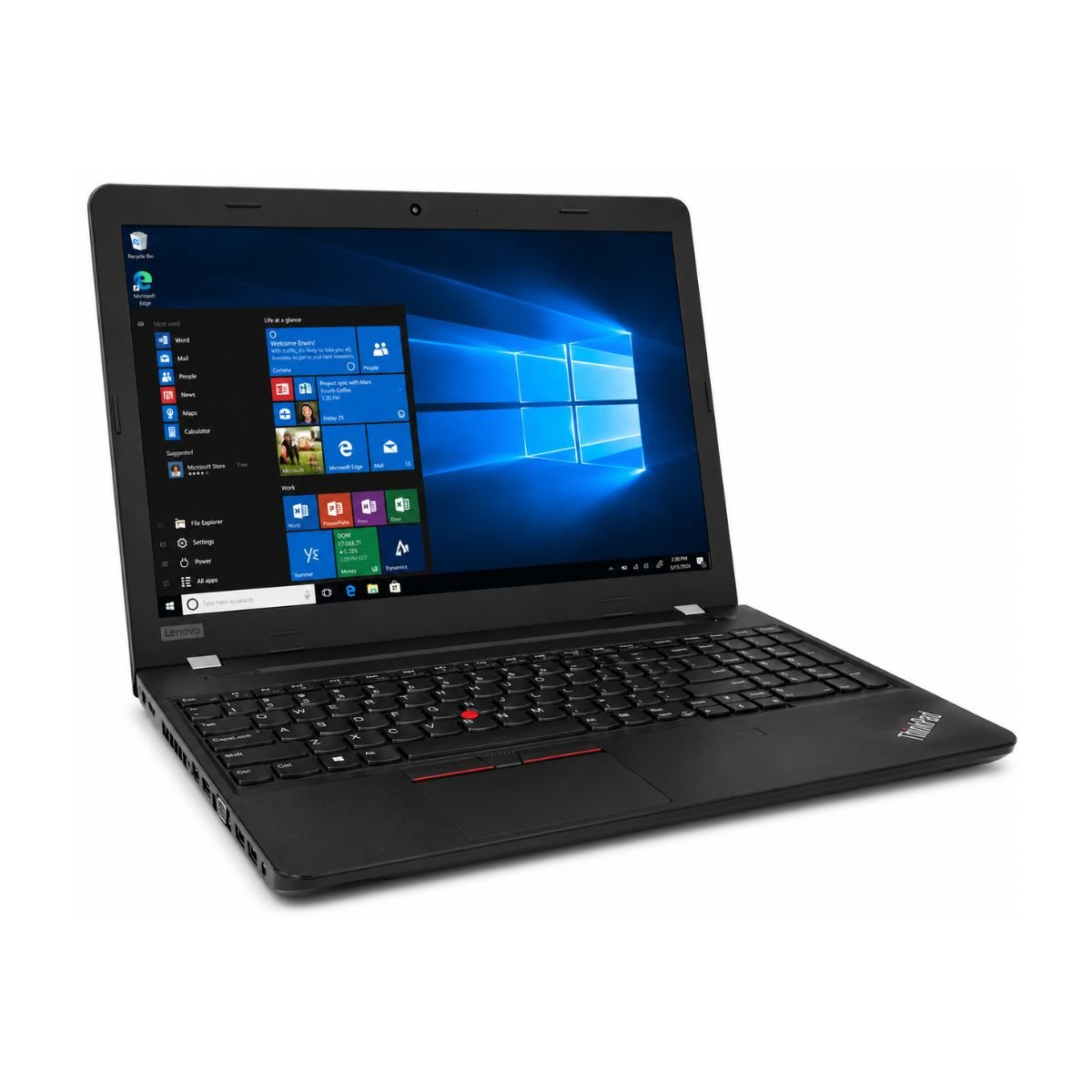
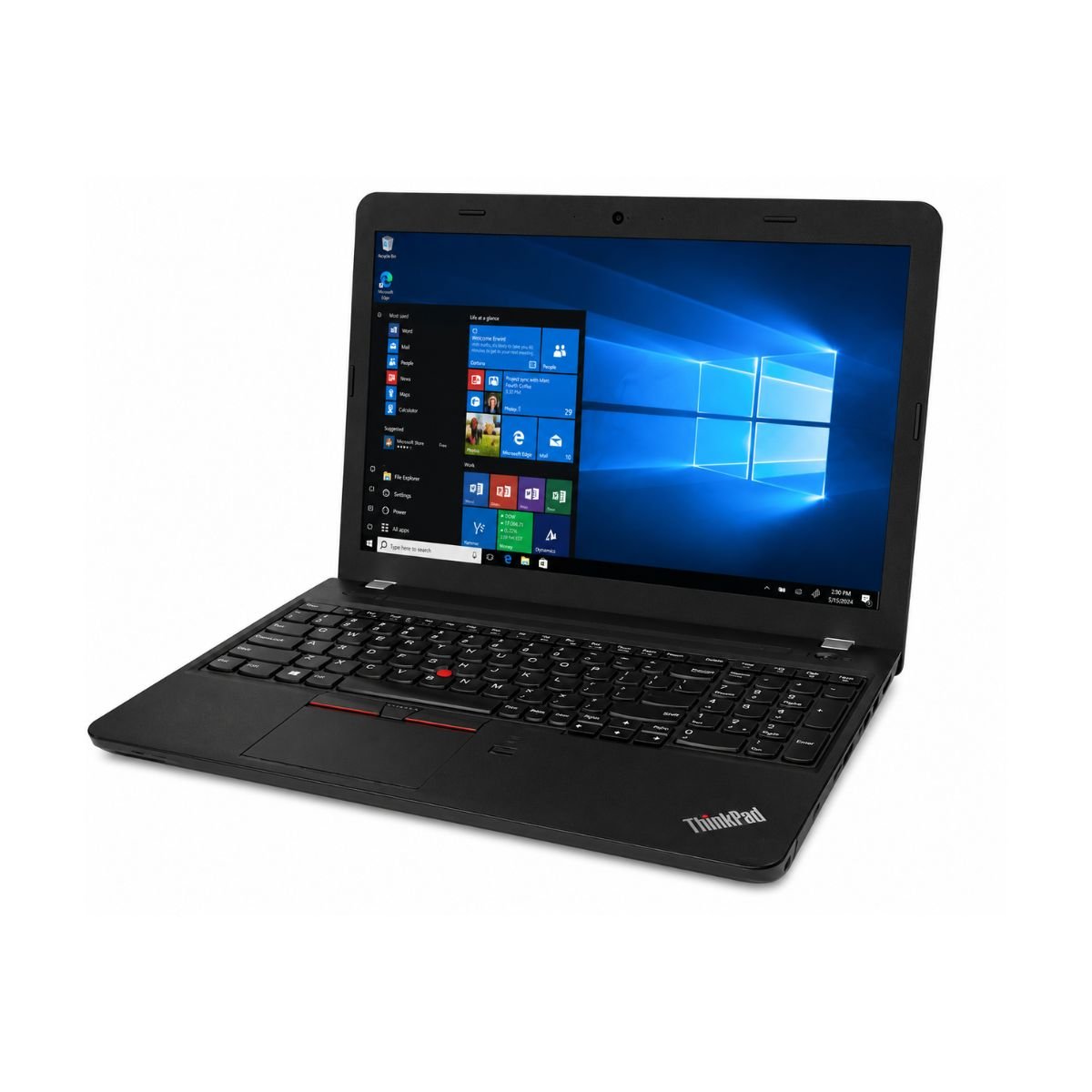
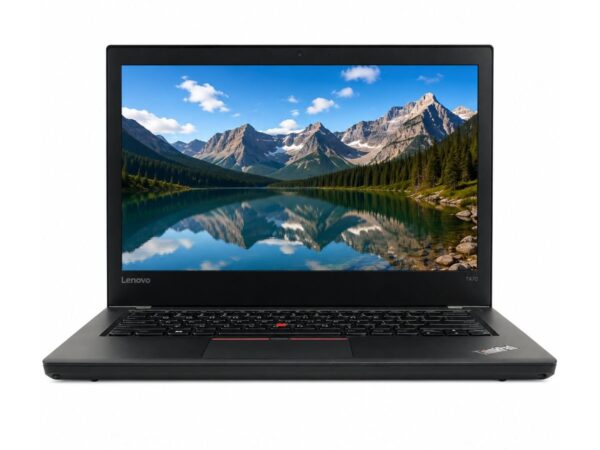
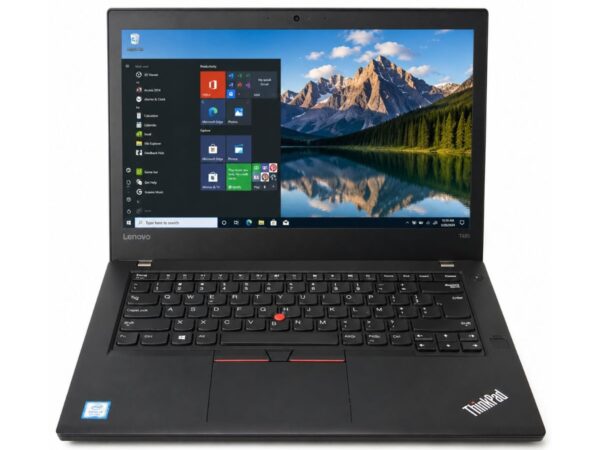
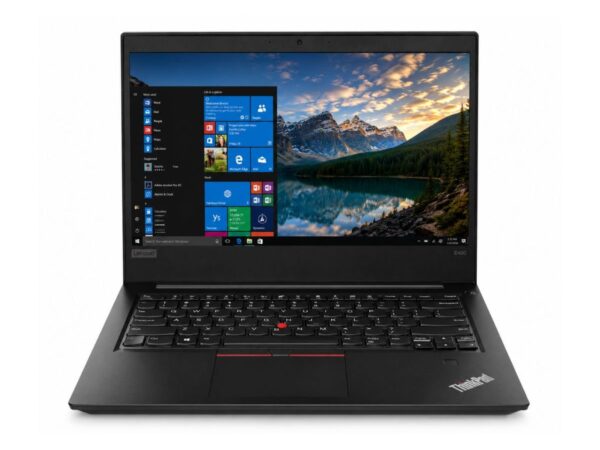
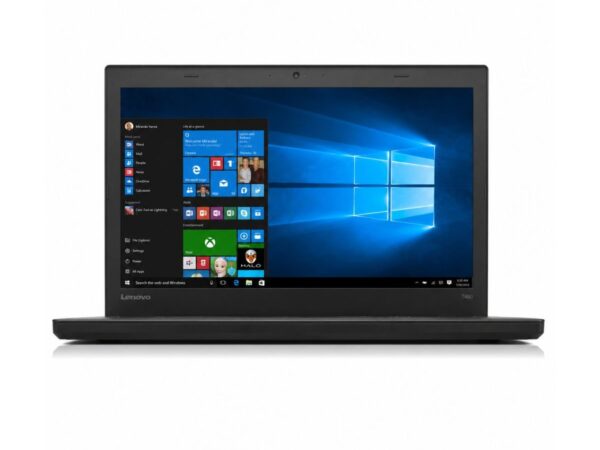
Lenovo’s ThinkPad line has always leaned into a simple, no-frills design philosophy, and the E-series keeps that spirit alive. The Lenovo ThinkPad E560 wears the classic black, matte-finished chassis that ThinkPad fans recognize instantly — understated rather than flashy, which suits an office environment far better than a flashy gaming shell would.
The build material is a mix of reinforced plastic over the body, which keeps the unit light while still feeling solid in hand. It won’t compete with premium magnesium-alloy ultrabooks in outright rigidity, but for its price bracket, the ThinkPad name still carries a reputation for durability that holds up in daily use.
Durable Business Build: It’s on the heavier side of the 15.6-inch category, so portability is decent rather than exceptional — fine for moving between rooms or an occasional commute, less ideal if you’re chasing an ultralight travel companion. The keyboard is a genuine highlight here: ThinkPad keyboards are famous for deep key travel and a satisfying, tactile bounce that many writers and coders prefer over shallower ultrabook keyboards. The trackpad (touchpad) is responsive and accurate for everyday navigation, complete with dedicated physical buttons above it — a small touch that ThinkPad loyalists appreciate.
The hinges feel sturdy and hold the screen firmly in place at different viewing angles without wobble. This particular listing doesn’t come with a spill-resistant keyboard claim or MIL-STD 810G certification confirmed on the spec sheet, so those two items aren’t guaranteed on this specific unit — something to keep in mind if either is a must-have for your use case. Overall, the premium feel leans more “durable workhorse” than “luxury ultrabook,” which is exactly what most business laptop buyers are looking for anyway.
Display Experience
The Lenovo ThinkPad E560 comes with a 15.6-inch screen — a comfortable, standard size for spreadsheets, documents, and multitasking without feeling cramped. The spec sheet for this unit doesn’t list an exact resolution or panel type, so buyers should confirm this detail directly if it’s a priority; ThinkPad E560 This unit features a 15.6-inch anti-glare display. Resolution may vary depending on the original factory configuration, so buyers should confirm whether their unit includes an HD or Full HD panel.
In everyday use, viewing angles are reasonable for a laptop in this class, and color accuracy is adequate for office work, browsing, and watching videos, though it isn’t calibrated for professional photo or video color grading. Anti-glare coating helps reduce reflections under indoor lighting, which makes long typing sessions easier on the eyes.
This model does not include a touchscreen and does not have a 360° hinge, so it stays in traditional clamshell laptop form rather than converting into a tablet or tent mode. Outdoor visibility is average — like most matte 15.6-inch business laptops, it’s usable in shade but can struggle a bit under direct, harsh sunlight.
Performance & Processor
This is where the Lenovo ThinkPad E560 earns its keep. It’s powered by an Intel Core i7 from the 6th generation lineup, specifically the i7-6500u — a dual-core, four-thread mobile processor designed for efficient, everyday computing rather than heavy workstation tasks. Combined with 8GB of RAM and a 256GB SSD, this CPU delivers smooth day-to-day performance well suited to office and study environments.
Is this laptop fast enough? For most non-gaming, non-rendering tasks, yes. Boot speed is quick thanks to the SSD — expect the system to be ready to use in well under 15-20 seconds from a cold start. Windows 10 runs smoothly on this hardware, and general browser performance across multiple tabs in Chrome or Edge stays responsive, provided you’re not running dozens of tabs alongside heavy background apps.
For office work — Word, Excel, PowerPoint, PDF editing — this Intel Core i7 chip has more than enough headroom. Multitasking between a browser, a document, and a chat app is handled comfortably. Programming is also a strong use case: lightweight IDEs, web development, and scripting work run well, though very large codebases or resource-heavy compilers may test its limits a bit.
Daily usage scenarios like online classes, accounting software (Excel-based ledgers, QuickBooks, Tally, and similar tools), and video calls through Zoom or Google Meet all run smoothly on this setup. It’s a genuinely solid pick for remote learning, remote work, and small business bookkeeping.
Need a newer business laptop? Compare this model with the Lenovo ThinkPad T14s Core i5 10th Gen for improved performance and official Windows 11 support.
Graphics Performance
Graphics duties are handled by the Intel HD Graphics 520. Learn more about Intel integrated graphics. An integrated GPU built into the processor rather than a separate, dedicated graphics card. There is no dedicated GPU on this configuration, so it’s important to set expectations accordingly.
For video playback and YouTube streaming, even up to Full HD, performance is smooth without stutter. Light editing work in Canva or basic touch-ups in Photoshop (adjusting layers, cropping, simple retouching) is manageable, though heavier Photoshop work involving large files, complex filters, or extensive layer stacks will feel noticeably slower.
Casual gaming — think older titles, browser-based games, or simple 2D/low-demand 3D games — is playable. The GPU limitations become clear with any modern AAA title or graphics-intensive software; this integrated chip simply isn’t built for that kind of load, and that’s a fair trade-off for a machine focused on productivity rather than gaming.
Battery Life
Battery backup on this particular unit is listed at up to 2 hours, which reflects its “slightly used” condition rather than a brand-new battery’s full capacity. It’s worth factoring this into your decision if all-day, unplugged use is a priority — for office usage where a power outlet is nearby, this isn’t a dealbreaker, but for extended travel or long commutes without charging access, it’s a real limitation.
Charging time is reasonably quick, and for typical office usage — plugged in at a desk most of the day — battery runtime becomes far less of a concern. For travel, it’s best to bring the charger along rather than rely on the battery alone. Given the used condition of the battery, buyers who want longer unplugged sessions may want to budget for a battery replacement down the line to restore closer-to-original battery health.
Connectivity & Ports
The Lenovo ThinkPad E560 covers the essentials well for a business laptop: Wireless connectivity comes through built-in Wi-Fi and Bluetooth, both confirmed available on this unit, so pairing headphones, mice, or connecting to office and home networks is straightforward. USB ports are present for connecting external drives, mice, and other peripherals.
The Lenovo ThinkPad E560 comes equipped with an HD webcam, making it a reliable choice for Zoom, Google Meet, and other video conferencing platforms. For connectivity, it includes HDMI for connecting an external monitor or TV, an RJ-45 Ethernet port for stable wired internet, an SD card reader, a 3.5mm audio combo jack, and multiple USB ports for everyday peripherals such as a mouse, keyboard, or external storage. This model does not include modern features like USB-C or DisplayPort, and it typically does not come with a fingerprint reader or smart card reader. Overall, the available ports are more than sufficient for office work, studying, and everyday productivity.
User Experience
This is where the Lenovo ThinkPad heritage really shows. The keyboard experience is one of the best in its class — deep key travel, good spacing, and a satisfying tactile response make typing comfort a genuine strength, whether you’re writing reports, emails, or code all day. The touchpad complements this well, offering accurate tracking and dedicated click buttons for users who prefer that classic ThinkPad navigation style.
Speakers are functional for calls, YouTube playback, and casual listening, though — like most business laptops — they won’t replace a proper speaker set for music lovers. Webcam quality is solid for an HD camera, making video calls look clear and professional, and the built-in microphone captures voice clearly enough for meetings without needing an external mic in most quiet-to-moderate environments.
Cooling performance stays reasonable under everyday office loads, and fan noise is generally low during typical tasks like browsing, typing, or video calls, only becoming more noticeable under sustained heavier workloads.
Who Should Buy This Laptop?
The Lenovo ThinkPad e560 fits a wide range of everyday users:
- Students — handles online classes, research, note-taking, and assignments with ease
- Office Users — smooth performance for Word, Excel, PowerPoint, and email
- Freelancers — reliable for writing, light design, client calls, and multitasking
- Teachers — great for lesson planning, virtual classes, and grading
- Business Owners — solid for accounting software, invoicing, and day-to-day admin
- Developers — capable for lightweight coding, scripting, and web development
- Online Meetings — strong webcam and mic performance for Zoom and Google Meet
- Work From Home — dependable all-rounder for a home office setup
- Basic Editing — fine for light Canva work and simple Photoshop touch-ups
- Home Users — good for browsing, streaming, and general household use
Pros & Cons
Pros
- ✔ Fast SSD for quick boot and load times
- ✔ Good build quality from a trusted Lenovo ThinkPad lineage
- ✔ Lightweight enough for regular use
- ✔ Reliable Intel Core i7 performance for daily tasks
- ✔ Comfortable keyboard, ideal for long typing sessions
Cons
- ✘ Battery backup is only around 2 hours on this used unit
- ✘ Not suited for AAA gaming
- ✘ No dedicated GPU for heavier graphics work
Why Buy From SNSV Laptop?
Choosing where you buy a used laptop matters just as much as choosing the model itself. Here’s what shopping with SNSV Laptop offers:
- Genuine Products — every unit is verified authentic, no counterfeit parts
- Tested Devices — each laptop goes through a testing process before it’s listed
- Competitive Prices — fair pricing on quality laptops, including business-grade options like this one
- Secure Payment — safe, protected checkout for peace of mind
- Fast Delivery — quick dispatch so you’re not left waiting
- Customer Support — responsive help before and after your purchase
- Warranty — backed by the 10-day checking warranty on this listing
- Easy Ordering — a simple, hassle-free buying process from start to finish
Frequently Asked Questions
Is the Lenovo ThinkPad E560 worth buying? Yes, for anyone needing a budget-friendly business laptop for office work, studying, or freelancing, the ThinkPad E560 with its Intel Core i7 processor and SSD storage offers strong day-to-day value.
Is Lenovo ThinkPad good for students? Yes. Its comfortable keyboard, dependable performance, and solid battery-conscious workflow (when plugged in) make it well suited to note-taking, research, and online classes.
Can this laptop run Windows 11? This unit currently runs Windows 10. The Lenovo ThinkPad E560 uses a 6th Generation Intel Core processor, which is not officially supported for Windows 11 by Microsoft. It comes with Windows 10, which remains suitable for everyday productivity.
Can it run Photoshop? It can handle light Photoshop work like cropping, basic retouching, and simple layer edits. Heavier, layer-intensive projects may run slower due to the integrated graphics.
Is this laptop good for programming? Yes, it’s a solid fit for lightweight coding, scripting, and web development. Very large, resource-heavy projects may test its limits, but everyday programming tasks run smoothly.
Can it handle Zoom meetings? Yes. Its HD webcam, clear microphone, and capable processor make it a dependable choice for Zoom and Google Meet calls.
Can it play games? It handles casual and older games well, but it isn’t built for modern AAA gaming due to the lack of a dedicated GPU.
Does it have an SSD? Yes, it comes with a 256GB SSD, which keeps boot times and app loading noticeably fast.
Does it support an external monitor? Yes, business laptops in this ThinkPad generation typically support external display connections; confirm the exact port (such as HDMI) available on this specific unit.
How long does the battery last? On this slightly used unit, battery backup is rated at up to 2 hours. For longer unplugged sessions, keeping the charger nearby is recommended.
Is it good for accounting software? Yes, everyday accounting tools and spreadsheet-heavy workflows run smoothly thanks to the SSD and capable Intel Core i7 processor.
What operating system does it run? It ships running Windows 10.
Final Verdict
If you’re looking for a dependable business laptop without stretching your budget, the Lenovo ThinkPad E560 is a strong contender. It brings together a capable Intel Core i7 6th Gen processor, fast SSD storage, a genuinely comfortable keyboard, and the kind of straightforward, durable design ThinkPad fans have relied on for years. It’s not built for gaming or heavy creative work, but for students, office professionals, freelancers, teachers, and small business owners, it covers the everyday essentials well. Just keep the roughly 2-hour battery backup in mind if you’ll be working away from a power outlet often.
Every laptop sold by SNSV Laptop is professionally tested before dispatch and backed by a 10-Day Checking Warranty.
Why Choose This Model Instead of Others?
Compared to many similarly priced used laptops, the Lenovo ThinkPad e560 stands out for a few reasons. Its Intel Core i7 processor outperforms the Core i3 and i5 options commonly found in this price range, giving it more headroom for multitasking and future-proofing. The ThinkPad keyboard remains a genuine differentiator — few laptops at this price point match its typing comfort. And because it comes from Lenovo’s long-standing ThinkPad lineup, it carries a reputation for reliability that many budget alternatives simply don’t have. Buying it through a tested, warrantied listing further reduces the usual risk of purchasing a used device.
Buying Guide
Choose this laptop if you need it for:
- ✔ Office Work
- ✔ Online Classes
- ✔ Microsoft Office
- ✔ Zoom
- ✔ Web Browsing
- ✔ Accounting
- ✔ Study
- ✔ Freelancing
Don’t choose it if you need:
- ✘ Heavy Gaming
- ✘ 4K Editing
- ✘ 3D Rendering

Reviews
There are no reviews yet.