





Description
Lenovo ThinkPad E470 (Core i5, 6th Gen) Review: Specs, Performance & Buying Guide
Product Overview
The Lenovo ThinkPad E470 Core i5 6th Gen is a 14-inch business laptop built for everyday computing rather than heavy gaming or creative rendering. It pairs an Intel Core i5 6th-generation processor with 8GB of RAM and a 256GB SSD, which is a practical combination for office work, study, and daily browsing. In slightly used condition, it gives buyers ThinkPad-level reliability at a fraction of the price of a new machine.
Looking for more Lenovo business laptops? Browse our complete Lenovo Laptop Collection.
Brand overview: Lenovo acquired IBM’s ThinkPad business in 2005 and has continued developing the ThinkPad lineup ever since. A ThinkPad, laptop for laptop, tends to prioritize keyboard quality, durability, and serviceability over flashy styling, and the E470 carries that philosophy into a more affordable, entry-level business tier.
Processor generation: “6th Gen” refers to Intel’s Skylake family, launched in 2015. It’s an older generation now, but it was a genuine performance step up in its day, and it’s still capable of handling standard office and productivity workloads without straining.
Overall performance: This laptop handles Windows desktop work, browser-based tasks, and office software smoothly. It’s not built for 4K editing, 3D rendering, or modern AAA gaming, but for typing, spreadsheets, video calls, and multitasking between a handful of apps, it holds up well.
Best suited for: Students, office employees, freelancers, and small business owners who want a dependable Windows laptop for writing, browsing, spreadsheets, accounting software, and video calls without paying for horsepower they won’t use.
Why this laptop is worth buying: You get a fast SSD instead of a slow hard drive, a keyboard that’s genuinely pleasant to type on for long stretches, and a chassis built to the same general standards as pricier ThinkPads. For anyone whose daily computing needs stop at office work, browsing, and online classes, that’s a lot of practical value for the price.
Quick buying summary:
- Intel Core i5 (6th Gen), 8GB RAM, 256GB SSD
- 14-inch display, Intel HD Graphics 520 (integrated)
- Windows 10, Wi-Fi, Bluetooth, webcam, Ethernet
- Best for office work, study, and daily use — not gaming or heavy editing
- Sold in slightly used condition with a 10-day checking warranty
Specifications
Here’s a quick specs snapshot of this exact configuration before getting into the details:
| Feature | Details |
| Condition | Slightly Used |
| Brand & Model | Lenovo ThinkPad E470, Core i5 (6th Gen) |
| Processor | Intel Core i5, 6th Generation |
| RAM | 8GB |
| Storage | 256GB SSD |
| Graphics | Intel HD Graphics 520 (Integrated) |
| Display Size | 14″ |
| Touchscreen | No |
| Operating System | Windows 10 |
| Bluetooth | Yes |
| Wi-Fi | Yes |
| USB | Yes (USB 3.0 & USB 2.0) |
| Webcam | Yes |
| Charger Included | Yes |
| Battery Backup | Up to 2 hours |
| Warranty | 10-Day Checking Warranty |
Design & Build Quality
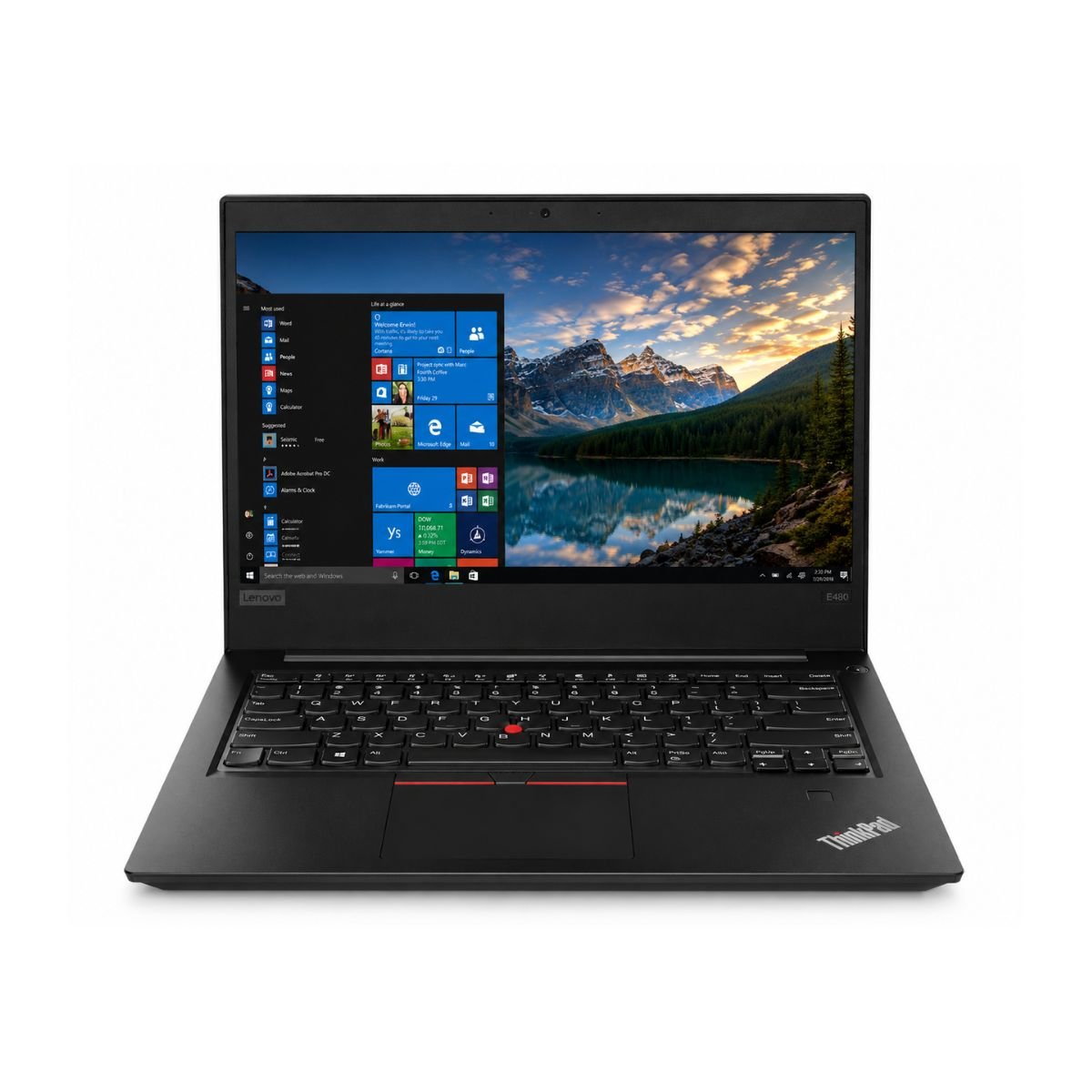
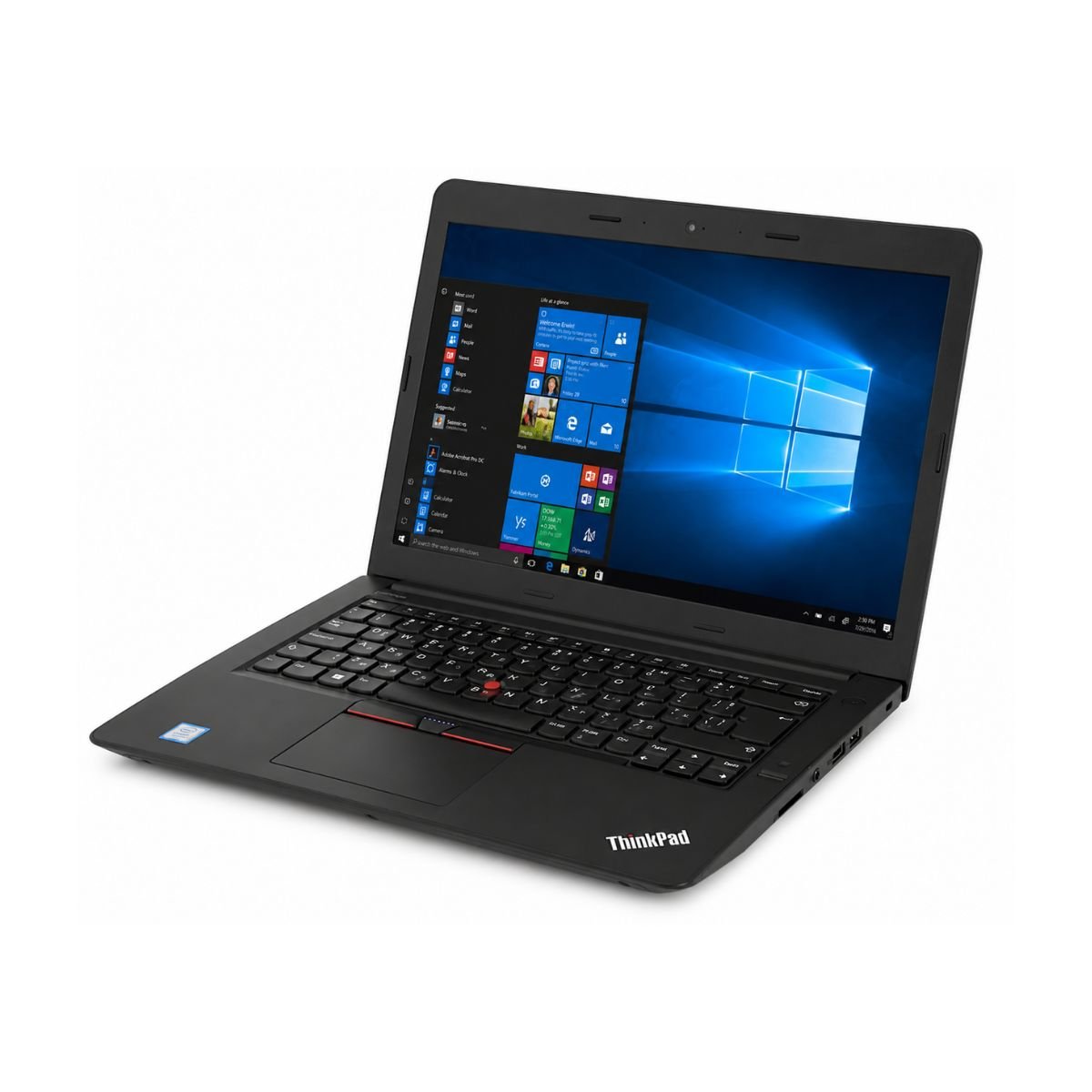
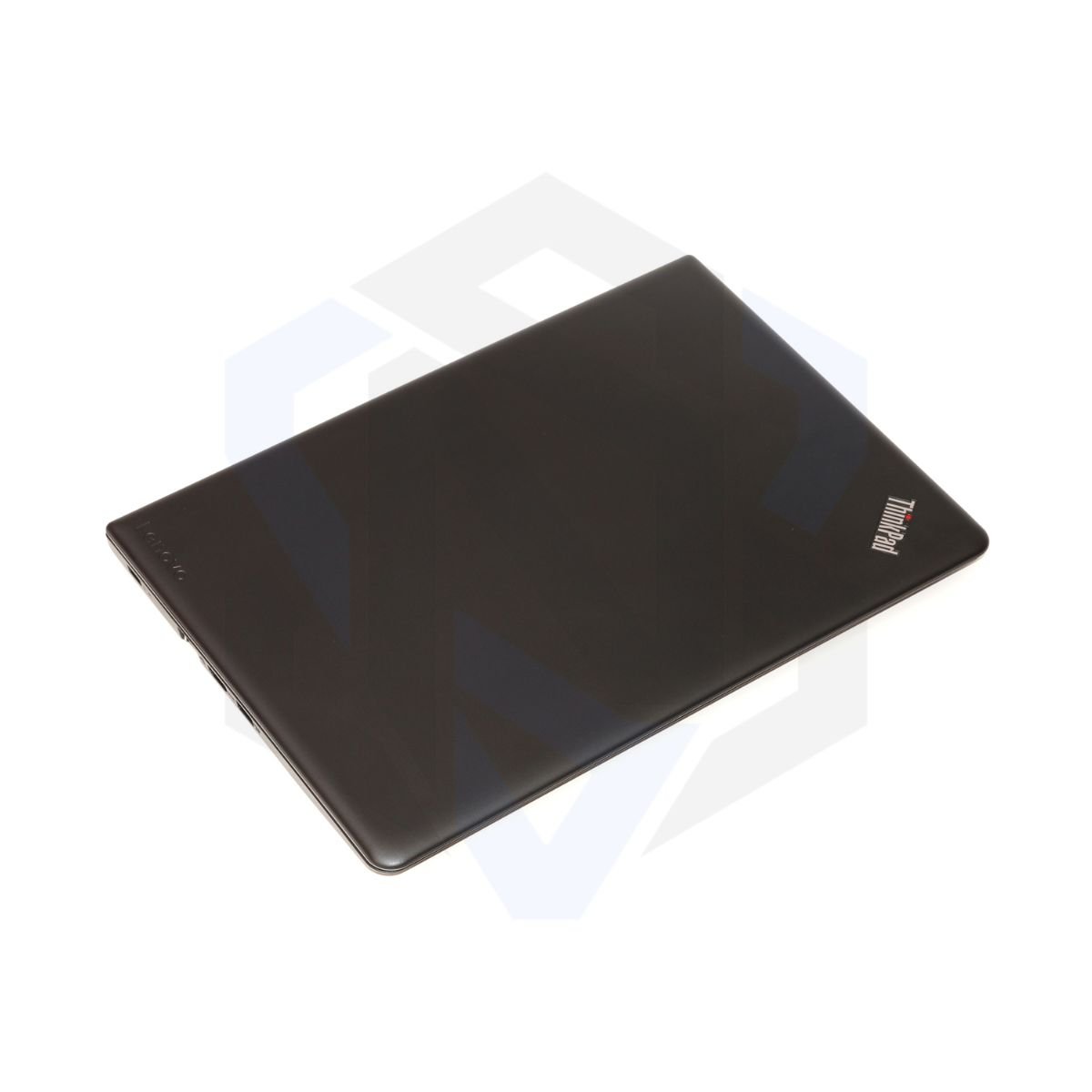
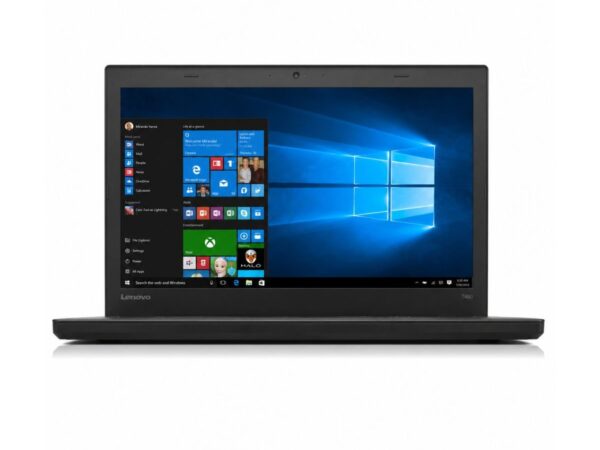
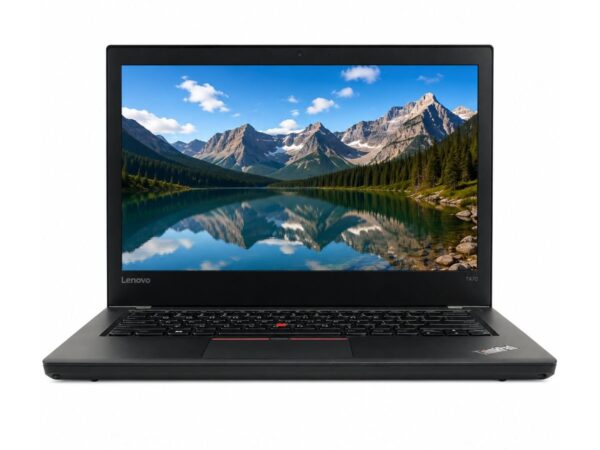
The ThinkPad E470 sticks to Lenovo’s classic design language: a matte black chassis, rounded corners, and a no-nonsense look that prioritizes function over flash. It won’t turn heads in a coffee shop, but it also won’t look out of place in a boardroom.
Build material combines a reinforced composite chassis with ThinkPad-standard structural reinforcement around the hinges and palm rest, so it doesn’t feel hollow or flexy in daily handling. The ThinkPad E470 is built with Lenovo’s business-focused durability standards and feels more robust than many consumer laptops in the same price range. (covering drops, humidity, dust, temperature swings, and vibration) across its ThinkPad lineup for years, and while the E-series isn’t marketed with the same rugged-use badges as the T or X series, it’s built on the same general durability philosophy.
At roughly 1.87 kg (about 4.1 lbs), it’s reasonably portable for a 14-inch business laptop of its era — not the lightest ultrabook you’ll find today, but easy enough to carry between home, office, or class in a backpack or laptop bag.
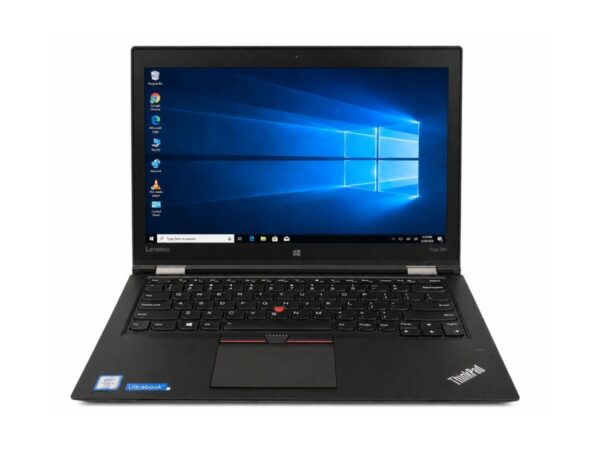
The premium feel comes through mostly in the keyboard and hinges rather than the exterior shell. The keyboard is spill-resistant, a signature ThinkPad feature that channels small liquid spills away from the internals through a drainage design, and the typing feel is a genuine highlight: good key travel, a slightly contoured key shape, and enough spacing to type comfortably for hours. The trackpad is joined by the classic red TrackPoint nub between the G, H, and B keys, a nice touch for anyone who prefers precise cursor control without lifting their hands off the home row. The hinges are sturdy enough to hold the screen at any angle without drifting or wobbling during normal use.
Display Experience
This ThinkPad E470 line was sold with two 14-inch display options: a 1366×768 HD antiglare panel, or a 1920×1080 Full HD IPS antiglare panel. The specification sheet for this particular unit doesn’t confirm which one is fitted, so it’s worth confirming the exact panel with the seller if display quality is a priority for you.
Whichever panel this unit has, both are anti-glare, which helps cut down reflections under office lighting and near windows. On the FHD IPS version, viewing angles and color accuracy are noticeably better, making it more comfortable for two people to view the screen together; the HD panel is dimmer and narrower-angle but still perfectly usable for text-based work. Typically around 220–250 nits depending on the installed display option, which is fine for indoor use but not intended for direct sunlight.
There’s no touchscreen on this laptop, and no 360° hinge — it’s a standard clamshell design, not a convertible. For outdoor visibility, the antiglare coating helps in shaded areas, but like most laptops in this class, it isn’t built for comfortable use in direct sun.
Performance & Processor
Is this laptop fast enough? For office work, browsing, and everyday tasks, yes. For video editing, heavy multitasking with dozens of tabs, or modern gaming, no.
The processor is an Intel Core i5 from the 6th generation (Skylake) family, typically equipped with the Intel Core i5-6200U processor, although the exact CPU may vary depending on configuration, paired here with 8GB of RAM and a 256GB SSD. The SSD is one of the biggest reasons the laptop still feels responsive in everyday use — boot speed is quick, generally in the 10–20 second range to a usable desktop, and applications open noticeably faster than they would on the mechanical hard drives that older laptops in this price range often still carry.
Windows performance on this hardware is smooth for standard desktop use: opening apps, switching windows, and running background utilities without the interface stuttering. Browser performance is solid for a handful of tabs at once, though with only 8GB of RAM, keeping dozens of tabs and heavy web apps open simultaneously will eventually slow things down.
For office work — Word, Excel, PowerPoint, email, and cloud storage — this configuration is comfortably capable. Multitasking between two or three apps at a time (say, a browser, a document, and a chat app) works fine, though it’s not built for power-user-level multitasking with resource-heavy software running in parallel.
Programming is workable for lightweight development: text editors, scripting, web development, and smaller codebases run without issue, though large builds, multiple virtual machines, or resource-heavy IDEs will push this hardware’s limits. For daily usage, online classes, accounting software, and Zoom or Google Meet calls, the combination of a capable processor, adequate RAM, and a webcam covers the basics comfortably.
Need better performance? Compare this model with the Lenovo ThinkPad T460 Core i7 6th Gen for a newer processor and longer software support.
Graphics Performance
Graphics here come from the integrated Intel HD Graphics 520 — there’s no dedicated GPU on this configuration. (Some Lenovo ThinkPad E470 configurations were available with an optional NVIDIA GeForce 940MX dedicated graphics card. However, this specific unit uses Intel HD Graphics 520 integrated graphics.)
For video playback and YouTube streaming, that integrated graphics chip handles HD and Full HD content without stutter. Everyday creative tasks like light photo editing, Canva design work, and basic Photoshop touch-ups are within reach — Photoshop itself will run, but large multi-layer files or heavy filter and rendering work will feel sluggish without a dedicated GPU and with only 8GB of RAM to spare.
Casual gaming is limited to older titles, indie games, and browser-based games rather than anything graphically demanding. The core GPU limitation to keep in mind: no modern AAA gaming, no serious 3D rendering, and no GPU-accelerated video export at scale.
Learn more about Intel HD Graphics for everyday computing.
Battery Life
The specification sheet for this unit lists a battery backup of up to 2 hours. That’s worth explaining honestly rather than glossing over: this ThinkPad E470 generation originally shipped with a 3-cell, 45Wh battery rated by Lenovo for around 8 hours under typical use when new. On a slightly used unit like this one, a battery reading closer to 2 hours reflects normal wear from charge cycles over its lifetime, not a manufacturing fault.
Charging time for a battery this size is typically a couple of hours for a full charge using the included charger. For office usage — sitting at a desk with the charger nearby — battery runtime largely stops mattering, since the laptop stays plugged in anyway. For travel or classroom use away from an outlet, though, the current battery life is a real limitation, and carrying the charger is a good habit for this particular unit.
If longer unplugged runtime matters to you, ThinkPad batteries for this era are widely available as affordable replacements, so extending battery health later on is a realistic option rather than a dead end.
Connectivity & Ports
This ThinkPad E470 offers a solid, business-typical port selection: two USB 3.0 ports and one USB 2.0 port, an HDMI port for external displays, an SD card reader, a 3.5mm audio jack, RJ45 Ethernet for wired networking, and 802.11ac Wi-Fi paired with Bluetooth 4.1.
A couple of newer-standard ports are missing, worth knowing upfront: there’s no USB-C port and no DisplayPort — HDMI is the only video-out option. A fingerprint reader was offered as an optional feature on some ThinkPad E470 configurations, though the spec sheet for this specific unit doesn’t confirm one either way, so it’s worth asking the seller if biometric login matters to you. A smart card reader isn’t available here either — that’s more commonly found on EliteBook-class business laptops rather than this ThinkPad line.
For everyday connectivity — plugging in a monitor over HDMI, wiring up Ethernet at a desk, connecting a mouse or external drive over USB, or just relying on Wi-Fi and Bluetooth for accessories — this laptop covers the basics without gaps.
User Experience
This is where the ThinkPad E470 quietly earns its reputation, and it’s worth spending real time on since day-to-day experience matters more than any spec sheet number.
Keyboard experience and typing comfort are genuine strengths. The spill-resistant keyboard has confident key travel and a tactile, slightly concave key shape that a lot of laptop keyboards in this price bracket simply don’t match — it’s comfortable enough for long writing or coding sessions without the finger fatigue that shallow chiclet keyboards can cause.
The touchpad is accurate for everyday cursor work, and the TrackPoint nub gives an alternative for anyone who prefers not to take their hands off the keyboard’s home row.
Speakers are functional for calls, YouTube, and casual media — clear enough for dialogue and meetings, though like most thin business laptops, they’re not going to deliver rich bass or fill a room with sound. Webcam quality is serviceable for video calls and online classes: acceptable in decent lighting, not a highlight, but perfectly fine for its intended use. The microphone picks up voice clearly enough for Zoom and Google Meet without needing an external mic for typical calls.
Cooling and fan noise are well-matched to this hardware — since there’s no dedicated GPU generating extra heat, the single-fan cooling system stays quiet under normal office workloads and only becomes noticeably audible under sustained heavier use, like extended video calls or multiple background apps running at once.
Who Should Buy This Laptop?
- Students — handles note-taking, research, assignments, and online classes comfortably.
- Office users — well suited to Word, Excel, email, and everyday business software.
- Freelancers — reliable for writing, client communication, invoicing, and browser-based tools.
- Teachers — solid for lesson planning, grading, and virtual classroom tools.
- Business owners — good secondary or budget-tier laptop for admin work and accounting software.
- Developers — fine for lightweight coding, scripting, and web development; not ideal for heavy builds or multiple VMs.
- Online meetings — webcam, mic, and processor are enough for Zoom and Google Meet without lag.
- Work from home — a dependable, no-fuss machine for daily WFH tasks.
- Basic editing — light photo touch-ups and simple document or design work are within reach.
- Home users — browsing, streaming, emails, and general household computing.
Pros & Cons
Pros
- ✔ Fast SSD — 256GB of solid-state storage means quick boots and snappy file access compared to older hard-drive-based laptops.
- ✔ Good build — ThinkPad-standard chassis reinforcement and a keyboard deck that doesn’t flex under normal use.
- ✔ Lightweight — reasonably portable at around 1.87 kg for a 14-inch business laptop.
- ✔ Reliable — built on a business laptop platform designed for daily, long-term use rather than short-term consumer trends.
- ✔ Comfortable keyboard — one of the most consistently praised features across the entire ThinkPad line.
Cons
- ✘ Battery only around 2 hours — reflects normal wear on this used unit; fine at a desk, limiting for all-day mobile use.
- ✘ Not for AAA gaming — integrated graphics can’t keep pace with modern, demanding titles.
- ✘ No dedicated GPU — Intel HD Graphics 520 covers everyday tasks and video, not GPU-intensive rendering or editing.
Why Buy From SNSV Laptop?
- Genuine products — every laptop sold is an authentic, original Lenovo unit, not a clone or grey-market rebuild.
- Tested devices — units are checked for functionality before they’re listed, rather than sold sight-unseen.
- Competitive prices — used and slightly-used pricing that reflects real market value, not inflated “refurbished” markups.
- Secure payment — checkout options built around safe, standard payment processing.
- Fast delivery — orders are processed and shipped promptly rather than sitting in a queue.
- Customer support — real support available if something isn’t right after delivery.
- Warranty — every unit ships with a 10-day checking warranty, giving buyers a short window to confirm everything works as expected right out of the box.
- Easy ordering — a straightforward buying process from browsing to checkout.
Frequently Asked Questions
Is the Lenovo ThinkPad E470 (Core i5, 6th Gen) worth buying? For everyday office work, study, and browsing, yes — it offers a fast SSD, a comfortable keyboard, and ThinkPad build quality at a used-laptop price. It’s not the right choice if you need strong graphics performance or the latest processor generation.
Is Lenovo ThinkPad good for students? Yes. The ThinkPad E470 handles note-taking, research, assignments, and online classes well, and the keyboard makes long typing sessions genuinely comfortable.
Can this laptop run Windows 11? Not officially. Microsoft’s Windows 11 hardware requirements call for an 8th-generation Intel Core processor or newer, and this laptop’s 6th-generation Core i5 falls outside that supported list, regardless of TPM or other hardware. It currently runs Windows 10, which reached the end of standard Microsoft support in October 2025 — however, Microsoft has extended free security updates for Windows 10 through October 2027 via its Extended Security Updates program, so this laptop can keep receiving security patches for some time yet.
Can it run Photoshop? Yes, for basic edits. Larger, multi-layer files or heavy filter work will feel slower without a dedicated GPU and with 8GB of RAM as the ceiling.
Is this laptop good for programming? It’s suitable for lightweight development — text editors, scripting, and web development run fine. Large builds or multiple virtual machines will push its limits.
Can it handle Zoom or Google Meet calls? Yes. The processor, webcam, and microphone are all sufficient for standard video meetings without lag.
Can it play games? Only casual, older, or indie titles. The integrated graphics aren’t built for modern AAA gaming.
Does it have an SSD? Yes — a 256GB SSD, which is a major reason this laptop still feels responsive despite its processor’s age.
Does it support an external monitor? Yes, via the HDMI port. Note that there’s no DisplayPort or USB-C on this model, so HDMI is the only video-out option.
How long does the battery last? Around 2 hours on this used unit, reflecting normal battery wear. The laptop originally shipped with a battery rated for roughly 8 hours when new, and a replacement battery is a realistic option if you need more unplugged runtime.
Does it have a fingerprint reader or other security features? A fingerprint reader was offered as an optional feature on some ThinkPad E470 configurations, but this isn’t confirmed for this specific unit — worth confirming with the seller if that matters to you.
Is buying a used ThinkPad E470 a good idea? For budget-conscious buyers who need reliable everyday computing rather than cutting-edge performance, yes. Just go in with realistic expectations about battery life and graphics performance, and buy from a seller that tests devices and offers a checking period, like SNSV Laptop’s 10-day window.
Final Verdict
If you need a dependable laptop for office work, online classes, or everyday browsing without spending new-laptop money, the Lenovo ThinkPad E470 Core i5 6th Gen is a sensible pick. It delivers a fast SSD, one of the more comfortable keyboards you’ll find at this price point, and the kind of sturdy, business-first build ThinkPad is known for. The trade-offs are honest ones: battery life on this used unit is limited, and there’s no dedicated GPU for gaming or heavy creative work. For students, freelancers, teachers, and office professionals whose daily needs stop at productivity software, browsing, and video calls, it’s a practical, budget-friendly laptop that gets the basics right.
Why Choose This Model Instead of Others?
Compared with a brand-new laptop at a similar price point, the ThinkPad E470 usually wins on keyboard quality and build — many new laptops in this exact budget range use thinner, more flex-prone plastic and shallower keyboards to hit their price target. Compared with a newer-generation used ThinkPad, this Core i5 6th Gen configuration costs less, at the trade-off of an older processor generation and no official Windows 11 path.
Where this model makes the most sense is the “value sweet spot”: buyers who want ThinkPad-level typing comfort and durability, don’t need official Windows 11 support or gaming-grade graphics, and would rather put their budget toward a tested, warrantied used unit than an unfamiliar new budget laptop. Buying through a seller that tests devices before listing them and backs the purchase with a checking window — rather than an unverified private listing — is what keeps that value proposition low-risk.
Buying Guide
Choose this laptop if you need:
- ✔ Office work
- ✔ Online classes
- ✔ Microsoft Office
- ✔ Zoom or Google Meet
- ✔ Web browsing
- ✔ Accounting software
- ✔ Study and research
- ✔ Freelancing tasks
Don’t choose it if you need:
- ✘ Heavy gaming
- ✘ 4K video editing
- ✘ 3D rendering

Reviews
There are no reviews yet.