





Description
HP EliteBook Folio 1040 G3 (i7, 6th Gen) — Complete Review & Buying Guide
Product Overview
The HP EliteBook Folio 1040 G3 is a slim business laptop that still holds up surprisingly well for everyday professional and personal use. Built by HP, a brand long trusted in the business laptop segment, this model comes equipped with a 6th generation Intel Core i7 processor, 8GB RAM, and a fast 256GB SSD. Together, these specs give it smooth day-to-day performance for office work, browsing, video calls, and light multitasking.
This machine is best suited for students, office employees, freelancers, and small business owners who need a lightweight, reliable laptop without needing high-end gaming or heavy creative power. It isn’t built for AAA gaming or 4K video editing, but for typing, spreadsheets, Zoom calls, and general productivity, it performs admirably.
So why is this laptop worth buying, especially as a slightly used unit? Simply put, it offers a premium build, a fast SSD, and dependable everyday performance at a fraction of the price of a brand-new business laptop. If you want a durable, professional-looking machine that won’t slow you down during your workday, this is a strong pick.
Quick Buying Summary: Slim and lightweight design, Core i7 6th Gen processor, 8GB RAM, 256GB SSD, Windows 10 Pro, Wi-Fi and Bluetooth included, webcam built in, and a charger included in the box — all backed by a 10-day checking warranty.
Looking for more HP business laptops? Browse our complete HP Laptop Collection.
Specifications
| Feature | Details |
| Condition | Slightly Used |
| Brand & Model | HP EliteBook Folio 1040 G3 |
| Processor | Core i7 6th Generation |
| RAM | 8GB RAM |
| Storage | 256GB SSD |
| Graphics | Intel HD Graphics 520 |
| Display Size | 14″ |
| Touchscreen | No |
| Operating System | Windows 10 Pro |
| Bluetooth | Yes |
| Wi-Fi | Yes |
| USB | Yes |
| Webcam | Yes |
| Charger Included | Yes |
| Battery Backup | Up to 2 hours |
| Warranty | 10-Day Checking Warranty |
Design & Build Quality
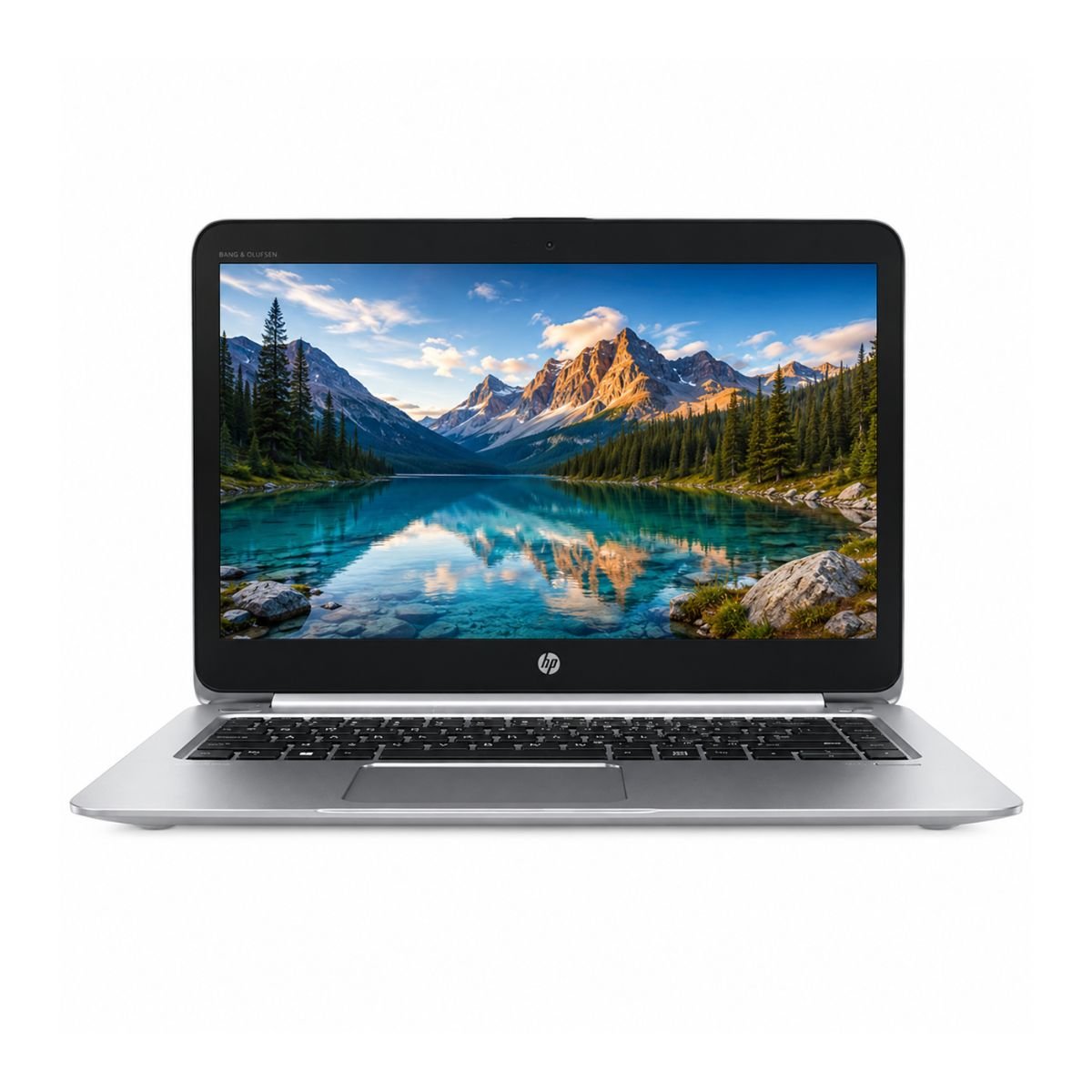
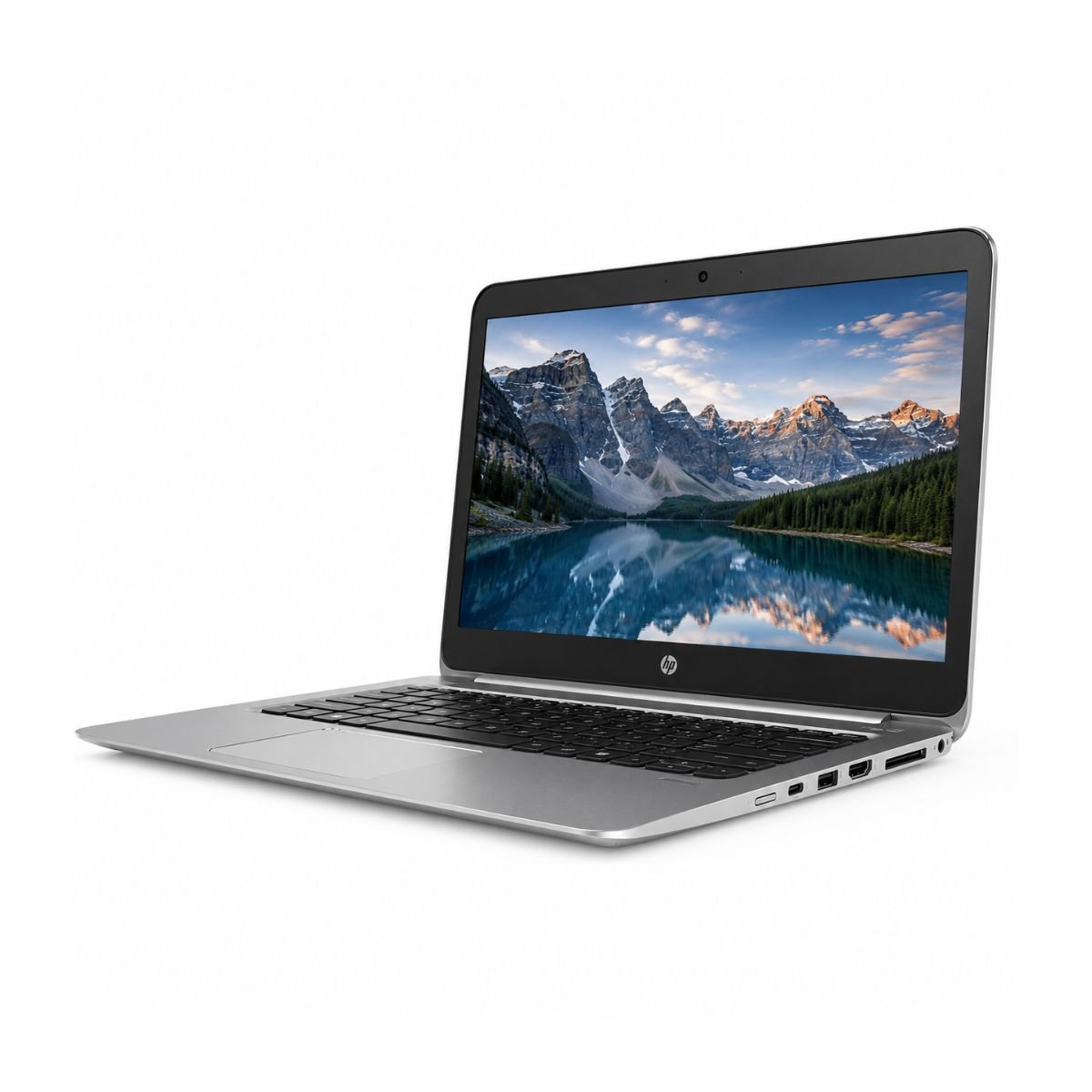
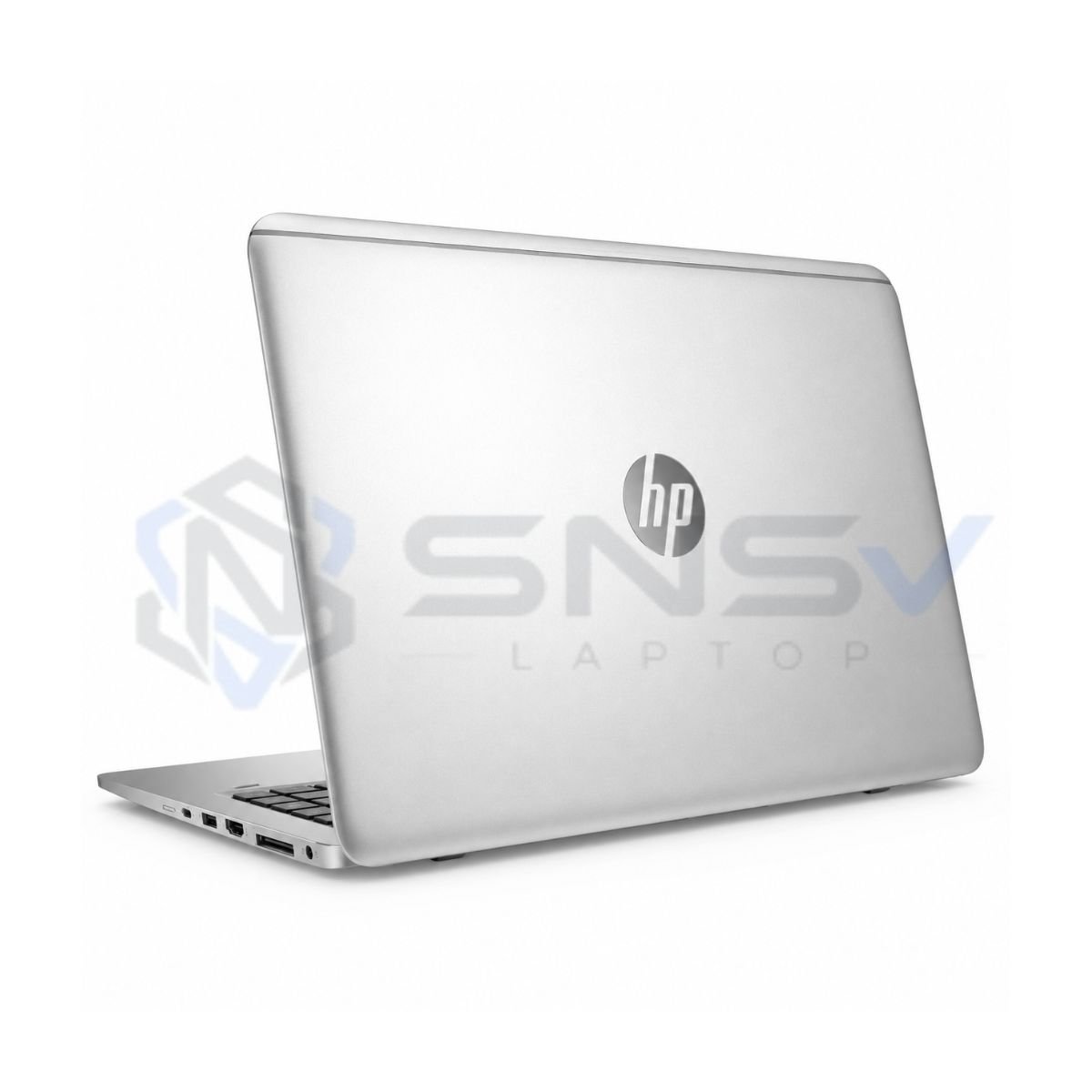
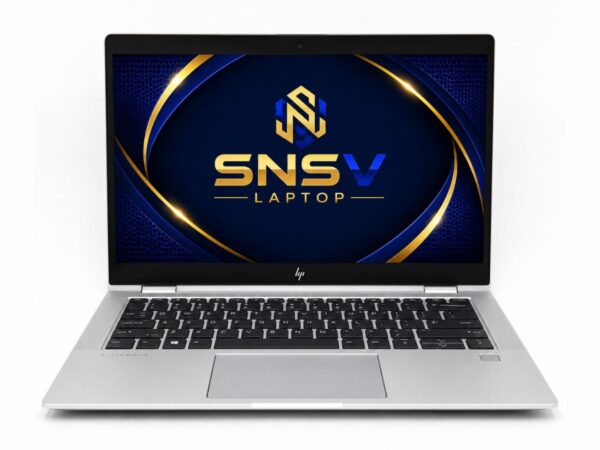
The design of this laptop still looks modern even years after its original release. HP kept things clean and understated, with a slim CNC-machined aluminum and magnesium alloy chassis that feels premium rather than plasticky. The build material used across the body gives it a sturdy, business-ready feel that can handle daily commuting and office use without flexing or creaking.
In terms of durability, this model has a reputation for holding up well over years of regular use, which is part of why it’s still a popular choice on the used laptop market today. Weight-wise, it stays impressively light for a 14-inch machine, making portability one of its strongest selling points — you can toss it in a bag and barely notice the extra load.
The premium feel extends to the keyboard, which offers a comfortable amount of key travel and a stable typing platform, and the trackpad, which is smooth and accurate for everyday clicking and scrolling. The hinges feel solid too, opening and closing without excessive wobble, which is a good sign for long-term reliability.
The HP EliteBook Folio 1040 G3 is built with business users in mind, offering a durable and premium chassis designed for everyday professional use. Its solid construction, sturdy hinges, and high-quality materials provide excellent durability for office work, travel, and daily commuting. The overall build quality feels reliable and well-engineered, making it a dependable choice for long-term use.
Display Experience
This laptop features a 14-inch screen, a comfortable middle-ground size that’s large enough for productivity work but still compact enough to stay portable. The panel delivers solid color accuracy and decent viewing angles for everyday tasks like reading documents, browsing, and watching videos.
Brightness levels are sufficient for typical indoor office lighting, though like most laptops in this class, outdoor visibility in direct sunlight can be a bit challenging. The anti-glare coating helps reduce reflections during normal indoor use.
It’s worth noting clearly: this unit does not include a touchscreen, and there’s no 360° hinge for tablet-style folding. If you specifically need touch input or a convertible design, this particular configuration won’t check that box — but for standard laptop use, the display experience remains reliable and comfortable for extended work sessions.
Performance & Processor
At the heart of this machine is an Intel Core i7 6th generation processor, paired with 8GB of RAM and a 256GB SSD. This combination means boot speed is fast, apps open quickly, and Windows itself feels responsive rather than sluggish.
So, is this laptop fast enough? For most everyday tasks, yes. Browser performance is smooth even with several tabs open, and general office work — think Word, Excel, PowerPoint, and PDF handling — runs without any noticeable lag.
For programming, this configuration is capable of handling code editors, local development environments, and lightweight compiling tasks, making it a reasonable option for students or hobbyist developers. Daily usage tasks like checking email, writing documents, and browsing feel snappy.
It also holds up well for online classes, accounting software, and video conferencing tools like Zoom or Google Meet, where the combination of a reliable processor and fast storage keeps things running smoothly without stutters or freezing.
Need a newer processor? Compare this model with the HP EliteBook 840 G6 Core i5 8th Gen for better multitasking and newer hardware.
Graphics Performance
This model relies on Intel HD Graphics 520. Learn more about Intel integrated graphics for everyday productivity and multimedia. An integrated GPU rather than a dedicated graphics card. That means it’s built for productivity and everyday visual tasks rather than heavy gaming or professional 3D rendering.
Video playback is smooth, and YouTube streaming works without buffering issues on a stable connection. For light editing work in tools like Photoshop or Canva, this machine can manage basic adjustments, cropping, and simple design tasks reasonably well, though heavier, layer-intensive projects will feel slower.
Casual gaming — think older titles, browser games, or simple 2D games — is doable, but this isn’t a machine built for demanding, graphically intensive titles. The GPU limitations here are expected given its business-first design: it prioritizes efficiency and battery life over raw graphical horsepower.
Battery Life
Actual battery life varies depending on usage and battery health. This slightly used unit typically provides up to 2 hours of backup. This is noticeably shorter than what you’d expect from a brand-new laptop. This is a natural result of battery health degrading over time and usage cycles, which is common with any pre-owned laptop battery.
Charging time is fairly standard, and the included charger makes it easy to top up between short work sessions. For office usage, where the laptop typically stays plugged in at a desk, this shorter battery life isn’t a major issue. For travel, though, you’ll want to keep the charger handy since you likely won’t get a full day of unplugged use.
If battery longevity is a top priority for you, it’s worth considering that battery health on any used laptop will naturally be lower than a new unit, and this is reflected honestly in the shorter battery backup figure above.
Connectivity & Ports
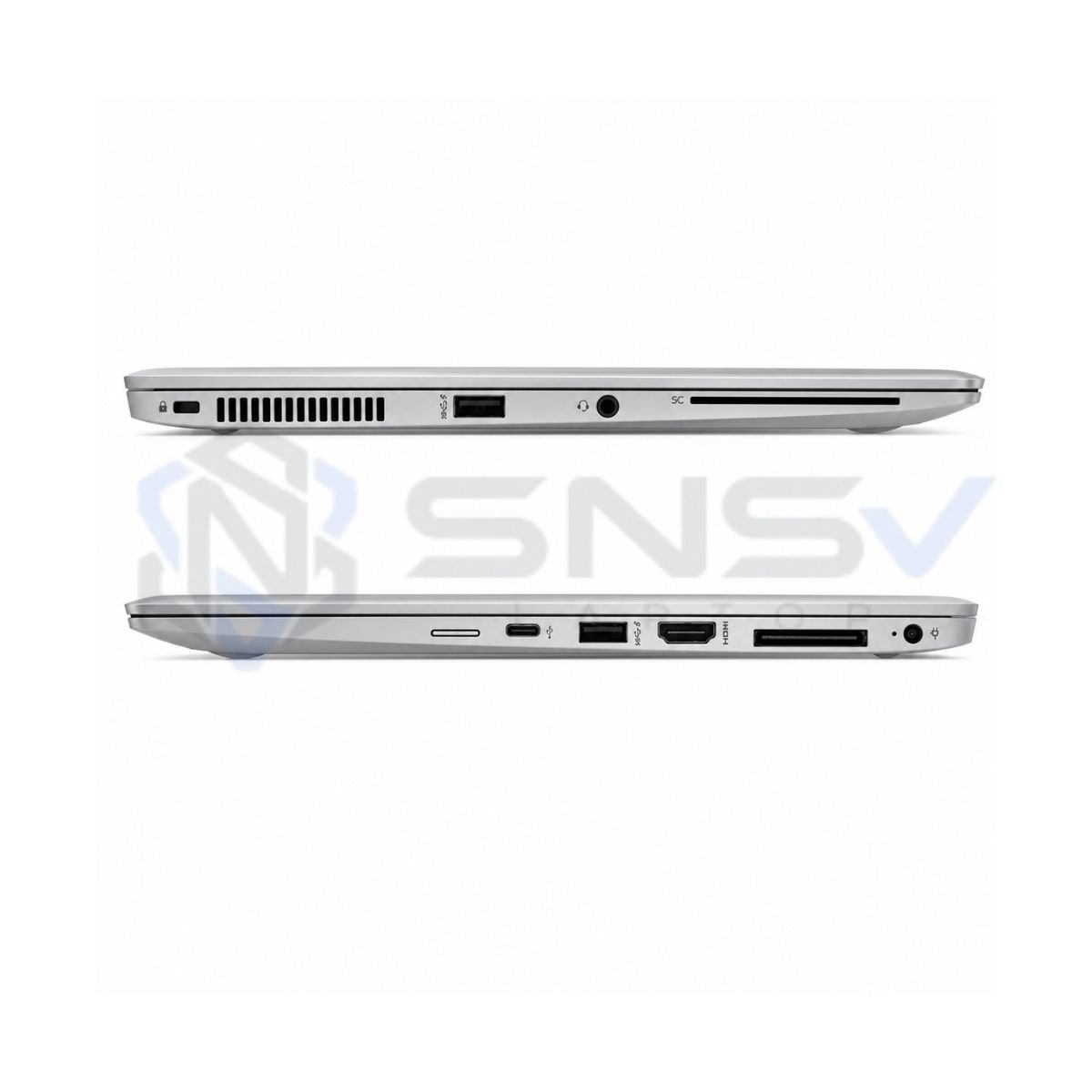
This laptop comes with essential connectivity built in, including USB ports for peripherals, Wi-Fi for wireless internet, and Bluetooth for connecting headphones, mice, or keyboards wirelessly. A built-in webcam makes it ready for video calls right out of the box.
Designed for business users, the HP EliteBook Folio 1040 G3 comes equipped with a practical selection of ports and wireless connectivity options. It commonly features two USB 3.0 ports, USB Type-C, HDMI, a 3.5mm audio combo jack, dual-band Wi-Fi, Bluetooth, and a built-in HD webcam. These features allow you to connect external displays, storage devices, projectors, and other peripherals with ease, making the laptop well suited for office work, online classes, presentations, and remote meetings.
User Experience
The laptop remains quiet during normal office workloads, and thanks to its lightweight chassis, it is comfortable to carry throughout the day. The keyboard is backlit on many configurations, making typing easier in low-light environments.
Beyond the spec sheet, day-to-day experience is what really matters, and this is where the HP EliteBook Folio holds up well. The keyboard experience is comfortable, with decent key spacing and travel that makes typing for long stretches feel natural rather than fatiguing.
Typing comfort is genuinely one of this laptop’s strong points, which matters a lot if you spend hours writing documents, emails, or code. The touchpad tracks smoothly and responds accurately to gestures like scrolling and pinch-to-zoom.
Speakers deliver clear audio for video calls and casual media playback, though like most thin business laptops, don’t expect deep bass. Webcam quality is suitable for everyday video conferencing, and the microphone picks up voice clearly enough for Zoom or Google Meet calls without needing an external mic.
Cooling performance stays reasonable under normal workloads, and fan noise remains low during typical office tasks, only becoming noticeable under heavier multitasking or longer usage sessions.
Need a newer business laptop? Explore the HP EliteBook 840 G8 Core i5 11th Gen for improved performance and modern features.
Who Should Buy This Laptop?
This laptop is a great fit for a wide range of users:
- Students who need a reliable machine for research, assignments, and online classes
- Office Users handling emails, documents, and spreadsheets daily
- Freelancers who need portability and dependable performance on the go
- Teachers managing lesson planning, grading, and virtual classes
- Business Owners who want a professional-looking device for meetings and admin work
- Developers doing lightweight coding and local development
- Online Meetings and video calls thanks to the built-in webcam and mic
- Work From Home setups where portability and battery-free desk use matter
- Basic Editing tasks in tools like Canva or simple photo editors
- Home Users who want a dependable everyday laptop for browsing and streaming
Pros & Cons
Pros
- ✔ Fast SSD storage
- ✔ Good build quality
- ✔ Lightweight and portable
- ✔ Reliable everyday performance
- ✔ Comfortable keyboard
Cons
- ✘ Battery backup only around 2 hours
- ✘ Not suited for AAA gaming
- ✘ No dedicated GPU
Why Buy From SNSV Laptop?
Choosing where to buy a used laptop matters just as much as choosing the laptop itself. Here’s why SNSV Laptop is a trustworthy option:
- Genuine Products — every unit sold is authentic and verified
- Tested Devices — laptops go through checks before being listed
- Competitive Prices — fair pricing for slightly used business laptops
- Secure Payment — safe and reliable checkout process
- Fast Delivery — quick shipping once your order is confirmed
- Customer Support — responsive help if you have questions
- Warranty — backed by a 10-day checking warranty for peace of mind
- Easy Ordering — a simple, straightforward buying process from start to finish
Frequently Asked Questions
Is the HP EliteBook Folio 1040 G3 worth buying? Yes, especially as a slightly used unit. It offers a fast SSD, solid build quality, and dependable performance for office work, browsing, and everyday tasks at a much lower price than a new business laptop.
Is this laptop good for students? Yes. Its lightweight design, comfortable keyboard, and reliable performance make it well suited for research, assignments, and online classes.
Can this laptop run Windows 11? This unit ships with Windows 10 Pro. Whether it officially supports a Windows 11 upgrade depends on TPM and firmware requirements, so it’s best to check compatibility before upgrading.
Can it run Photoshop? It can handle basic Photoshop tasks like cropping and simple adjustments, but heavier, layer-intensive editing will be slower due to the integrated graphics.
Is this laptop good for programming? Yes, for lightweight coding, code editors, and small development environments, the Core i7 processor and SSD combination performs well.
Can it handle Zoom meetings? Yes, the built-in webcam, microphone, and stable processor make it suitable for Zoom and Google Meet calls without lag.
Can it play games? It can handle casual and older games, but it isn’t built for demanding, graphically intensive titles due to its integrated graphics.
Does it have an SSD? Yes, it comes with a 256GB SSD, which contributes to fast boot times and quick app loading.
Does it support an external monitor? Basic external display support is standard on this laptop line, though we’d recommend confirming exact port availability with the seller for your specific setup.
How long does the battery last? On this slightly used unit, battery backup is rated at up to around 2 hours, which is typical for a pre-owned laptop battery.
What operating system does it run? It comes installed with Windows 10 Pro, ready to use out of the box.
Does it come with a charger? Yes, a charger is included with this unit.
Final Verdict
If you’re looking for a premium ultrabook-class business laptop that won’t strain your budget, the HP EliteBook Folio 1040 G3 is a solid choice. It brings together a fast SSD, dependable Core i7 performance, and a durable, premium-feeling build — making it well suited for students, office professionals, freelancers, and small business owners who need dependable everyday computing rather than gaming horsepower.
Why Choose This Model Instead of Others?
Compared to other laptops in a similar price and use-case bracket, this model holds its own well against options like the HP 250 G7, Dell Latitude 5400, ThinkPad T480, and Surface Laptop 2. While some competing models — including certain HP EliteBook variants built around an Intel Core i5 chip — offer solid everyday performance too, the Core i7 configuration here provides a bit more headroom for multitasking and slightly heavier workloads, all while keeping the same lightweight, business-friendly design that this laptop line is known for.
Buying Guide
Choose this laptop if you need it for:
- ✔ Office work
- ✔ Online classes
- ✔ Microsoft Office tasks
- ✔ Zoom or Google Meet calls
- ✔ Web browsing
- ✔ Accounting software
- ✔ Study and research
- ✔ Freelancing work
Don’t choose this laptop if you need:
- ✘ Heavy gaming
- ✘ 4K video editing
- ✘ 3D rendering



Reviews
There are no reviews yet.