




Description
HP EliteBook 745 G5 (AMD Ryzen 7) Review: Is This Used Business Laptop Worth Buying?
Product Overview
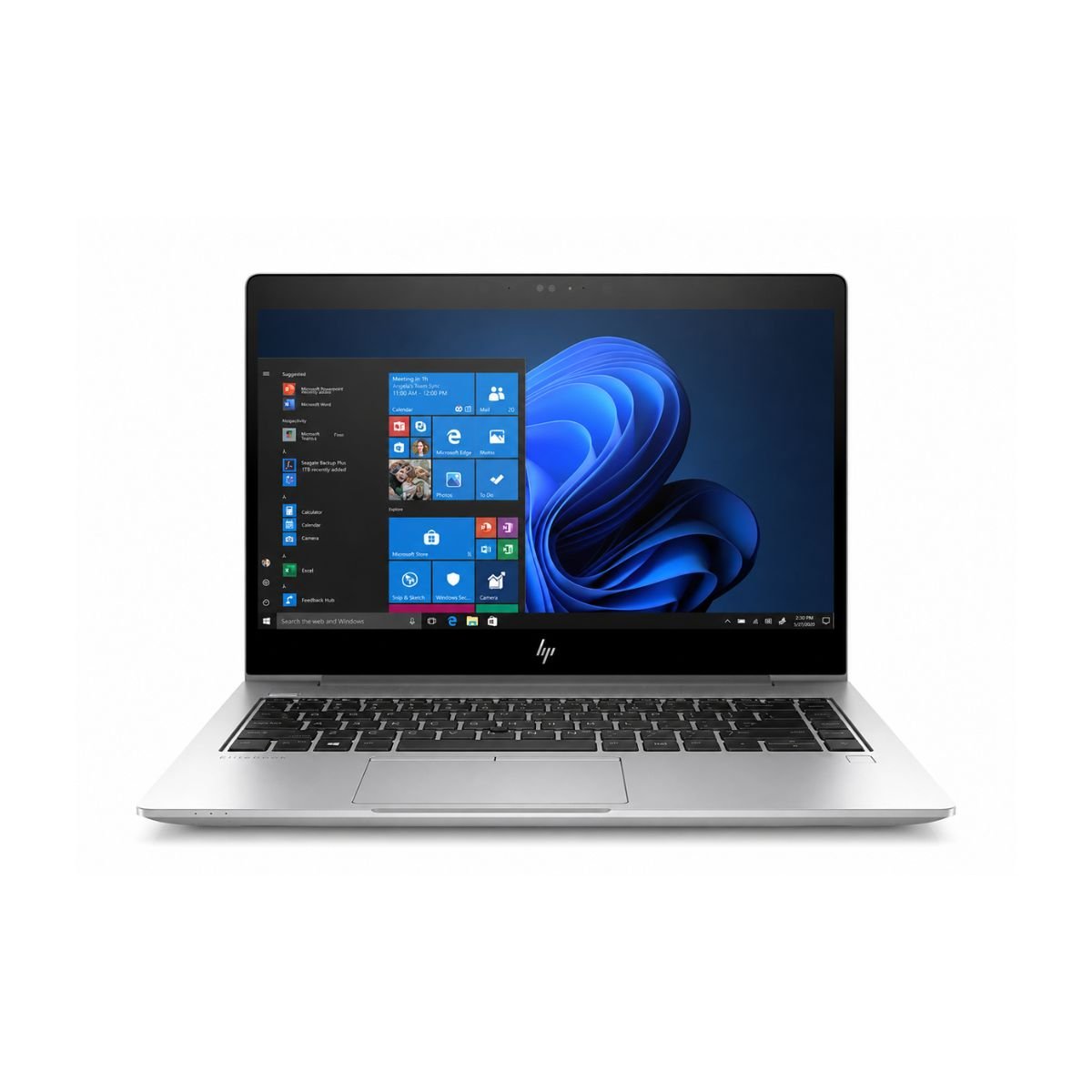
If you’re hunting for a dependable business machine without spending a fortune, the HP EliteBook 745 G5 AMD Ryzen 7 deserves a spot on your shortlist. This is a slightly used unit that still delivers the sturdy, no-nonsense experience HP built its EliteBook line around, now available at a fraction of its original price.
HP has spent years building a reputation for solid, business-first laptops, and the EliteBook series sits right at the top of that lineup. The HP EliteBook 745 G5 was built with corporate users in mind, and it shows in the way the whole machine is put together.
Under the hood, this model runs on an AMD Ryzen 7 processor, a chip that was well ahead of its time when it launched and still handles everyday computing with ease today. Paired with 8GB of DDR4 RAM and a fast 256GB SSD, overall performance stays smooth for browsing, office work, and multitasking between several apps at once.
So who is this laptop best suited for? Students, office employees, freelancers, and small business owners who need a reliable machine for typing, spreadsheets, video calls, and web-based work will feel right at home with it. It isn’t built for gaming or heavy creative rendering, but for everyday productivity, it’s hard to beat the price-to-performance ratio.
Why is this laptop worth buying? Because you’re getting a business-grade chassis, a capable AMD Ryzen 7 processor, and a fast SSD, all inspected and sold as a Slightly Used laptop in good working condition, at a price well below what a new machine in this class would cost.
Quick buying summary: A tested, Slightly Used HP EliteBook with an AMD Ryzen 7 processor, 8GB of RAM, a 256GB SSD, and a durable 14-inch business design — a smart pick for anyone who wants dependable daily performance on a budget.
Looking for more HP business laptops? Browse our complete HP Laptop Collection.
Specifications
| Feature | Details |
| Condition | Slightly Used |
| Brand & Model | HP EliteBook 745 G5 |
| Processor | AMD Ryzen 7 |
| RAM | 8 Gigabytes DDR4 |
| Storage | 256 Gigabytes SSD |
| Graphics | AMD Radeon™ Graphics |
| Display Size | 14″ |
| Touchscreen | No |
| Operating System | Windows 11 Pro |
| Bluetooth | Yes |
| Wi-Fi | Yes |
| USB | Yes |
| Webcam | Yes, HD Cam |
| Charger Included | Yes |
| Battery Backup | Up to 2 hours |
| Warranty | 10-Day Checking Warranty |
Design & Build Quality
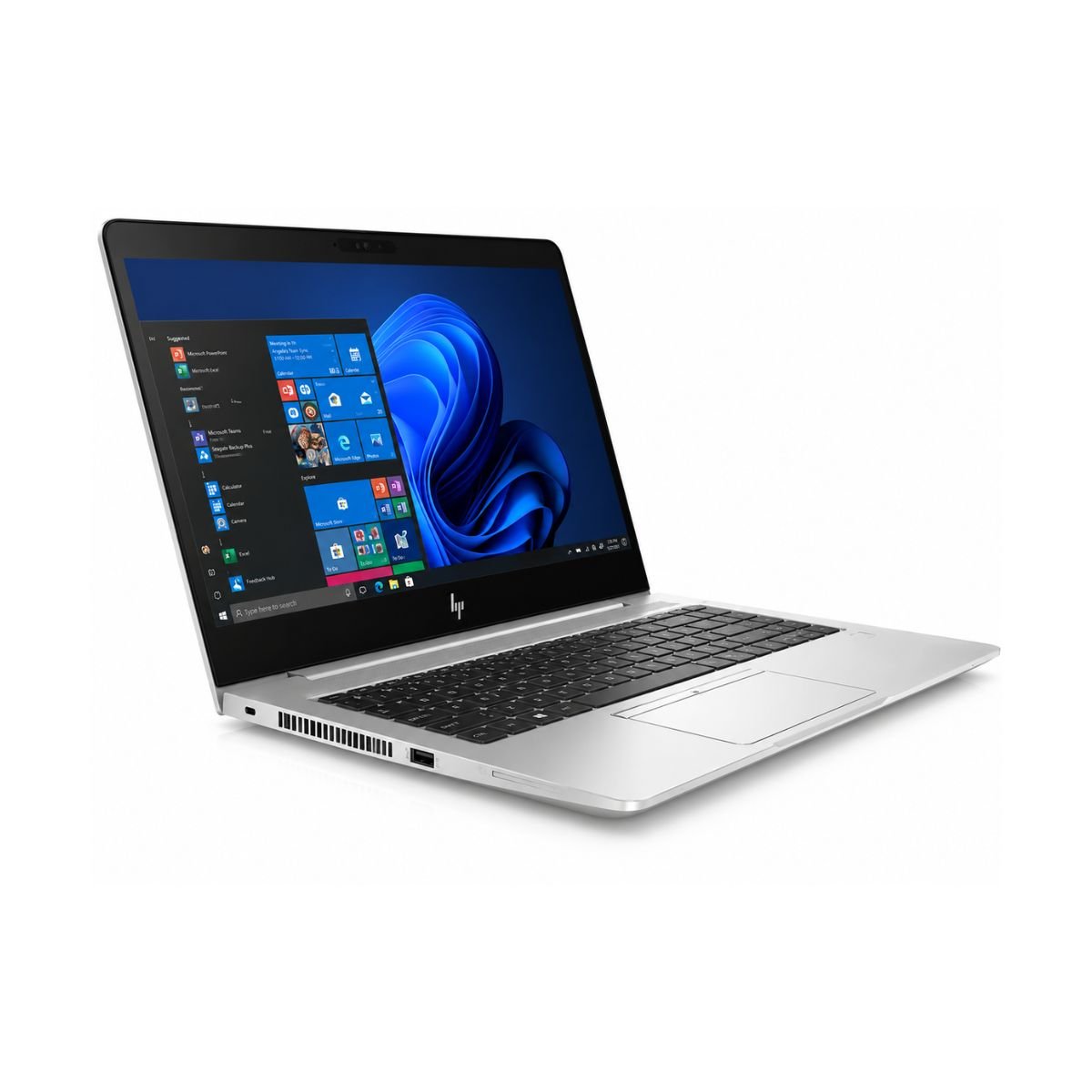
The HP EliteBook family has always leaned toward function over flash, and this model is no exception. The design is clean, professional, and unmistakably corporate, with a matte finish that resists fingerprints and looks at home in any office or classroom.
Build material feels noticeably sturdier than most consumer laptops in this price range. HP has long used reinforced chassis materials on its EliteBook line, and that durability carries over here, even as a used unit. The hinges feel tight and well-damped, opening and closing smoothly without the wobble you sometimes get on cheaper laptops.
At just over 1.5 kg, weight stays manageable for daily commuting, and portability is genuinely one of this laptop’s strong points. It slips easily into a backpack or shoulder bag without weighing you down.
There’s a premium feel to the whole package, from the keyboard deck to the trackpad. The keyboard on this model includes backlighting, which is a nice touch for anyone working in dim rooms or late at night. Typing feels comfortable, with good key travel and minimal flex. The trackpad is responsive and tracks cursor movement accurately, though most business users will still prefer plugging in a mouse for extended sessions.
The EliteBook series is well known for its durable business-class construction, sturdy hinges, and premium build quality, making it a dependable choice for everyday office and professional use.
Display Experience
The HP EliteBook 745 G5 comes with a 14-inch screen, a sweet spot size that balances portability with enough real estate for comfortable multitasking. Resolution on this panel is set at Full HD, which is plenty sharp for text, spreadsheets, and web browsing.
This is an IPS panel, which means viewing angles hold up well even when you’re not looking at the screen head-on. Colors stay fairly accurate for everyday use, and while it won’t replace a dedicated monitor for color-critical design work, it’s more than good enough for documents, presentations, and streaming.
Brightness levels are respectable for indoor use, and the anti-glare coating helps cut down reflections under office lighting. Outdoor visibility is decent in shade but, like most laptop screens, becomes harder to read in direct sunlight.
It’s worth noting this particular configuration does not include a touchscreen or a 360-degree hinge, so it functions strictly as a traditional clamshell laptop rather than a 2-in-1.
Performance & Processor
This is where the HP EliteBook 745 G5 really earns its keep. The AMD Ryzen 7 processor inside this machine was a genuine performance leader for its generation, and it still holds its own for everyday computing tasks years later. Learn more about AMD Ryzen processors on AMD’s official website.
Combined with 8GB of RAM and a 256GB SSD, boot speed is impressively quick, often getting you from a cold start to a usable desktop in under 15 seconds. Windows performance feels snappy overall, with apps opening quickly and the system rarely feeling sluggish during normal use.
Browser performance is smooth even with a handful of tabs open, and office work — think Word, Excel, PowerPoint, and similar productivity apps — runs without hiccups. Multitasking between several open programs is handled thanks to the combination of AMD Ryzen processing power and fast SSD storage.
For lighter programming tasks, code editors, and development environments, this machine performs well, especially for students and professionals writing and testing code rather than compiling massive projects. Daily usage tasks like checking email, managing files, and browsing the web feel effortless.
Online classes are another strong use case, and this laptop handles video-based learning platforms without lag. Accounting software and other business tools also run smoothly, making it a solid pick for small business owners managing invoices and spreadsheets. Add in reliable performance on Zoom and Google Meet, and you’ve got a machine built for the modern hybrid workday.
Is this laptop fast enough? For office work, browsing, communication, and light development, absolutely. It won’t win benchmark contests against brand-new machines, but for real-world daily tasks, it performs admirably.
Graphics Performance
Graphics on this model come from the integrated AMD Radeon GPU built into the Ryzen 7 chip. There’s no dedicated GPU here, so this is very much a productivity-focused machine rather than a gaming rig.
That said, the integrated graphics handle video playback smoothly, whether you’re watching downloaded files or streaming from YouTube. Casual browsing-based media consumption is a non-issue.
For light creative work, this integrated GPU can manage basic tasks in Photoshop and Canva, such as resizing images, simple photo edits, and creating social media graphics. It’s not built for heavy layer-stacked editing or 4K video work, but for light editing needs, it gets the job done.
Casual gaming — think older titles, browser games, or simple 2D games — runs fine. The GPU limitations become clear with newer AAA titles or graphically demanding games, which this laptop simply wasn’t designed to handle.
Battery Life
Battery backup on this particular unit is rated at up to 2 hours, which reflects its status as a slightly used machine. Like most rechargeable batteries, capacity naturally decreases over the years, and this is a factor buyers should weigh when considering any Slightly Used.
Charging time is reasonably quick, getting you back to a usable charge level in a relatively short window. For office usage where you’re regularly near a power outlet, this shouldn’t cause much disruption to your workflow.
As with most slightly used business laptops, actual battery life may vary depending on usage, screen brightness, and battery health. Keeping the charger nearby is recommended for extended work sessions.
Connectivity & Ports
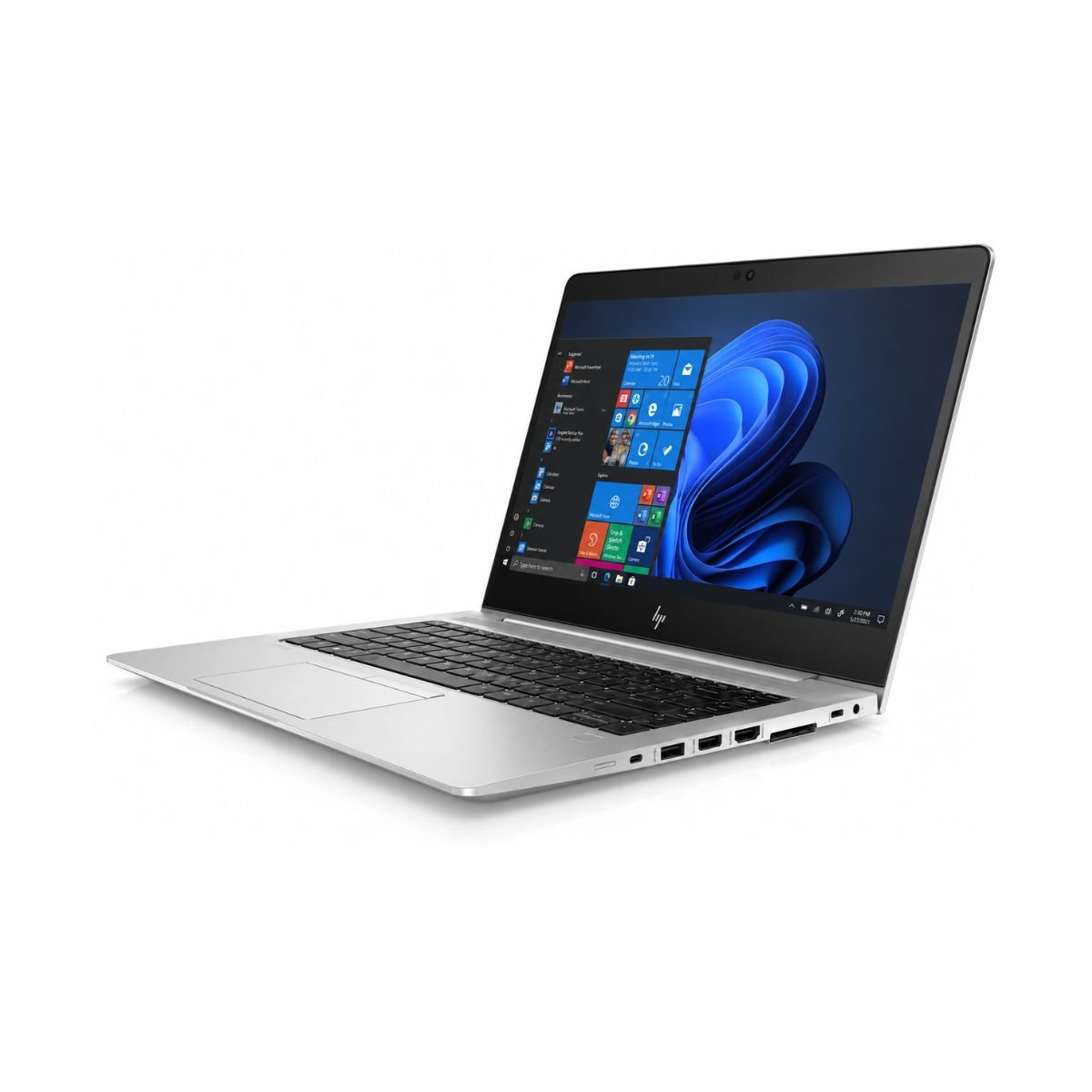
The HP EliteBook 745 G5 offers a wide range of connectivity options, including USB ports, USB Type-C, HDMI, Wi-Fi, Bluetooth, an HD webcam, an audio jack, and support for external displays, making it suitable for office work, online meetings, and everyday productivity.
User Experience
Beyond the spec sheet, day-to-day experience is where this laptop really shines as a workhorse. The keyboard experience is a genuine highlight — the backlit keyboard makes late-night typing sessions comfortable, and the key travel gives satisfying feedback without feeling mushy.
Typing comfort holds up well over long sessions, whether you’re drafting emails, writing reports, or working on assignments. The touchpad tracks smoothly and supports basic multi-finger gestures for scrolling and navigation.
Speakers are functional for calls and casual media, though as with most business laptops, they’re tuned more for clarity in voice calls than for rich bass in music. Webcam quality is solid for video conferencing, delivering a clear enough picture for professional meetings, and the built-in microphone picks up voice clearly without needing an external headset.
Cooling performance stays well managed under typical workloads, and fan noise remains low during everyday tasks like browsing, writing, and video calls. It only becomes noticeably audible under sustained heavier tasks.
Need a newer business laptop? Explore the HP EliteBook 840 G8 Core i5 11th Gen with faster performance and improved efficiency.
Who Should Buy This Laptop?
- Students — reliable for research, assignments, and online classes
- Office Users — smooth performance for daily productivity tools
- Freelancers — a portable, capable machine for client work on the go
- Teachers — handles lesson planning, grading, and virtual classrooms with ease
- Business Owners — dependable for accounting software and day-to-day operations
- Developers — suitable for lightweight coding and testing environments
- Online Meetings — built-in webcam and mic make video calls simple
- Work From Home — a solid all-around machine for a home office setup
- Basic Editing — handles light photo and document editing comfortably
- Home Users — great for browsing, streaming, and general everyday use
Pros & Cons
Pros
- ✔ Fast SSD
- ✔ Durable Business-Grade Build
- ✔ Lightweight
- ✔ Reliable
- ✔ Comfortable Keyboard
Cons
- ✘ Battery only around 2 hours
- ✘ Not for AAA Gaming
- ✘ No Dedicated GPU
Why Buy From SNSV Laptop?
When you buy a slightly used laptop, trust matters just as much as specs. Here’s why SNSV Laptop is a smart place to make that purchase:
- Genuine Products — every unit sold is authentic, with no imitation parts
- Tested Devices — each laptop goes through a thorough check before listing
- Competitive Prices — fair pricing on quality slightly used business laptops.
- Secure Payment — safe and straightforward checkout options
- Fast Delivery — quick dispatch so you’re not left waiting
- Customer Support — real help before and after your purchase
- Warranty — backed by a 10-day checking warranty for peace of mind
- Easy Ordering — a simple, hassle-free buying process from start to finish
Frequently Asked Questions
Is the HP EliteBook 745 G5 worth buying? Yes. For its price point, it delivers strong build quality, a capable AMD Ryzen 7 processor, and dependable everyday performance, making it a smart pick for students, office professionals, and freelancers.
Is a used HP EliteBook a good choice for students? Absolutely. A well-tested slightly used laptop like this one offers solid performance for assignments, research, and online classes at a much lower price than buying new.
Can this laptop run Windows 11? Yes, this unit comes preloaded with Windows 11 Pro, and the AMD Ryzen 7 processor handles it comfortably for everyday tasks.
Can it run Photoshop? It can handle light Photoshop work like resizing, cropping, and basic edits, though it’s not built for heavy, layer-intensive projects.
Is this laptop good for programming? Yes, for lightweight development work, code editors, and testing environments, it performs reliably thanks to its Ryzen 7 processor and SSD storage.
Can it handle Zoom meetings? Yes, the HD webcam, built-in microphone, and steady processor performance make it a solid choice for Zoom and Google Meet calls.
Can it play games? It can handle casual and older games comfortably, but without a dedicated GPU, it isn’t suited for modern AAA titles.
Does it have an SSD? Yes, it comes with a 256GB SSD, which contributes to fast boot times and quick app loading.
Does it support an external monitor? Yes, thanks to its HDMI port, you can easily connect it to an external display or projector.
How long does the battery last? Battery backup on this unit is rated at up to 2 hours, which is typical for a slightly used business laptop of this age.
Does this laptop have a backlit keyboard? Yes, the backlit keyboard is one of its standout features, making it comfortable to type on in low-light conditions.
Is the HP EliteBook 745 G5 good for office work? Very much so. Between its solid keyboard, dependable AMD Ryzen 7 performance, and business-grade build, it’s well suited to daily office tasks.
Does the HP EliteBook 745 G5 support dual displays? Yes. The HDMI port allows you to connect an external monitor, making it suitable for multitasking and office productivity.
Final Verdict
If you’re looking for a reliable business laptop that won’t stretch your budget, the HP EliteBook 745 G5 is an excellent choice. It offers solid AMD Ryzen 7 performance, fast SSD storage, a durable EliteBook-grade build, and dependable everyday usability, making it ideal for students, office professionals, freelancers, and small business owners who need a machine they can count on.
Why Choose This Model Instead of Others?
Compared to several other laptops in a similar class, the HP EliteBook 745 G5 often comes out ahead on build quality and processor performance. It generally holds its own better than:
- HP 250 G7
- Dell Latitude 5400
- ThinkPad T480
- Surface Laptop 2
While each of these has its own strengths, the combination of a business-tested chassis and a capable AMD Ryzen 7 processor gives this EliteBook an edge for buyers prioritizing durability and everyday performance.
Buying Guide
Choose this laptop if you need:
- ✔ Office Work
- ✔ Online Classes
- ✔ Microsoft Office
- ✔ Zoom
- ✔ Web Browsing
- ✔ Accounting
- ✔ Study
- ✔ Freelancing
Don’t choose it if you need:
- ✘ Heavy Gaming
- ✘ 4K Editing
- ✘ 3D Rendering


Reviews
There are no reviews yet.