



Description
Dell Latitude 15 5501 H Pro — Complete Buyer’s Guide, Specs & Review
Anyone hunting for a high-performance business laptop with real muscle behind it eventually runs into the Dell Latitude 5501 H Pro. It sits a notch above the typical office notebook, built around a workstation-grade chip rather than the low-power silicon most business machines rely on. This guide breaks down everything worth knowing before buying one — what’s inside, how it performs day to day, and who it’s actually built for.
1. Product Overview
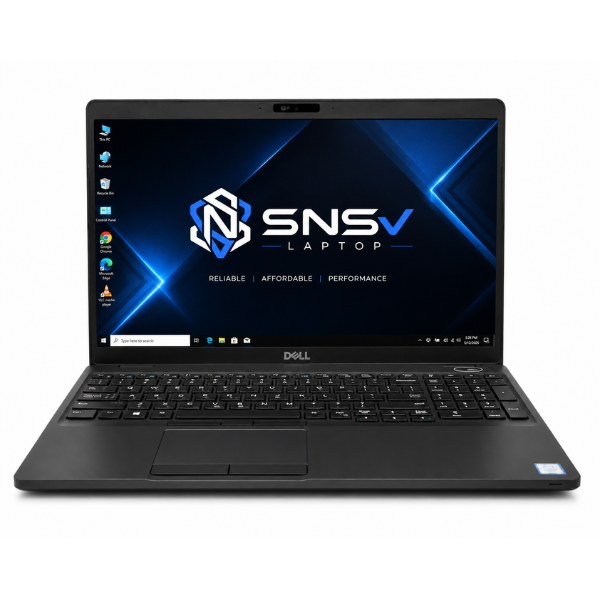
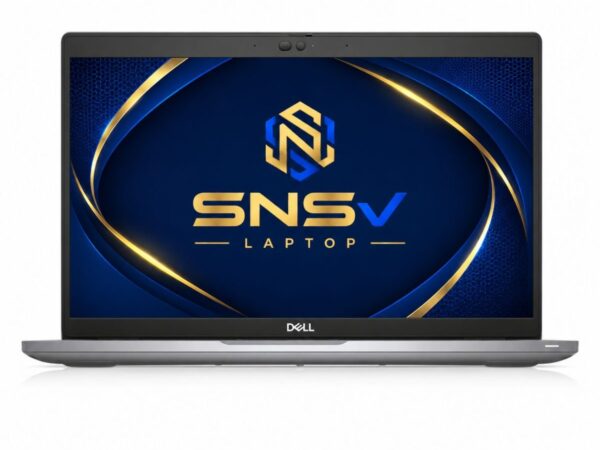
The Dell Latitude 5501 H Pro belongs to Dell’s line of 15-inch laptops built with corporate durability and long-term reliability in mind rather than flashy design trends. What sets this particular model apart is its brain: a 9th generation Intel Core i7-9850H, an “H-series” chip that Intel built for genuine performance rather than just battery-sipping efficiency. That’s a meaningfully different class from the U-series chips found in most thin-and-light business machines.
Because of that extra horsepower, this laptop, meant for professionals who actually push their systems — engineers running multiple applications, consultants juggling heavy spreadsheets, or IT staff managing several virtual environments at once — tends to handle demanding routines with room to spare. Office users, students working on data-heavy projects, and freelancers who need consistent performance under pressure will all find something to like here. Overall performance leans firmly toward “capable workhorse,” a step up from the average office notebook without stepping into full workstation territory.
If you’re comparing models, you can also explore our Dell Latitude 5580 and other Dell Latitude laptops before making your final decision.
2. Specification Table
| Feature | Details |
|---|---|
| Brand & Model | Dell Latitude 5501 H Pro |
| Processor | 9th Generation Intel Core i7-9850H (6 Cores, 12 Threads) |
| RAM | 8 GB DDR4 |
| Storage | 256 GB SSD |
| Graphics | Intel UHD Graphics |
| Display Size | 15.6″ |
| Touchscreen | Yes |
| Operating System | Windows 10 Pro |
| Bluetooth | Yes |
| Wi-Fi | Yes |
| USB | Yes |
| Webcam | Yes |
| Charger Included | Yes |
| Battery Backup | 2 hours |
| Warranty | 10-Day Checking Warranty |
Intel Core i7-9850H Specifications: Official Intel Site
3. Design & Build Quality
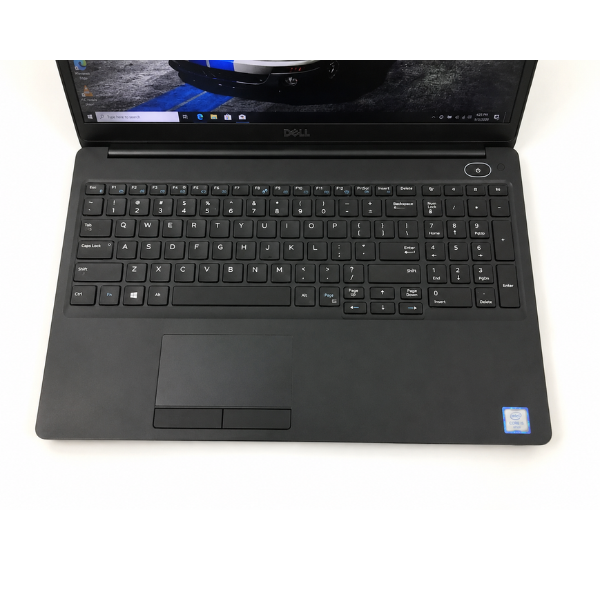
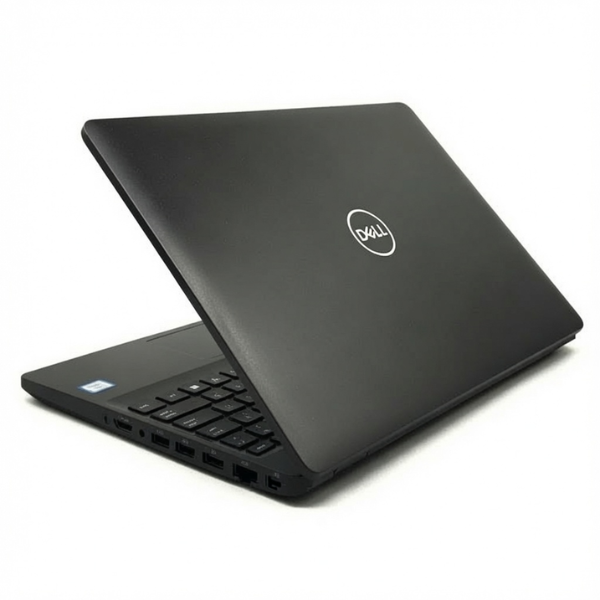
The Dell approach to business machines has always leaned toward substance over show, and the 5501 H Pro is no exception. Its chassis combines reinforced plastic with metal-strengthened sections around the areas that take the most daily stress, giving it a noticeably sturdier feel than typical consumer notebooks in the same size class.
Build quality here benefits from the same durability testing Dell applies across its Latitude range, meaning the frame is designed to handle daily commuting, occasional bumps, and the general wear of office life without flexing or creaking. Weight sits in a reasonable range for a 15.6-inch unit — it’s not the lightest machine around, but that’s the natural trade-off for packing in a more powerful chip and larger cooling system. Portability remains solid enough for a daily bag, even if it’s not the pick for constant travel. The hinges are firm and well-damped, holding the screen steady at any angle without wobble, and the overall keyboard deck and palm rest carry a premium feel that separates it from budget alternatives.
4. Display Experience
This model comes fitted with a 15.6-inch display that offers a comfortable amount of screen real estate for spreadsheets, multiple documents, or side-by-side browser windows. It’s a practical size — big enough to reduce eye strain during long sessions, without tipping into the bulk of a 17-inch unit.
Resolution and color quality stay in line with what’s expected from a business-focused panel: sharp enough for text, documents, and presentations, with brightness levels that hold up reasonably well under typical indoor office lighting. This configuration also includes touchscreen support, a genuinely useful addition for anyone who likes navigating with a tap instead of relying purely on the trackpad. There’s no 360-degree hinge here, though — this is a standard clamshell design, not a convertible.
5. Performance & Processor
The heart of this machine is the 9th generation Intel Core i7-9850H, a 6-core, 12-thread chip that represents a genuine step up from the dual-core chips found in most everyday business notebooks. The processor base frequency sits around 2.6GHz, with turbo speeds climbing well beyond that under load — enough headroom for genuinely demanding multitasking rather than just basic browsing.
Paired with 8GB of DDR4 RAM and a 256GB SSD, boot speed is fast and consistent, with Windows loading in a matter of seconds rather than the drawn-out wait of older mechanical drives. Multitasking is where this setup really earns its “H Pro” badge — running several heavy applications, dozens of browser tabs, and background processes simultaneously doesn’t introduce the stutter that lower-tier systems often show. For office work, this translates into smooth handling of large spreadsheets, video calls, and cloud-based tools all running at once. Browsing feels instant, and daily usage across research, documentation, and light development work stays comfortably lag-free.
6. Graphics Performance
Graphics are handled by Intel UHD Graphics, an integrated solution built directly into the processor rather than a separate discrete card. It’s not designed for heavy creative or gaming workloads, but for general business use, it performs its job without complaint.
Video playback, including full HD streaming and conferencing, runs smoothly without frame drops or stutter. Light editing tasks — cropping images, adjusting slides, trimming short clips — are handled comfortably. Casual gaming is possible too, particularly with older or less graphically demanding titles, though the GPU limitations become obvious quickly with anything modern or graphically intensive. This is shared graphics built for productivity, not performance gaming, and it stays true to that role throughout.
7. Battery Life
Battery backup on this unit comes in at around 2 hours, a figure that reflects both its age and the power draw of a more performance-oriented H-series chip. Charging through the included charger is straightforward, with a predictable top-up time.
For office use, where a power outlet is usually close by, this isn’t a major limitation. It becomes more relevant for travel, where staying unplugged for extended periods isn’t realistic with this battery life — packing the charger becomes a habit rather than an afterthought. Buyers planning long, cable-free workdays on the road should factor this in, though for a desk-based routine it rarely becomes an issue.
8. Connectivity & Ports
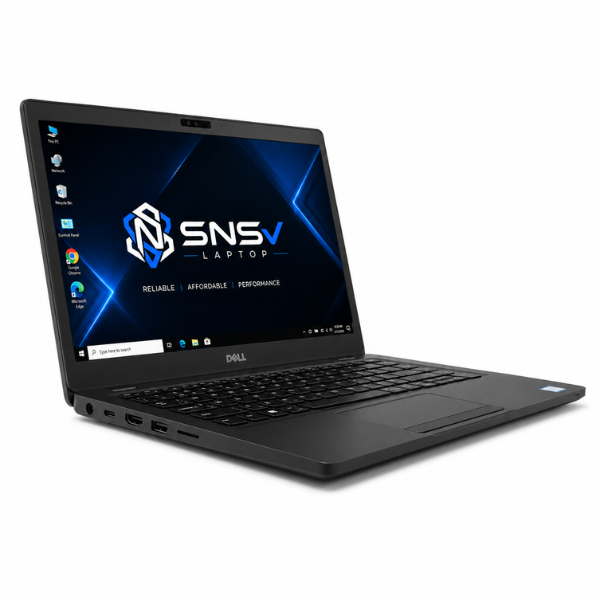
This machine comes well equipped for a modern office setup. USB connectivity covers everyday peripherals like external drives, mice, and docking accessories, while an HDMI port makes hooking up an external monitor or projector simple for presentations and dual-screen work.
On the wireless side, built-in Wi-Fi keeps things fast and stable for everyday internet use, and Bluetooth handles wireless headsets, keyboards, and other accessories without cable clutter. A built-in webcam takes care of video calls without needing an external camera — a genuine necessity in today’s remote-meeting-heavy work culture. An audio jack rounds things out for wired headphones during calls or focused work sessions.
9. Who Should Buy This Dell Latitude 5501?
This isn’t a laptop built to be everything for everyone — it’s aimed squarely at buyers who need real processing power in a business-ready shell.
- Students working on data analysis, engineering coursework, or resource-heavy software will appreciate the extra processing headroom.
- Office users get a machine that breezes through spreadsheets, reports, and multitasking without slowing down under pressure.
- Freelancers handling demanding client work benefit from consistent performance that doesn’t buckle under multiple open applications.
- Teachers managing lesson planning, grading, and virtual classes will find it comfortable for extended daily use.
- Online meetings run smoothly thanks to the built-in webcam, stable Wi-Fi, and dependable audio hardware.
- Small business owners get a dependable, higher-performance option without stepping up to full workstation pricing.
10. Why Buy From SNSV Laptop?
Buying a used laptop, especially one with performance-grade hardware like this, works best when the seller is one you can trust. Here’s what buying from SNSV Laptop looks like:
- Genuine Products — every unit is authentic, with no counterfeit components or mismatched parts.
- Tested Devices — each device goes through a proper checking process before being listed for sale.
- Competitive Prices — fair, transparent pricing without inflated markups.
- Secure Payment — checkout runs through safe, verified payment channels.
- Fast Delivery — orders are processed and shipped promptly.
- Customer Support — a responsive team is available for questions before and after purchase.
- Warranty — every unit ships with a 10-day checking warranty, giving buyers a fair window to confirm everything works as expected.
Frequently Asked Questions
What processor does the Dell Latitude 5501 H Pro use? It runs on a 9th-generation i7-9850H, a 6-core, 12-thread chip built for genuinely demanding multitasking rather than basic office tasks alone.
Is this a good pick for students? Yes, particularly for students working with heavier software like data analysis tools or engineering applications, where the extra cores make a noticeable difference.
How much RAM and storage does it have? It comes with 8 gigs of DDR4 RAM and a 256GB SSD, which together keep boot times fast and everyday multitasking smooth.
Can this laptop handle gaming? It manages older or lighter titles fine through its integrated Intel UHD Graphics, but it isn’t built for modern, graphically intensive games.
Does it have a touchscreen? Yes, this configuration includes touchscreen support alongside the standard keyboard and trackpad.
What’s the battery life like? Battery backup is around 2 hours, which suits desk-based office use better than long stretches of unplugged travel.
Is buying a second-hand laptop like this safe? When bought from a reliable seller that tests every device and backs it with a checking warranty, buying second-hand is a practical way to get performance-grade hardware at a lower cost.
Does it come with a warranty? Yes, it includes a 10-day checking warranty so buyers have time to confirm the machine performs as expected.

Reviews
There are no reviews yet.