


Description
Toshiba Tecra X40-D i7 7th Gen: A Complete Buyer’s Review
Anyone hunting for a business-grade ultrabook that still holds its own years after launch will eventually run into the Toshiba Tecra X40-D i7 7th Gen. It’s one of those laptops that quietly built a reputation among IT departments and frequent travelers rather than through flashy marketing. In this guide, we’ll walk through everything a buyer needs to know before picking one up — from the way it’s built to who it actually suits best.
Product Overview: Meet the Toshiba Tecra X40-D
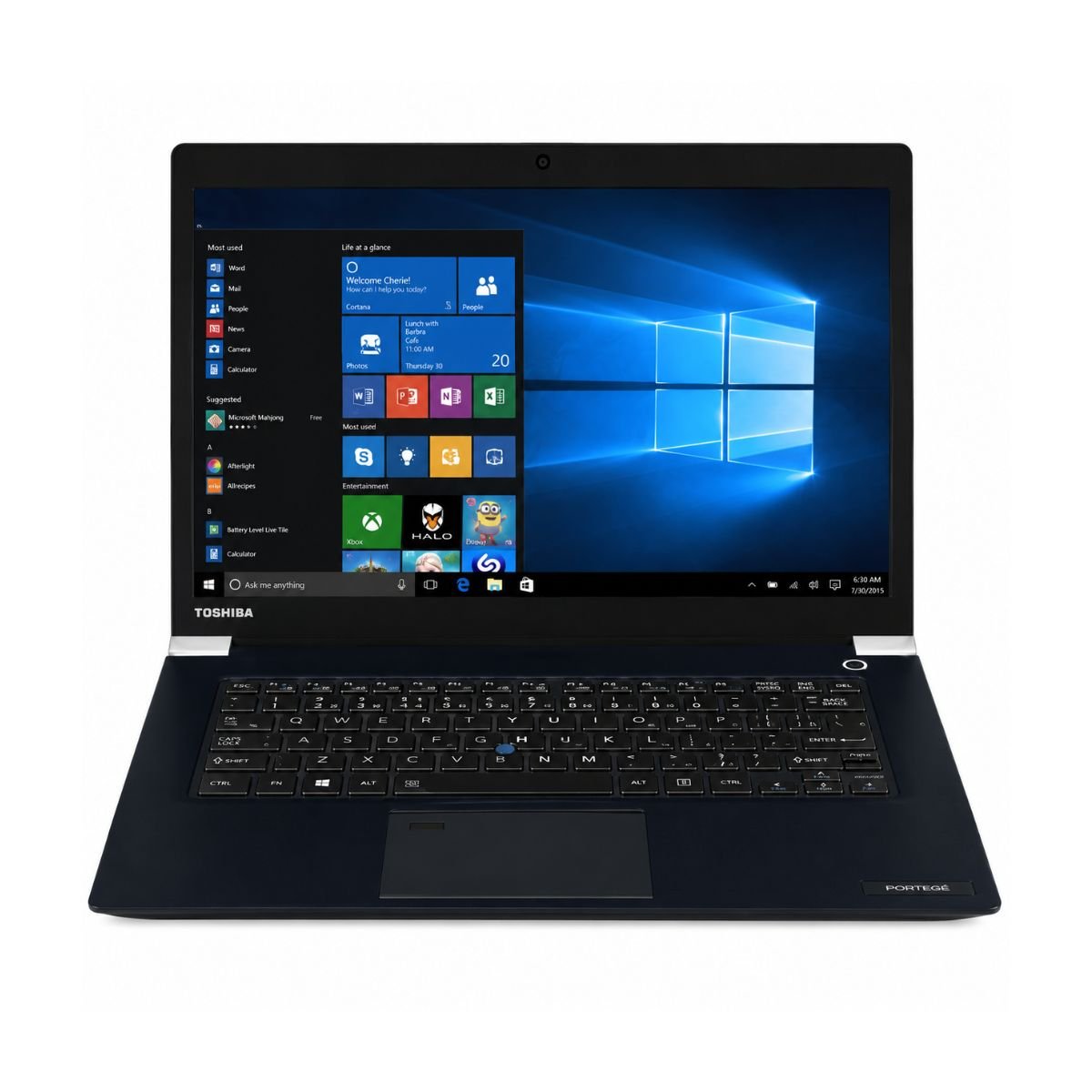
The Toshiba Tecra X40-D is a slim and lightweight business laptop designed for professionals who need reliable performance and easy portability. Powered by a 7th Generation Intel Core i7 processor, it delivers smooth performance for office work, web browsing, online meetings, and everyday multitasking. Built with business users in mind, the Tecra X40-D offers a premium design, dependable build quality, and the practical features needed for daily productivity, making it a great choice for students, professionals, freelancers, and small business owners.
At its core, the Toshiba Tecra x40-d i7 7th gen model tested here runs on an Intel Core i7-7600U, paired with 8GB of DDR4 RAM and a 256GB SSD. It isn’t a laptop built to impress with raw numbers; it’s built to be dependable. Whether someone ends up with a custom-built Tecra configuration ordered through a corporate account or a standard retail unit, the overall experience stays consistent across Toshiba’s Tecra lines: quick to wake, easy to carry, and comfortable for a full workday of typing.
Overall performance sits comfortably in the “more than enough for office life” category — web browsing, spreadsheets, video calls, and document-heavy multitasking all feel smooth, even a few years after release.
Specifications Table
| Feature | Details | |
| Brand & Model Condition | Toshiba Tecra X40-D Slightly Used | |
| Processor | Intel Core i7-7600U | |
| RAM | 8 Gigabytes DDR4 | |
| Storage | 256 Gigabytes SSD | |
| Graphics | Intel HD Graphics 620 | |
| Display Size | 14″ | |
| Touchscreen | Yes | |
| Operating System | Windows 10 | |
| Bluetooth | Yes | |
| Wi-Fi | Yes | |
| USB | Yes | |
| Webcam | Yes | |
| Charger Included | Yes | |
| Battery Backup | Up to 2 hours | |
| Warranty | 10-Day Checking Warranty |
Design & Build Quality
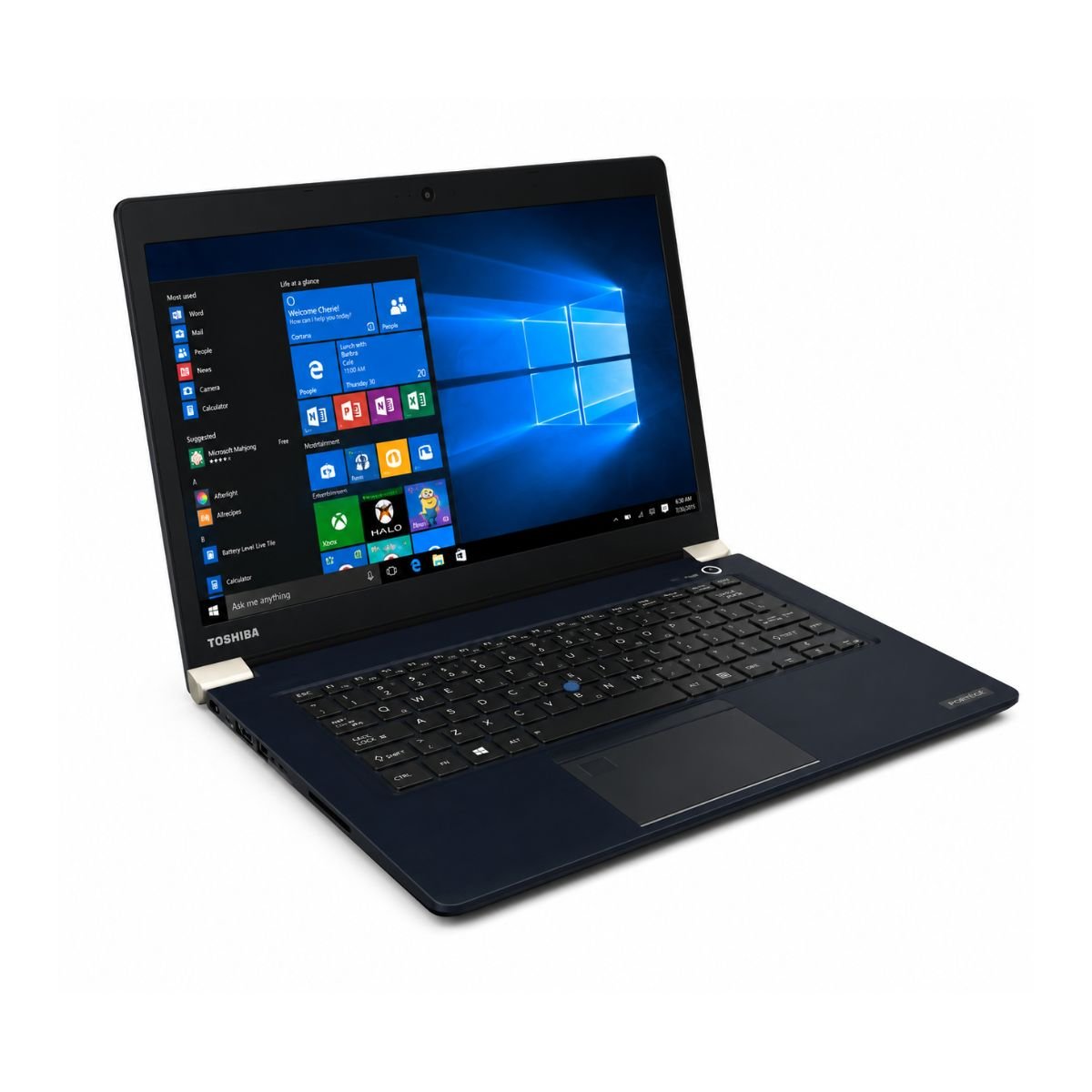
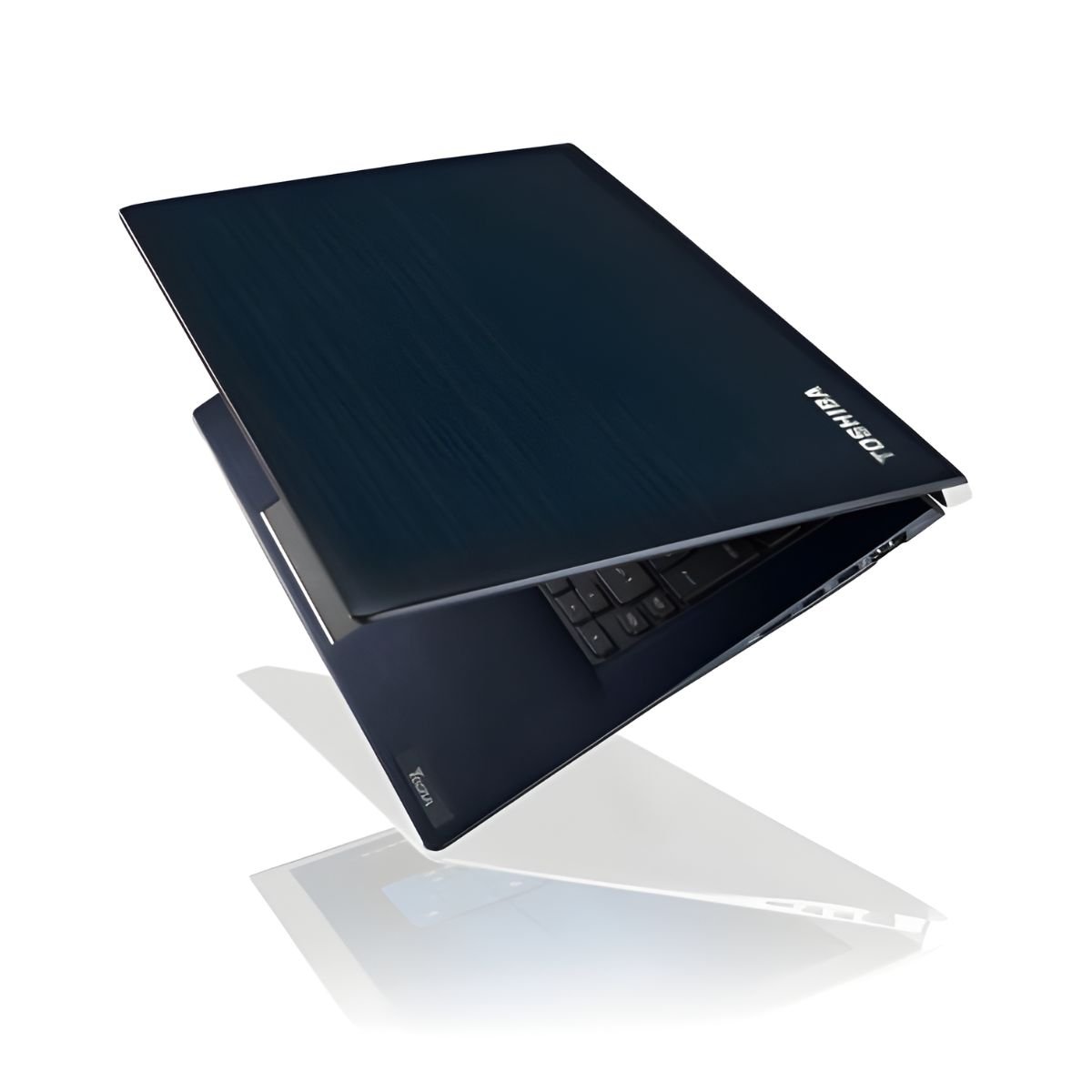
The Toshiba Tecra was never meant to look flashy, and that’s part of its charm for buyers who want something understated for the office. The body leans on a magnesium-alloy-reinforced chassis rather than plain plastic, which gives it a noticeably premium feel in hand without pushing the weight up too much.
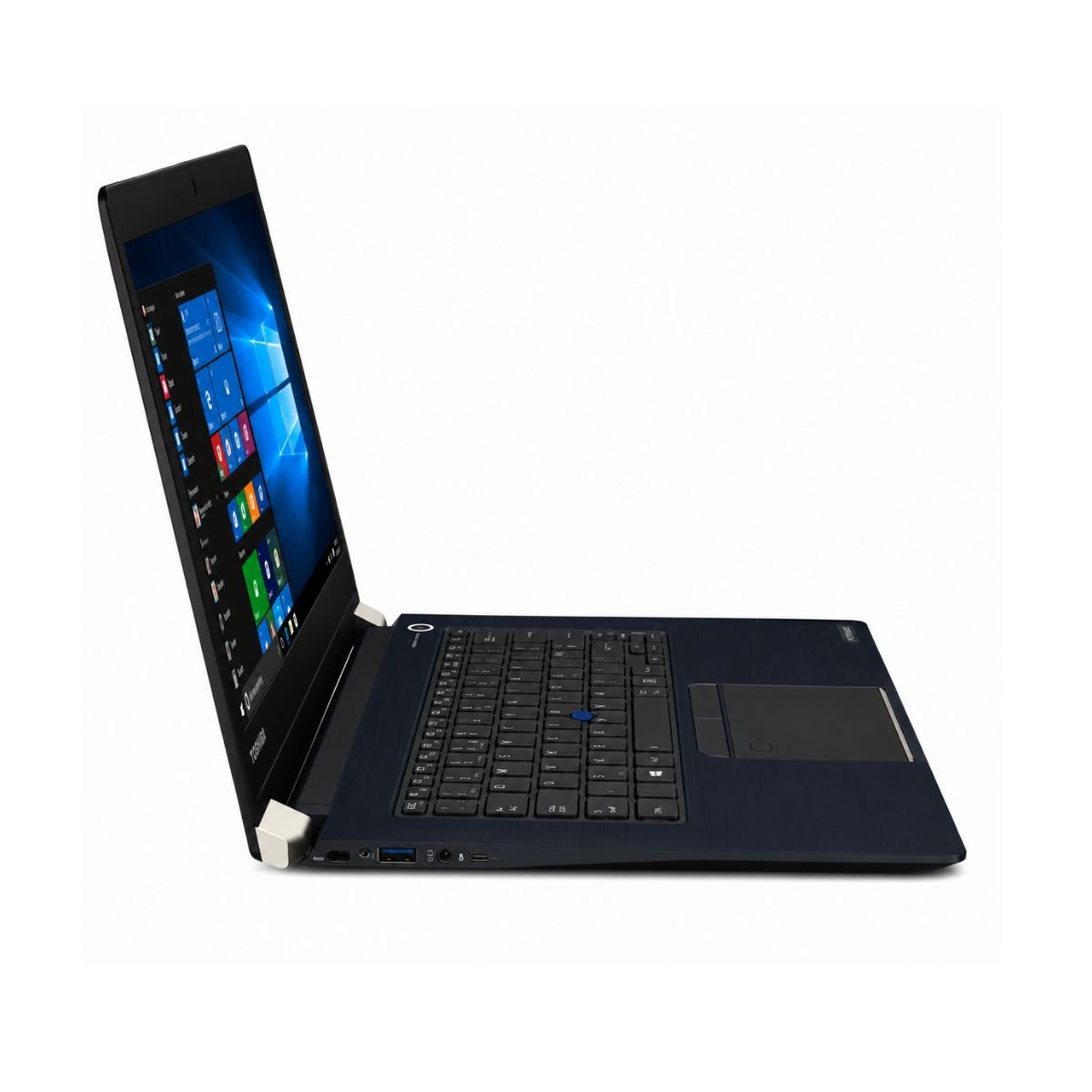
At just under 1.5 kilograms, portability is one of its strongest selling points — it slides into a laptop bag without adding bulk to a daily commute. Build quality feels tight throughout, with minimal flex across the keyboard deck, and the hinges deserve a special mention: they hold the screen firmly at any angle without wobbling, a detail that cheaper ultrabooks often get wrong. For a laptop aimed at people who open and close their lid dozens of times a day, that durability matters more than it sounds.
Display Experience
The 14-inch panel strikes a practical balance — big enough for spreadsheets and documents, small enough to keep the whole machine compact. Internal records for units under model code 2017-20HR0021GE list a B140HAN03.1 IPS panel, which delivers solid sRGB color coverage for everyday content creation and photo viewing, even if it’s not aimed at professional colorists.
Brightness levels are good enough for a well-lit office or a coffee shop, though direct sunlight can wash things out a bit, which is typical for laptops of this class. Color quality is pleasant and natural rather than oversaturated, and the touchscreen (present on this configuration) responds accurately to taps and swipes, which is handy for quick annotations during a meeting. There’s no 360° folding hinge here, so this isn’t a convertible — it’s a traditional clamshell built for typing, not tablet-style use.
Performance & Processor
Laptop i7 7th Gen | Toshiba Tecra X40-D
Powered by the Intel Core i7-7600U 7th Generation processor, the Toshiba Tecra X40-D delivers reliable performance for everyday productivity. Combined with 8GB DDR4 RAM and a 256GB SSD, the laptop offers fast boot times, responsive performance, and smooth multitasking for office work, online meetings, web browsing, document editing, and everyday computing. Learn more about Intel 7th Gen Core processors.
The dual-core processor with Intel Turbo Boost Technology can increase its clock speed up to 3.9GHz when additional performance is required, allowing the laptop to handle multiple applications efficiently. Whether you’re working with Microsoft Office, managing emails, attending video conferences, or browsing with multiple tabs open, the system remains smooth and responsive throughout daily use.
The built-in SSD significantly improves loading speeds compared to traditional hard drives, allowing Windows 10 and applications to start within seconds. Files open quickly, programs respond faster, and overall system performance feels noticeably more responsive.
While the Toshiba Tecra X40-D isn’t designed for demanding workloads such as professional video editing or modern AAA gaming, it provides an excellent balance of performance, efficiency, and portability for students, office professionals, freelancers, teachers, and small business owners who need a dependable laptop for everyday tasks.
Need a newer business laptop? Compare this model with the Toshiba Satellite Pro A50-E Core i5 8th Gen Laptop for newer hardware and improved performance.
Graphics Performance
There’s no dedicated GPU here — the Intel HD Graphics 620 handles everything, and for this laptop’s intended audience, that’s the right call. Video playback, including 1080p and most 4K streaming, runs smoothly without stutter. Light photo editing in tools like Lightroom or basic Photoshop work is manageable, though anything heavier will show its limits quickly.
Casual gaming is possible — older titles, browser games, and simple indie games run fine — but this integrated GPU clearly isn’t built for modern AAA titles. Buyers looking at this laptop for gaming should treat that as a hard limitation rather than a stretch goal.
Battery Life
Battery backup is the one area where the Tecra X40-D shows its age a little, rated at up to 2 hours under real, mixed usage on the unit tested. That’s noticeably shorter than what current ultrabooks offer, so charging habits matter more here. For office use where a charger is always within reach, it’s a non-issue. For travel, especially long flights or all-day conference use without a plug nearby, it’s worth planning around — a compact charger in the bag is a must rather than a nice-to-have.
Connectivity & Ports
The port selection is practical for a business laptop of this size: USB ports for peripherals and external drives, an HDMI output for presentations and external monitors, and a headphone/mic audio jack for calls. Wi-Fi and Bluetooth are both onboard for wireless peripherals and internet access, the integrated webcam works well for video meetings, and a microSD card slot rounds things out for quick file transfers from a camera or another device. Nothing exotic, but everything a professional actually needs day to day is present.
How the Tecra X40-D Stacks Up Against Other Ultrabooks
Buyers comparing options often put the Tecra X40-D next to other well-known business ultrabooks, and it’s a fair comparison to make. The Lenovo ThinkPad X1 Carbon and the broader Lenovo ThinkPad lineup — including the ThinkPad T470s, the ThinkPad X270, and the ThinkPad X1 — are frequent alternatives, prized for their keyboards and Lenovo’s reputation for durability. Dell’s XPS 13 is another common pick for buyers who want a slightly more consumer-friendly design, while the HP Spectre and the HP EliteBook x360 appeal to people who want a convertible x360 form factor with a touchscreen that folds flat.
Further down the list, the Asus ZenBook and the Acer Aspire 5 tend to appeal to budget-conscious shoppers, and Samsung’s ultrabook lineup shows up occasionally in the same conversation. Coverage from outlets like Laptop Mag often groups all of these ultrabooks together in buying guides, and against that backdrop, the Tecra X40-D holds its own thanks to its business-grade hinges, solid keyboard, and dependable 7th-gen performance — even if its battery life doesn’t quite match the newest ThinkPad or XPS 13 models.
Who Should Buy This Laptop?
This laptop makes the most sense for:
- Students who need something light for note-taking and research without carrying a heavy machine.
- Office users running spreadsheets, email, and internal tools all day.
- Freelancers who move between coffee shops, client offices, and home.
- Teachers preparing lessons and hopping on quick online meetings between classes.
- Small business owners who need a reliable, no-fuss laptop rather than a gaming rig.
If the daily routine revolves around documents, browsing, and video calls rather than heavy creative work or gaming, this is a very sensible pick.
Why Buy From SNSV Laptop?
Buying a used or refurbished laptop always comes with a bit of hesitation, and that’s exactly what SNSV Laptop is built to remove.
- Genuine Products – every device sold is an authentic Toshiba unit, never a clone or mismatched parts build.
- Tested Devices – each laptop goes through a proper testing process before it’s listed, so buyers aren’t gambling on a mystery device.
- Competitive Prices – slightly used pricing that reflects real market value, not inflated “like new” markups.
- Secure Payment – checkout options designed to protect buyer information from start to finish.
- Fast Delivery – orders are processed quickly so the wait between purchase and unboxing stays short.
- Customer Support – a real support team available for questions before and after the sale.
- Warranty – every unit includes a 10-day checking warranty, giving buyers a real window to confirm everything works as expected. Most units also arrive with useful Toshiba utilities pre-installed, ready for daily use right out of the box.
Frequently Asked Questions
What does the Toshiba Tecra X40-D look like? The X40-D looks understated and professional — a dark, matte chassis with clean lines, closer to a traditional business laptop than a flashy consumer ultrabook.
Are there different X40-D models available? Yes, X40-D models range from Core i5-7200U and i5-7300U configurations up to Core i7-7500U and i7-7600U variants, along with differences in storage between Toshiba’s own SSD and Samsung PM961 options.
How much do typical X40-D costs run? X40-D costs vary based on condition, processor tier, and storage size, but slightly used i7 configurations typically offer strong value compared to buying new.
Is the Toshiba Tecra X40-D good for gaming? Not really — the Intel HD Graphics 620 handles casual and older games fine, but it isn’t built for modern AAA titles.
How long does the battery actually last? On the tested unit, real-world battery backup came in at up to 2 hours of mixed use, so keeping a charger nearby is recommended for travel.
Does it have a touchscreen? Yes, this configuration includes a responsive touchscreen display, though it’s a traditional clamshell rather than a 360° convertible.

Reviews
There are no reviews yet.